
juezzelgius - Minecraft Skins & Skin History
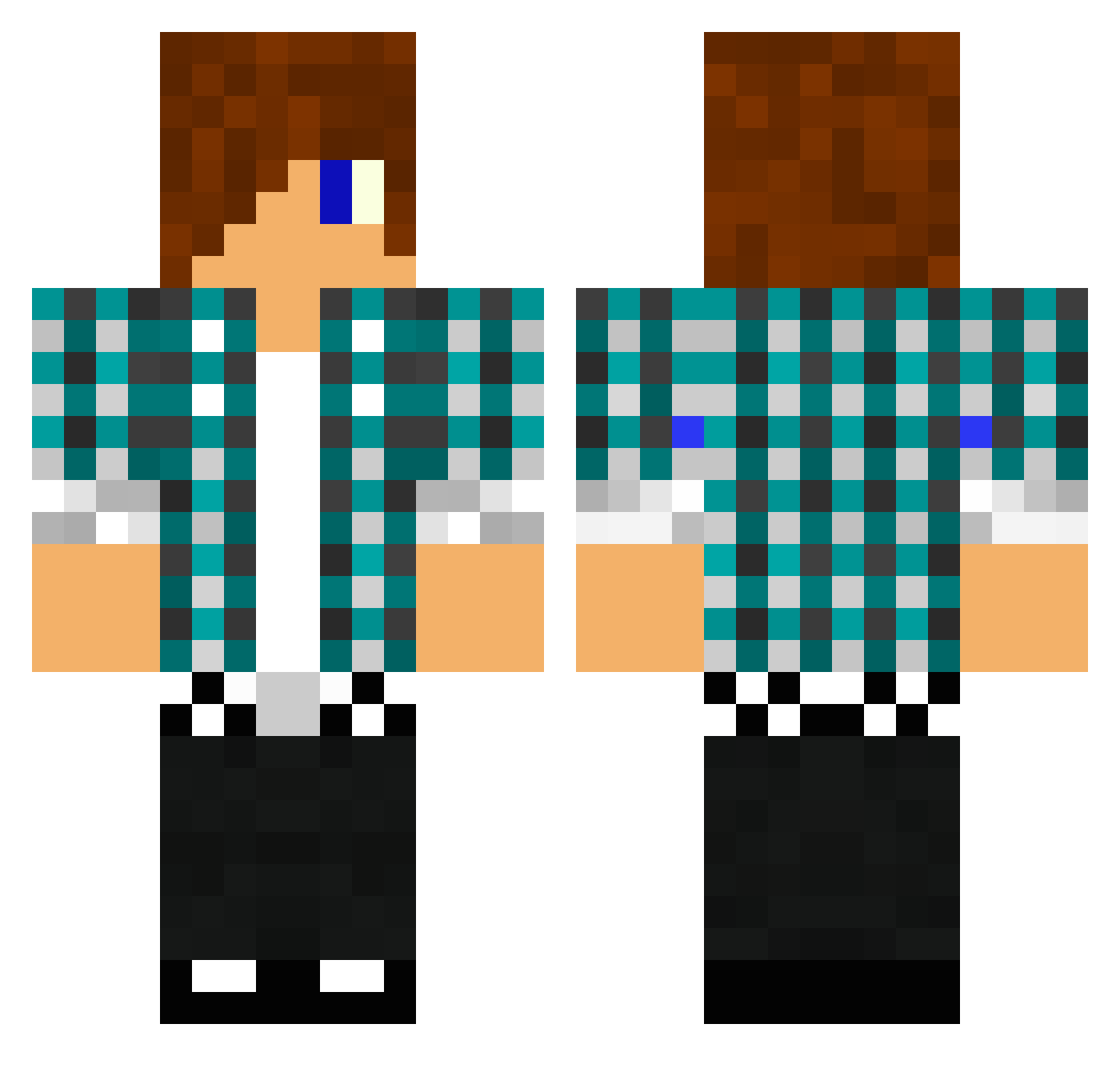
Current Minecraft skin of the player juezzelgius, loaded from the official Mojang API. Rotate the 3D model with your mouse or finger, then download the skin as a PNG file and use it in Minecraft: Bedrock Edition or Java Edition for free. When juezzelgius changes their skin, this page updates automatically and the old skin stays in the history below.
Other players with this skin (1478)
juezzelgius was the 132nd player we have seen with this skin, first spotted on 03.08.2026. The same skin was seen on these players. Open a nickname to see their current skin and skin history.
 LittleBommel galactic_dwarf KendonWayne dragoon7X SPdisco iRomance SrRandomz cooppeeRR moveluk Rose4Life samw350 FlickityFletch falconsfan12 nicemyles sapteen kishwan smudgytax4872 simon_j_parker albeo12 Timos333 KrazyKrafting Madse6 gwlloyd Haikel minecrafting84 monkeyboy1289 netchip Crash_Potato enzobarrier Kidz6 Footballg1 LeoChan9 slickwillyo lifted0404 altiar456789 Chudy32145 bactop cowardice_ DualShock0 JaK0b1 jason2135 supersaiyan4968 take_away tobias8995 EnergiiCZ bigpoo_123 Molloch117 Georgebebb EllisRidingQuaad mrtechiedude101 love02315 samhope010902 Calvas58 SaucyDreww Shiro_Hikaru worshiper46 col0009 KA009onPC DV_Junior CialisSiggi
More Emo Minecraft skins
How to install the juezzelgius skin
- Press the Download button above to save the skin as a PNG file.
- Minecraft: Bedrock Edition (PE): open the Dressing Room from the main menu (or tap your character → Edit Character), go to Classic Skins → Owned, press the + (new skin) button, choose the downloaded PNG and pick the Classic (Steve) model. Works on PC and mobile; consoles cannot import custom skins.
- Minecraft: Java Edition: open the Minecraft Launcher, go to the Skins tab, click New Skin, load the PNG, pick the Classic (Steve) model and press Save & Use. You can also upload it at minecraft.net → Profile → Change Skin.
The skin does not show up after import - what should I do?
Restart Minecraft and open the Dressing Room again - imported skins sometimes appear only after a restart. Also make sure you selected the imported skin and picked the Classic (Steve) model.
Which model should I choose, Classic or Slim?
This skin is designed for the Classic (Steve) model. If you pick the wrong model, the arms of the skin will look stretched or squeezed.
Is the skin of juezzelgius free to download?
Yes. Press Download, save the PNG file and use it in Minecraft: Bedrock Edition or Java Edition - no payment or registration needed. The skin also works on multiplayer servers and Realms.
More skins
Looking for more? Go back to all Minecraft skins and check the top skins of the week, month and all time, or find any player's skin by nickname.