
jude_the_king - Minecraft Skins & Skin History
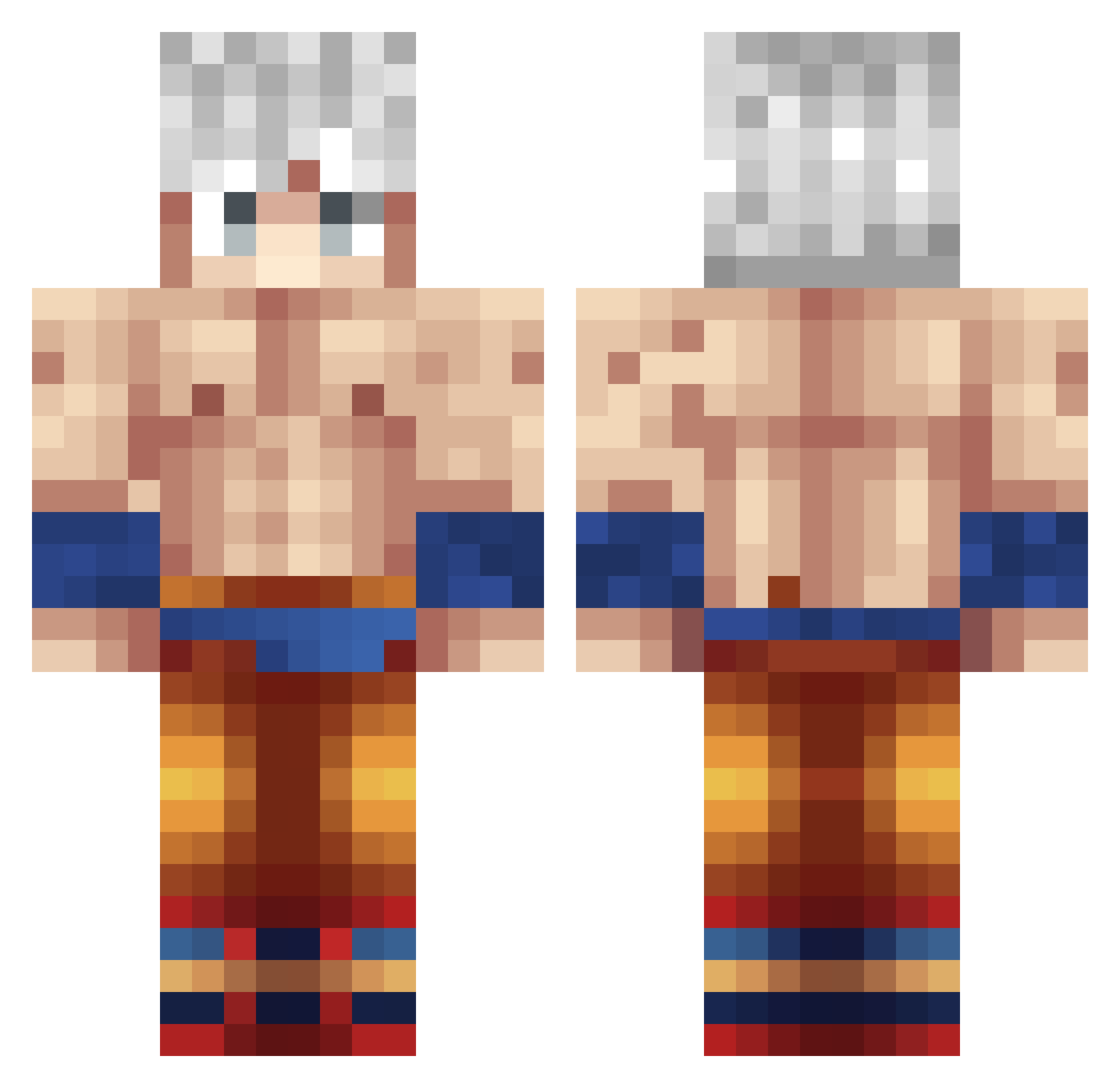
Current Minecraft skin of the player jude_the_king, loaded from the official Mojang API. Rotate the 3D model with your mouse or finger, then download the skin as a PNG file and use it in Minecraft: Bedrock Edition or Java Edition for free. When jude_the_king changes their skin, this page updates automatically and the old skin stays in the history below.
Other players with this skin (458)
jude_the_king was the 395th player we have seen with this skin, first spotted on 05.11.2026. The same skin was seen on these players. Open a nickname to see their current skin and skin history.
 SleepyJhon Axerxxx HuiZi_ ismael3415 Pvzjakey Grabouby mayo1234 Jeanyap Rickboypro Zenoooo44 WWEESSAAMM Didakuxo Luchowolf mobo555 XyiH TTTTTDOT eltoxsmaspro Billybobj267 BUNGAS1208 Baumbus127 RedJockYT natangamer1235 MrAimar FortidSnake SlickBack47 SLAUTERgrubs1 SONgokuff AKTach Taha2112 _Riovo_ pinheadlarry6 Jxrgius Aldairpineda4 Mbdonkey Lore45 LIN7788 Hamiltontt Kar33mMC KomandosT SonGoku3233 adrianfulbaster PrimitiveSpace parsthegreat GuySlayer KreativeKendi SSG_Marlon Seksowny_Oskar bigShawtySlayer drako6533 MrKifa20 zXBernalXz XAPAOCAPO Psycho_MUI xHabibi ElNew xBorfus Samy152 DORONOA_ Elyesa6109 Apakoh_10
More Goku Minecraft skins
How to install the jude_the_king skin
- Press the Download button above to save the skin as a PNG file.
- Minecraft: Bedrock Edition (PE): open the Dressing Room from the main menu (or tap your character → Edit Character), go to Classic Skins → Owned, press the + (new skin) button, choose the downloaded PNG and pick the Classic (Steve) model. Works on PC and mobile; consoles cannot import custom skins.
- Minecraft: Java Edition: open the Minecraft Launcher, go to the Skins tab, click New Skin, load the PNG, pick the Classic (Steve) model and press Save & Use. You can also upload it at minecraft.net → Profile → Change Skin.
The skin does not show up after import - what should I do?
Restart Minecraft and open the Dressing Room again - imported skins sometimes appear only after a restart. Also make sure you selected the imported skin and picked the Classic (Steve) model.
Which model should I choose, Classic or Slim?
This skin is designed for the Classic (Steve) model. If you pick the wrong model, the arms of the skin will look stretched or squeezed.
Is the skin of jude_the_king free to download?
Yes. Press Download, save the PNG file and use it in Minecraft: Bedrock Edition or Java Edition - no payment or registration needed. The skin also works on multiplayer servers and Realms.
More skins
Looking for more? Go back to all Minecraft skins and check the top skins of the week, month and all time, or find any player's skin by nickname.