
jubtron - Minecraft Skins & Skin History
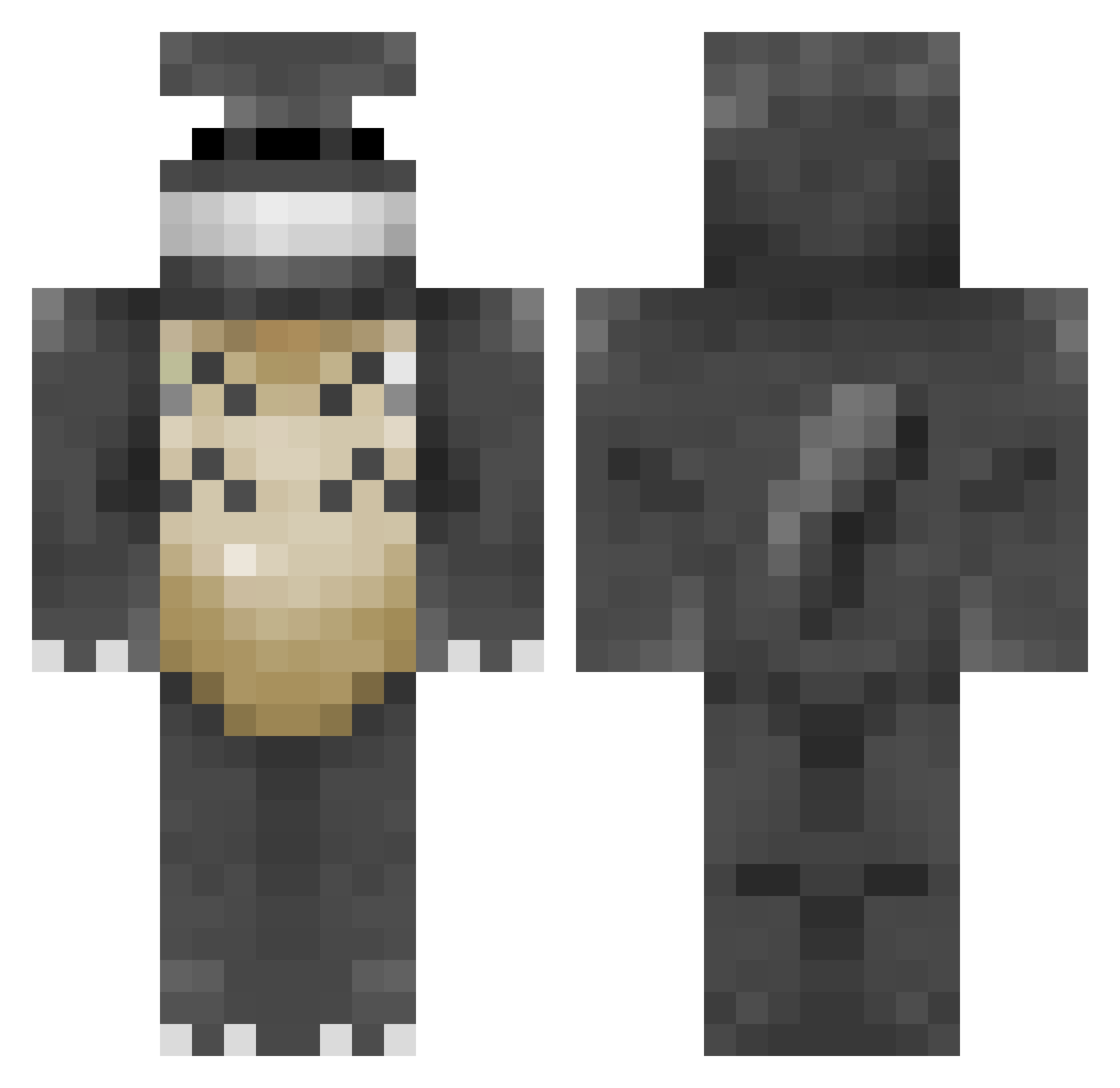
Current Minecraft skin of the player jubtron, loaded from the official Mojang API. Rotate the 3D model with your mouse or finger, then download the skin as a PNG file and use it in Minecraft: Bedrock Edition or Java Edition for free. When jubtron changes their skin, this page updates automatically and the old skin stays in the history below.
Other players with this skin (114)
jubtron was the 89th player we have seen with this skin, first spotted on 10.10.2026. The same skin was seen on these players. Open a nickname to see their current skin and skin history.
 lnvvan Sejemikkel ChocoMACCHIATO Steam_Shadow78 Relax2333 Skit1z Daikoro22 killr1234567 GabriMaxYT GandalfTheGrayt byeongshinsekki1 ThinkAboutt stardragon91 Emeraldnickel PieAnimal lunev19 Silentnighto Helioblight Ibelongtolevi Fersitoislas qsfehn AndrewBePositive Milperi Nanquil Ffshzz NiceMarmot Jonny748 dingohopper1 tjark200701 OrangeeGeek Jenni87 KimIsNotHere TheAntisocial ShyGuy495 UserCL501 laurens1325 MisterCryptid ptrakuzan madulas TotoroPog randomgamer125 Gl1tch0v0 duggrave navieseal Aangbuzz DIOGOCALISTO Elliot955 Fowlski77 Totorooo777 CaptainhSpook jugerzr hotnuts26 I_want_to_swoop_ RedSaltBossman KyleMCV POULEEE MightBeTotoro kitewo_0 BERMTHEO iamsuperior42
More My Neighbor Totoro Minecraft skins
See all 18 My Neighbor Totoro skins
How to install the jubtron skin
- Press the Download button above to save the skin as a PNG file.
- Minecraft: Bedrock Edition (PE): open the Dressing Room from the main menu (or tap your character → Edit Character), go to Classic Skins → Owned, press the + (new skin) button, choose the downloaded PNG and pick the Classic (Steve) model. Works on PC and mobile; consoles cannot import custom skins.
- Minecraft: Java Edition: open the Minecraft Launcher, go to the Skins tab, click New Skin, load the PNG, pick the Classic (Steve) model and press Save & Use. You can also upload it at minecraft.net → Profile → Change Skin.
The skin does not show up after import - what should I do?
Restart Minecraft and open the Dressing Room again - imported skins sometimes appear only after a restart. Also make sure you selected the imported skin and picked the Classic (Steve) model.
Which model should I choose, Classic or Slim?
This skin is designed for the Classic (Steve) model. If you pick the wrong model, the arms of the skin will look stretched or squeezed.
Is the skin of jubtron free to download?
Yes. Press Download, save the PNG file and use it in Minecraft: Bedrock Edition or Java Edition - no payment or registration needed. The skin also works on multiplayer servers and Realms.
More skins
Looking for more? Go back to all Minecraft skins and check the top skins of the week, month and all time, or find any player's skin by nickname.