
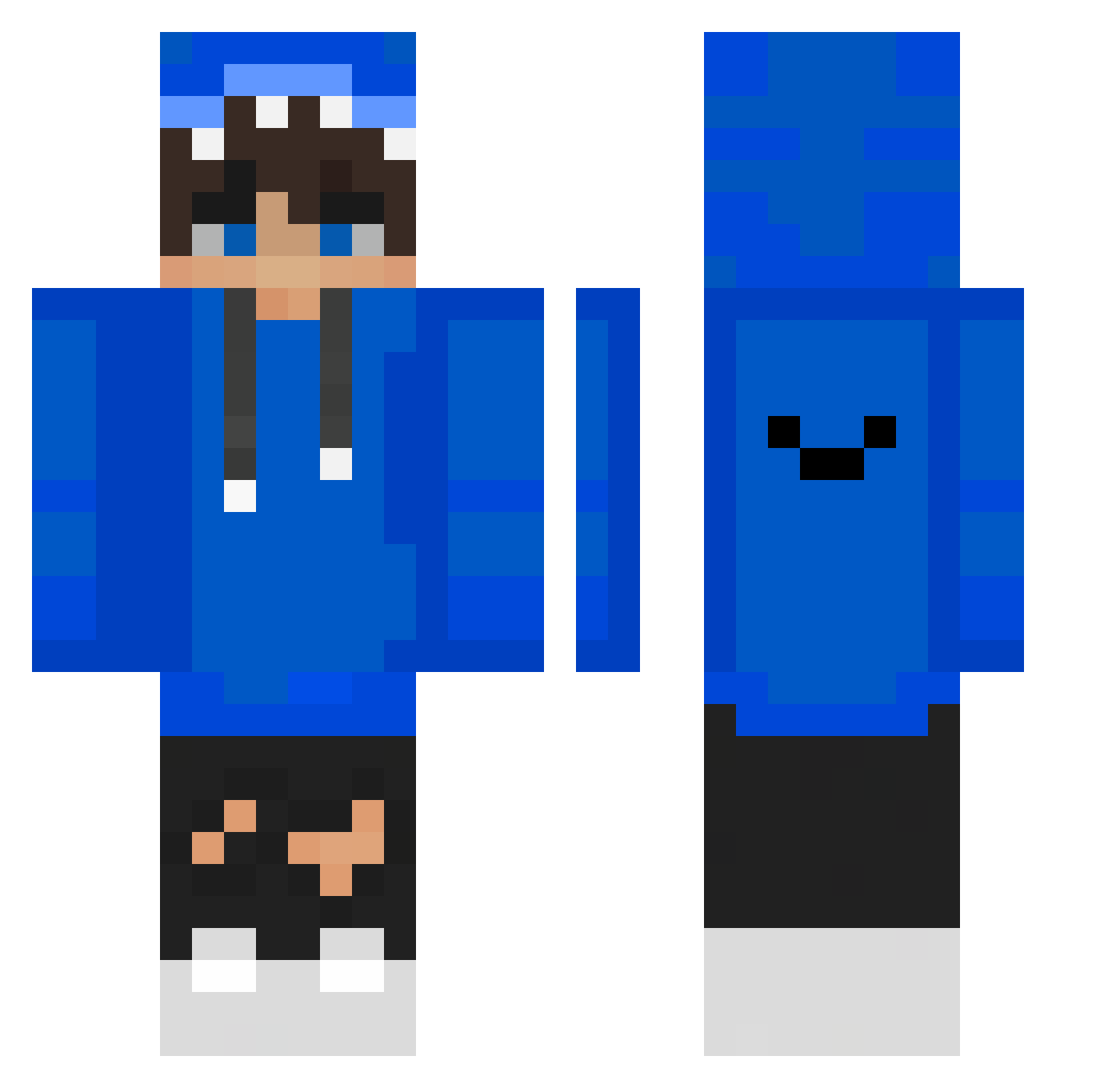
Current Minecraft skin of the player jprobin, loaded from the official Mojang API. Rotate the 3D model with your mouse or finger, then download the skin as a PNG file and use it in Minecraft: Bedrock Edition or Java Edition for free. When jprobin changes their skin, this page updates automatically and the old skin stays in the history below.
Other players with this skin (322)
jprobin was the 187th player we have seen with this skin, first spotted on 09.09.2026. The same skin was seen on these players. Open a nickname to see their current skin and skin history.
 Disputedshark63 maksio_pro MrShibaBG dtgood1234 Piramon Harth_055 PolarKx God3887 chenisgod Dylan9188 RafaRex51 _TheVen_ Siyad _FrostWizard_ LLL100 525i_ SSQR0311 IcexTube76 Kazbunda acylxn xCriistiina_8 flox4399 Wad_der alex_xd35 Toppalu EnderRakui Donio02 FgFrancy10 Han0218 mtakumo Honey0113 PepeBoom332 weiwei420 Nura841 dustzada_ PHART00 Lenne14 isabellawm lolls231 dogbin Luckyblock2346 Bmxruler1211 bergcrystal Nextlol BaMoKun BarryAllen93 eoFeer superhandsomeleo zxzabcd Soo483 ristexF AzoteMxe _RiverHe_ The_Fox02290 Raizuu_ Joshh_irwin ScarletCrescent WayZ_royale Pharaohous HaRi23
How to install the jprobin skin
- Press the Download button above to save the skin as a PNG file.
- Minecraft: Bedrock Edition (PE): open the Dressing Room from the main menu (or tap your character → Edit Character), go to Classic Skins → Owned, press the + (new skin) button, choose the downloaded PNG and pick the Classic (Steve) model. Works on PC and mobile; consoles cannot import custom skins.
- Minecraft: Java Edition: open the Minecraft Launcher, go to the Skins tab, click New Skin, load the PNG, pick the Classic (Steve) model and press Save & Use. You can also upload it at minecraft.net → Profile → Change Skin.
The skin does not show up after import - what should I do?
Restart Minecraft and open the Dressing Room again - imported skins sometimes appear only after a restart. Also make sure you selected the imported skin and picked the Classic (Steve) model.
Which model should I choose, Classic or Slim?
This skin is designed for the Classic (Steve) model. If you pick the wrong model, the arms of the skin will look stretched or squeezed.
Is the skin of jprobin free to download?
Yes. Press Download, save the PNG file and use it in Minecraft: Bedrock Edition or Java Edition - no payment or registration needed. The skin also works on multiplayer servers and Realms.
More skins
Looking for more? Go back to all Minecraft skins and check the top skins of the week, month and all time, or find any player's skin by nickname.