
joemper - Minecraft Skins & Skin History
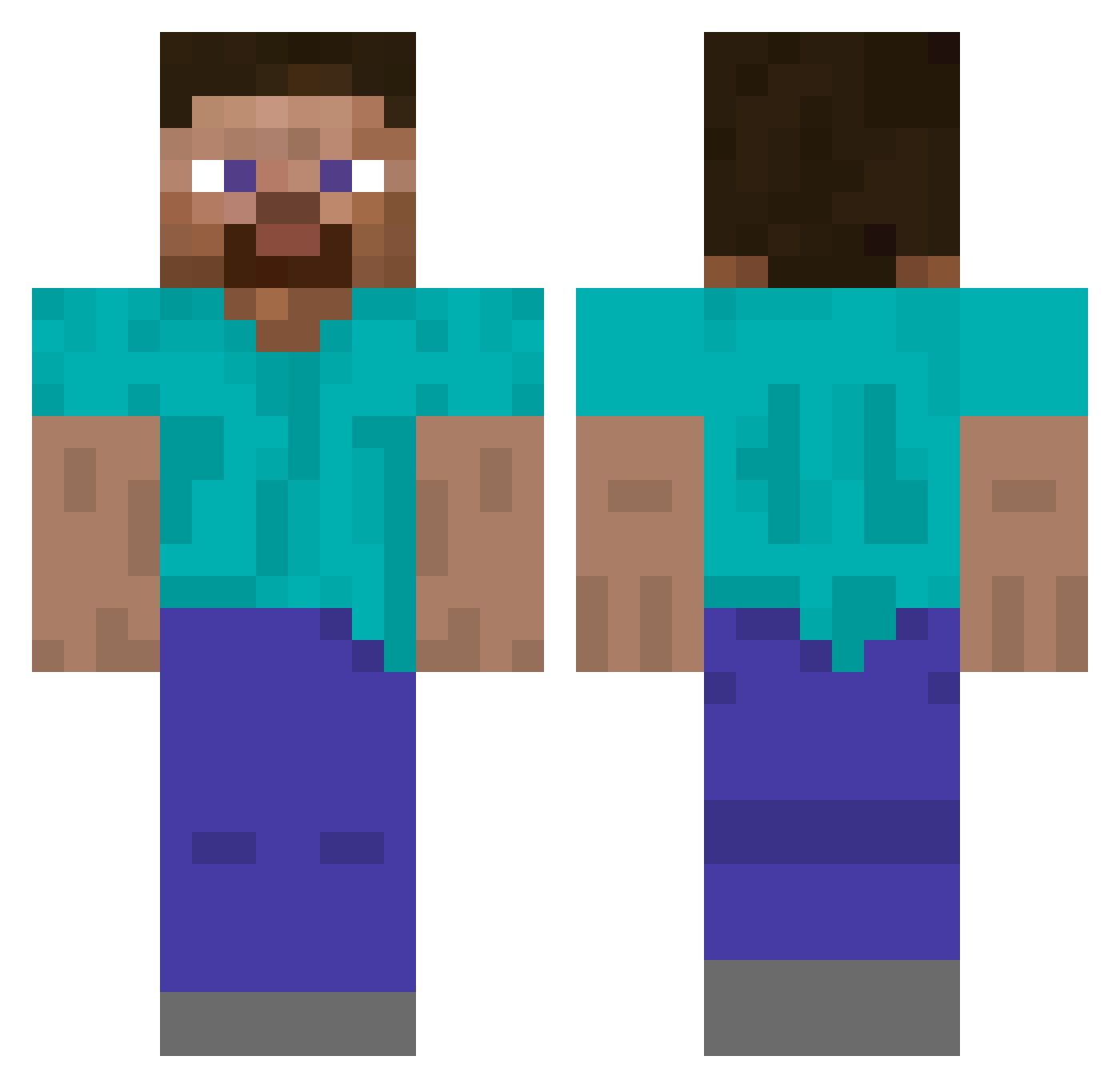
Current Minecraft skin of the player joemper, loaded from the official Mojang API. Rotate the 3D model with your mouse or finger, then download the skin as a PNG file and use it in Minecraft: Bedrock Edition or Java Edition for free. When joemper changes their skin, this page updates automatically and the old skin stays in the history below.
Other players with this skin (522)
joemper was the 14th player we have seen with this skin, first spotted on 25.07.2026. The same skin was seen on these players. Open a nickname to see their current skin and skin history.
 Exibexi123 vinirsx0 42jacob DrHawkMattice _Snow0_0 piko0409 bloodytongue198 TSMSteve 0VVLM4N izusha61 captainrex717 Twilight_Pumpkin Michael_M1612 The_Buddy_Burger Alen_Dukr Naouque clumsycraft kamimasa1414 Hawk5105
 N8or Hogwarts2017 _DesertScourge ThExoHype BlueNoob5050 Kuhndog04 Wojtal567 DorryTheCat ckornel RRP839 GNSLNGR bubbybigbub rabidpandaxx funtech2009 batonchiktwix serhatdnmz46 likegguser Billybob_123 Nedriths JenduMendu Fadisanas T_ayo moagha Ethanial potatorobby SOMEONE1233 Amplifia
 RKerickson BraveKing37 pikaboy70 Guusmeuwis21 SBence2001 Trogdar2121 nolan217 satowatoru HerrFaust2 drlabu farrelle
 backblack997 JOLPASD Supernaut2006
How to install the joemper skin
- Press the Download button above to save the skin as a PNG file.
- Minecraft: Bedrock Edition (PE): open the Dressing Room from the main menu (or tap your character → Edit Character), go to Classic Skins → Owned, press the + (new skin) button, choose the downloaded PNG and pick the Classic (Steve) model. Works on PC and mobile; consoles cannot import custom skins.
- Minecraft: Java Edition: open the Minecraft Launcher, go to the Skins tab, click New Skin, load the PNG, pick the Classic (Steve) model and press Save & Use. You can also upload it at minecraft.net → Profile → Change Skin.
The skin does not show up after import - what should I do?
Restart Minecraft and open the Dressing Room again - imported skins sometimes appear only after a restart. Also make sure you selected the imported skin and picked the Classic (Steve) model.
Which model should I choose, Classic or Slim?
This skin is designed for the Classic (Steve) model. If you pick the wrong model, the arms of the skin will look stretched or squeezed.
Is the skin of joemper free to download?
Yes. Press Download, save the PNG file and use it in Minecraft: Bedrock Edition or Java Edition - no payment or registration needed. The skin also works on multiplayer servers and Realms.
More skins
Looking for more? Go back to all Minecraft skins and check the top skins of the week, month and all time, or find any player's skin by nickname.