
jkncjk - Minecraft Skins & Skin History
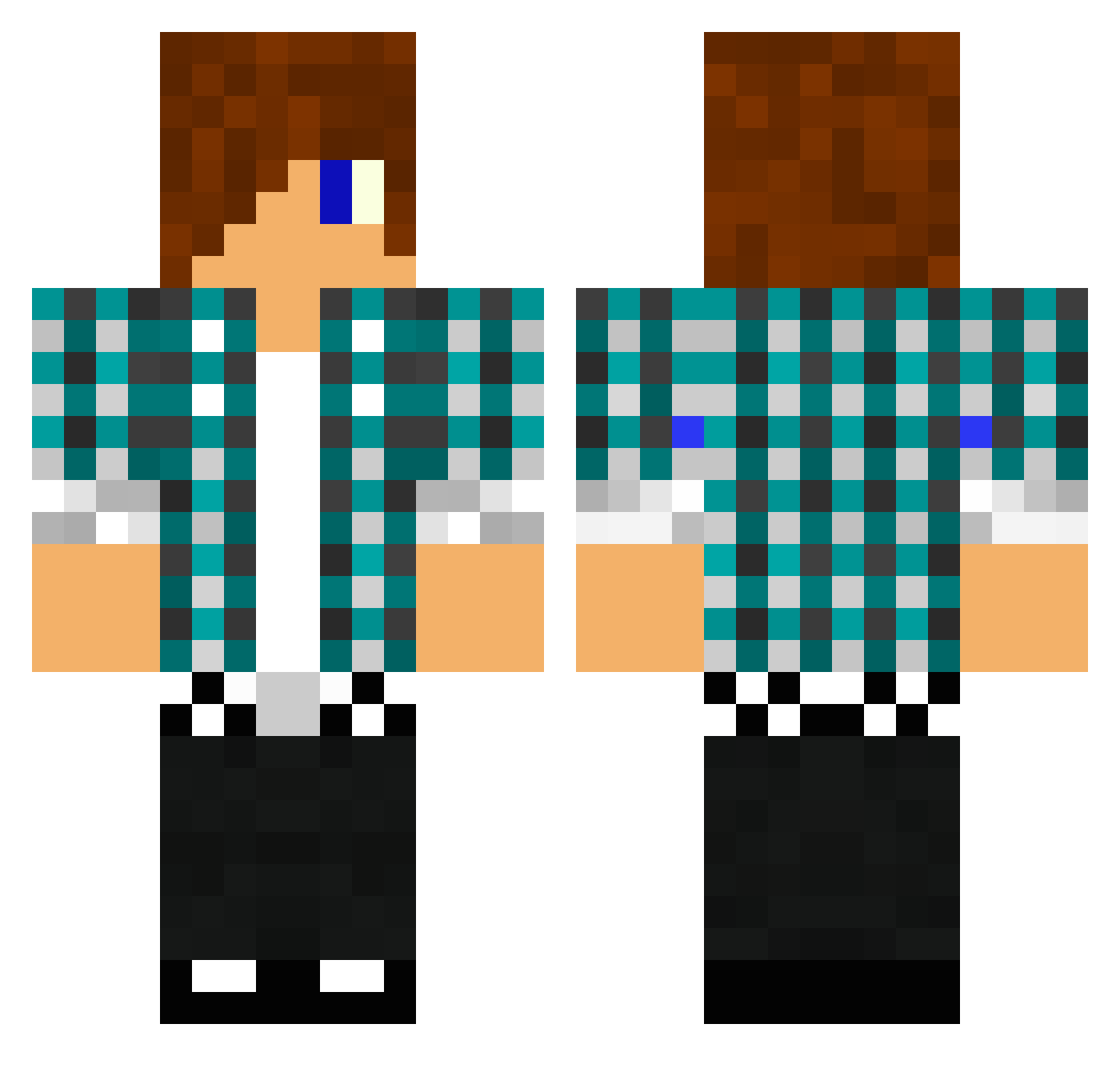
Current Minecraft skin of the player jkncjk, loaded from the official Mojang API. Rotate the 3D model with your mouse or finger, then download the skin as a PNG file and use it in Minecraft: Bedrock Edition or Java Edition for free. When jkncjk changes their skin, this page updates automatically and the old skin stays in the history below.
Other players with this skin (1475)
jkncjk was the 1405th player we have seen with this skin, first spotted on 06.11.2026. The same skin was seen on these players. Open a nickname to see their current skin and skin history.
 nikolaj180240 crazyguy1912 shanerbock1999 jackel2002 robinbutler mineforces Mr_JRAwesome shingcc Quagmire95 Hodenchen Ghost_Rider_NOB turbo12cheese mrg88 Aidan3040 02fred02 RYBARRA8 pingpong413 Danmanzee dudeman43 van_kil Finley_ES Codkikoo69 strikerscore XnoRH xxxsean7777 iBallistic_Hasan AbdallaMoussa R2d2thebird pgf891 MrMaxJ hunter1974 RebelNotorious RSDan shadowbeast3 DeadRising10 marmenor14 Karotter Xkillboemer360X wareham20 chewits123 lazatto AreR99 Nycktrius RohanRohanRohan MerkieT TheOxxMan fadosani harrypatrick2004 oliverfrej hippk31 Dl_Expert15 Eli_sam rasmus4 WhiteGod1216 LucyFabulous Chrille_88x filippo5215 lexbryblu pennndu reddmango877
More Emo Minecraft skins
How to install the jkncjk skin
- Press the Download button above to save the skin as a PNG file.
- Minecraft: Bedrock Edition (PE): open the Dressing Room from the main menu (or tap your character → Edit Character), go to Classic Skins → Owned, press the + (new skin) button, choose the downloaded PNG and pick the Classic (Steve) model. Works on PC and mobile; consoles cannot import custom skins.
- Minecraft: Java Edition: open the Minecraft Launcher, go to the Skins tab, click New Skin, load the PNG, pick the Classic (Steve) model and press Save & Use. You can also upload it at minecraft.net → Profile → Change Skin.
The skin does not show up after import - what should I do?
Restart Minecraft and open the Dressing Room again - imported skins sometimes appear only after a restart. Also make sure you selected the imported skin and picked the Classic (Steve) model.
Which model should I choose, Classic or Slim?
This skin is designed for the Classic (Steve) model. If you pick the wrong model, the arms of the skin will look stretched or squeezed.
Is the skin of jkncjk free to download?
Yes. Press Download, save the PNG file and use it in Minecraft: Bedrock Edition or Java Edition - no payment or registration needed. The skin also works on multiplayer servers and Realms.
More skins
Looking for more? Go back to all Minecraft skins and check the top skins of the week, month and all time, or find any player's skin by nickname.