
jion0831 - Minecraft Skins & Skin History
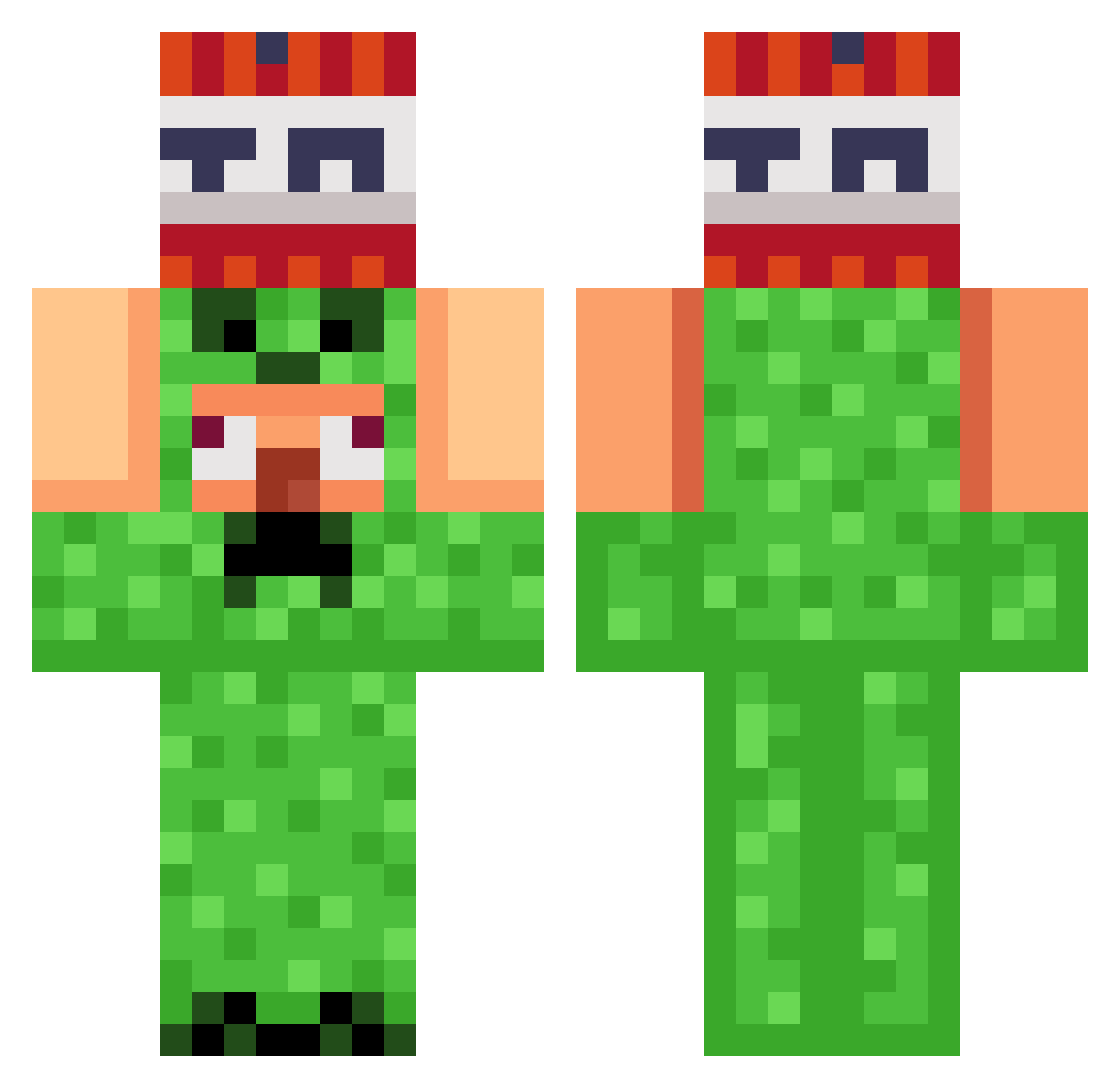
Current Minecraft skin of the player jion0831, loaded from the official Mojang API. Rotate the 3D model with your mouse or finger, then download the skin as a PNG file and use it in Minecraft: Bedrock Edition or Java Edition for free. When jion0831 changes their skin, this page updates automatically and the old skin stays in the history below.
Other players with this skin (821)
jion0831 was the 276th player we have seen with this skin, first spotted on 22.08.2026. The same skin was seen on these players. Open a nickname to see their current skin and skin history.
 Elbilly07 Jua123 303bei Dawnisanoob diazdiaz SitBackOT MilchKrone ProfessorAl EErrroor PumpkinBeads PunchMain EtherealReaps olljal AboGeorge CumaTank Mainawtyneiga LITAJJ ooopzem SoulSavior1 LaughedCactus10 Jantjespook2 jadelove67234 Mroggiw KeineShow0 p0lan GAK_ATTACK_LOL Danilo_bavaresco wilyparrot KeyserSoze1003 LELEBALLZ Flurin2009 hyperghost88 Matheu_so minho0808 kauanzinamiguin Hero_1024
 AudreyHelen gyum8426 NsPretao_ Ben6663 txf_i TGRRED HowToBeBadAtGame Zuma1997 dioo_ho Sebiii__ Pokemonboi7209 RogueNone02 Geeshki pablooloco CHXD3 pop4014 jw0542 dOpEkone
 ZoroTheExplorerr Gnomedestroyer NeptuneDev Donny727 trippingpickles noel123232
More TNT Minecraft skins
How to install the jion0831 skin
- Press the Download button above to save the skin as a PNG file.
- Minecraft: Bedrock Edition (PE): open the Dressing Room from the main menu (or tap your character → Edit Character), go to Classic Skins → Owned, press the + (new skin) button, choose the downloaded PNG and pick the Classic (Steve) model. Works on PC and mobile; consoles cannot import custom skins.
- Minecraft: Java Edition: open the Minecraft Launcher, go to the Skins tab, click New Skin, load the PNG, pick the Classic (Steve) model and press Save & Use. You can also upload it at minecraft.net → Profile → Change Skin.
The skin does not show up after import - what should I do?
Restart Minecraft and open the Dressing Room again - imported skins sometimes appear only after a restart. Also make sure you selected the imported skin and picked the Classic (Steve) model.
Which model should I choose, Classic or Slim?
This skin is designed for the Classic (Steve) model. If you pick the wrong model, the arms of the skin will look stretched or squeezed.
Is the skin of jion0831 free to download?
Yes. Press Download, save the PNG file and use it in Minecraft: Bedrock Edition or Java Edition - no payment or registration needed. The skin also works on multiplayer servers and Realms.
More skins
Looking for more? Go back to all Minecraft skins and check the top skins of the week, month and all time, or find any player's skin by nickname.