
jim5989 - Minecraft Skins & Skin History
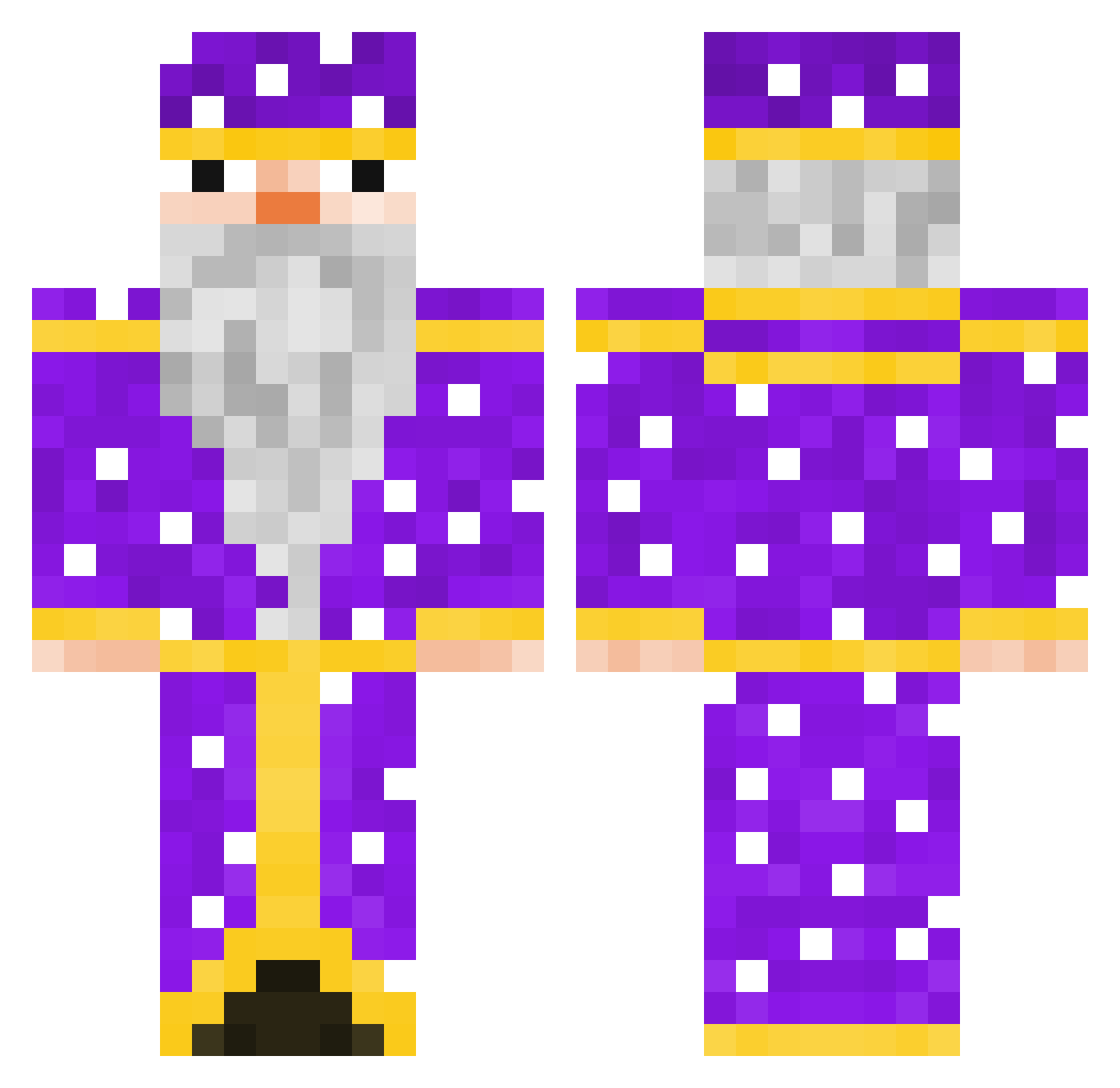
Current Minecraft skin of the player jim5989, loaded from the official Mojang API. Rotate the 3D model with your mouse or finger, then download the skin as a PNG file and use it in Minecraft: Bedrock Edition or Java Edition for free. When jim5989 changes their skin, this page updates automatically and the old skin stays in the history below.
Other players with this skin (125)
jim5989 was the 95th player we have seen with this skin, first spotted on 25.10.2026. The same skin was seen on these players. Open a nickname to see their current skin and skin history.
 dujkek pphoneeeee Aguztinxz Nemmenchan21 0Gvozd0 M1nt0nn the_vrog prtysharm biglimpin_ BearWitHat betoniarz4_ Aaronitoo NymeX__ saltytomato1 Pantrukon oFinky SestoTheGod _Noobi_ T1ck__ FlamingMidget451 pxuanting0121 malltaf Heyohen12 aaarirou Wiz0ord cQtex shorku penguin991874 accla40 SnowyOxygen Isicken Pengu_Star Cometian PabloArt73 buzdygan_13 _Juliox_ crewman4124 MamoryCrysta superpapago ShaxLol MrDeLasDonas Anziiiiii xSt0ff3 PrueferSee43 pickles99102 SuperCatscr gurkhink mjl Aguastepack SV0E KpCrazy SquirterULTIMATE LizaProstitutka dingleheimer0 Tungsten_Balls Mrkokosek1 xxxadam czarnyPaweleq Czapsonnn minecraft18822
More Elderly Minecraft skins
How to install the jim5989 skin
- Press the Download button above to save the skin as a PNG file.
- Minecraft: Bedrock Edition (PE): open the Dressing Room from the main menu (or tap your character → Edit Character), go to Classic Skins → Owned, press the + (new skin) button, choose the downloaded PNG and pick the Classic (Steve) model. Works on PC and mobile; consoles cannot import custom skins.
- Minecraft: Java Edition: open the Minecraft Launcher, go to the Skins tab, click New Skin, load the PNG, pick the Classic (Steve) model and press Save & Use. You can also upload it at minecraft.net → Profile → Change Skin.
The skin does not show up after import - what should I do?
Restart Minecraft and open the Dressing Room again - imported skins sometimes appear only after a restart. Also make sure you selected the imported skin and picked the Classic (Steve) model.
Which model should I choose, Classic or Slim?
This skin is designed for the Classic (Steve) model. If you pick the wrong model, the arms of the skin will look stretched or squeezed.
Is the skin of jim5989 free to download?
Yes. Press Download, save the PNG file and use it in Minecraft: Bedrock Edition or Java Edition - no payment or registration needed. The skin also works on multiplayer servers and Realms.
More skins
Looking for more? Go back to all Minecraft skins and check the top skins of the week, month and all time, or find any player's skin by nickname.