
jeomister - Minecraft Skins & Skin History
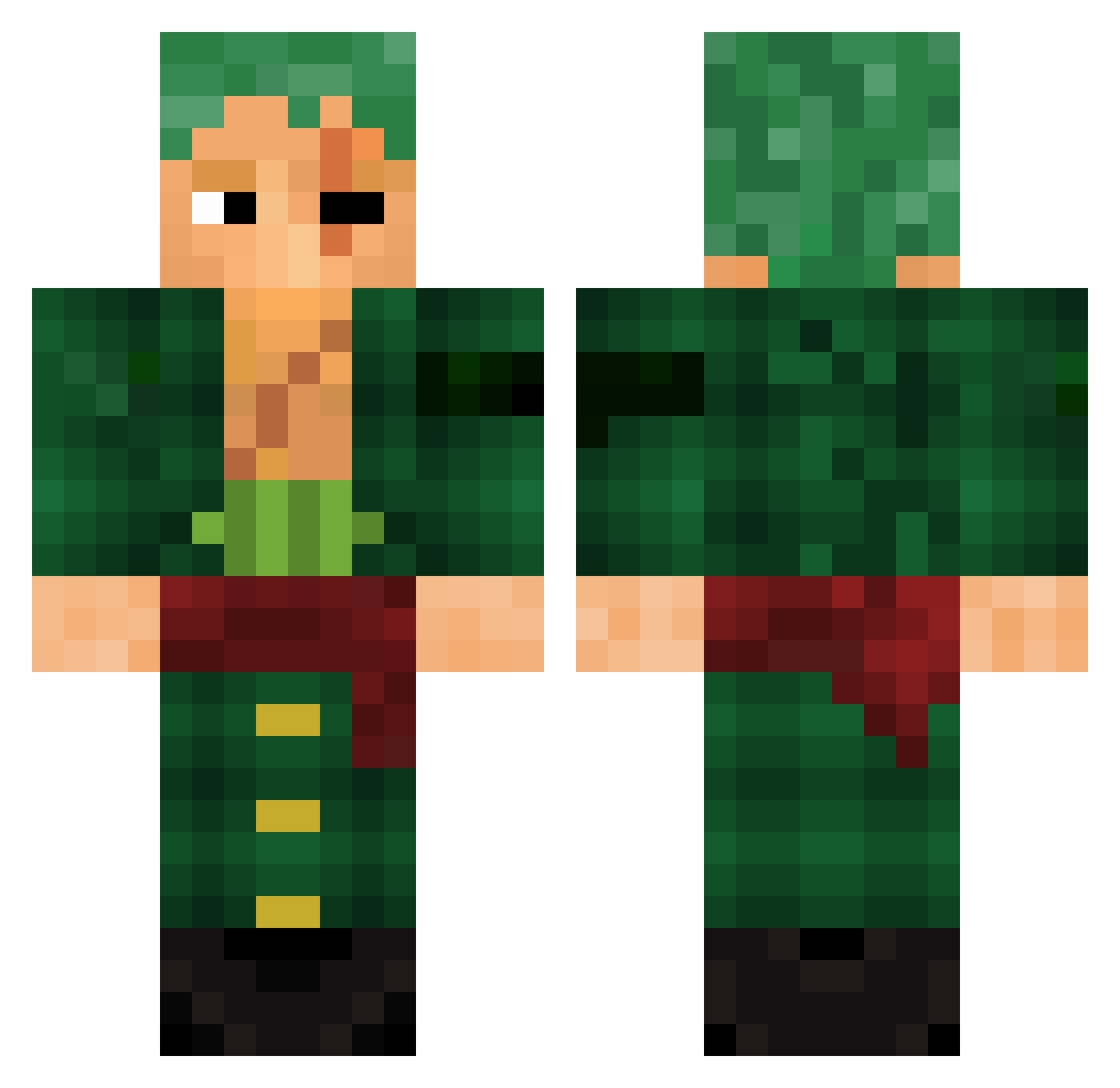
Current Minecraft skin of the player jeomister, loaded from the official Mojang API. Rotate the 3D model with your mouse or finger, then download the skin as a PNG file and use it in Minecraft: Bedrock Edition or Java Edition for free. When jeomister changes their skin, this page updates automatically and the old skin stays in the history below.
Other players with this skin (782)
jeomister was the 231st player we have seen with this skin, first spotted on 20.08.2026. The same skin was seen on these players. Open a nickname to see their current skin and skin history.
 TheJawdy Snope208 eliorr024 Killstreak478 lxEscoxl 2MOTEP MONSTERBBC69 Zialex6 Izzu08 Zyrexi _Dariius_ didi555 Almius Nydraz baniilonia HooHookachuu FellowRequiem KubsyBear _Yaboy BerkeTiO shateee Jasko93z proomaster_YT MrClutch013 caganese Zangas ShadowAUS_ Ban_D Stabilizor KosztaGhost JoseDelaCruzS 420Franky 18Kz Akashi94 jasantosgaminxd Louco_mas_lindo Digsou38 Bob38com steinmv BOUBIBOUM Tupcy Z3RX23 Rafaelpag SpongEna Cheeoh22 LuffyUncle Mmaatt295 fakezak0 AdamJPA BOOTSHY001 IcyMotto aboyahya901 cinnamonmads Miso151 Zedviral Slorkn elpurum Euphoria_Storm kiuzinhoTV mikusu_
More Roronoa Zoro Minecraft skins
See all 291 Roronoa Zoro skins
How to install the jeomister skin
- Press the Download button above to save the skin as a PNG file.
- Minecraft: Bedrock Edition (PE): open the Dressing Room from the main menu (or tap your character → Edit Character), go to Classic Skins → Owned, press the + (new skin) button, choose the downloaded PNG and pick the Classic (Steve) model. Works on PC and mobile; consoles cannot import custom skins.
- Minecraft: Java Edition: open the Minecraft Launcher, go to the Skins tab, click New Skin, load the PNG, pick the Classic (Steve) model and press Save & Use. You can also upload it at minecraft.net → Profile → Change Skin.
The skin does not show up after import - what should I do?
Restart Minecraft and open the Dressing Room again - imported skins sometimes appear only after a restart. Also make sure you selected the imported skin and picked the Classic (Steve) model.
Which model should I choose, Classic or Slim?
This skin is designed for the Classic (Steve) model. If you pick the wrong model, the arms of the skin will look stretched or squeezed.
Is the skin of jeomister free to download?
Yes. Press Download, save the PNG file and use it in Minecraft: Bedrock Edition or Java Edition - no payment or registration needed. The skin also works on multiplayer servers and Realms.
More skins
Looking for more? Go back to all Minecraft skins and check the top skins of the week, month and all time, or find any player's skin by nickname.