
jendiiis25 - Minecraft Skins & Skin History
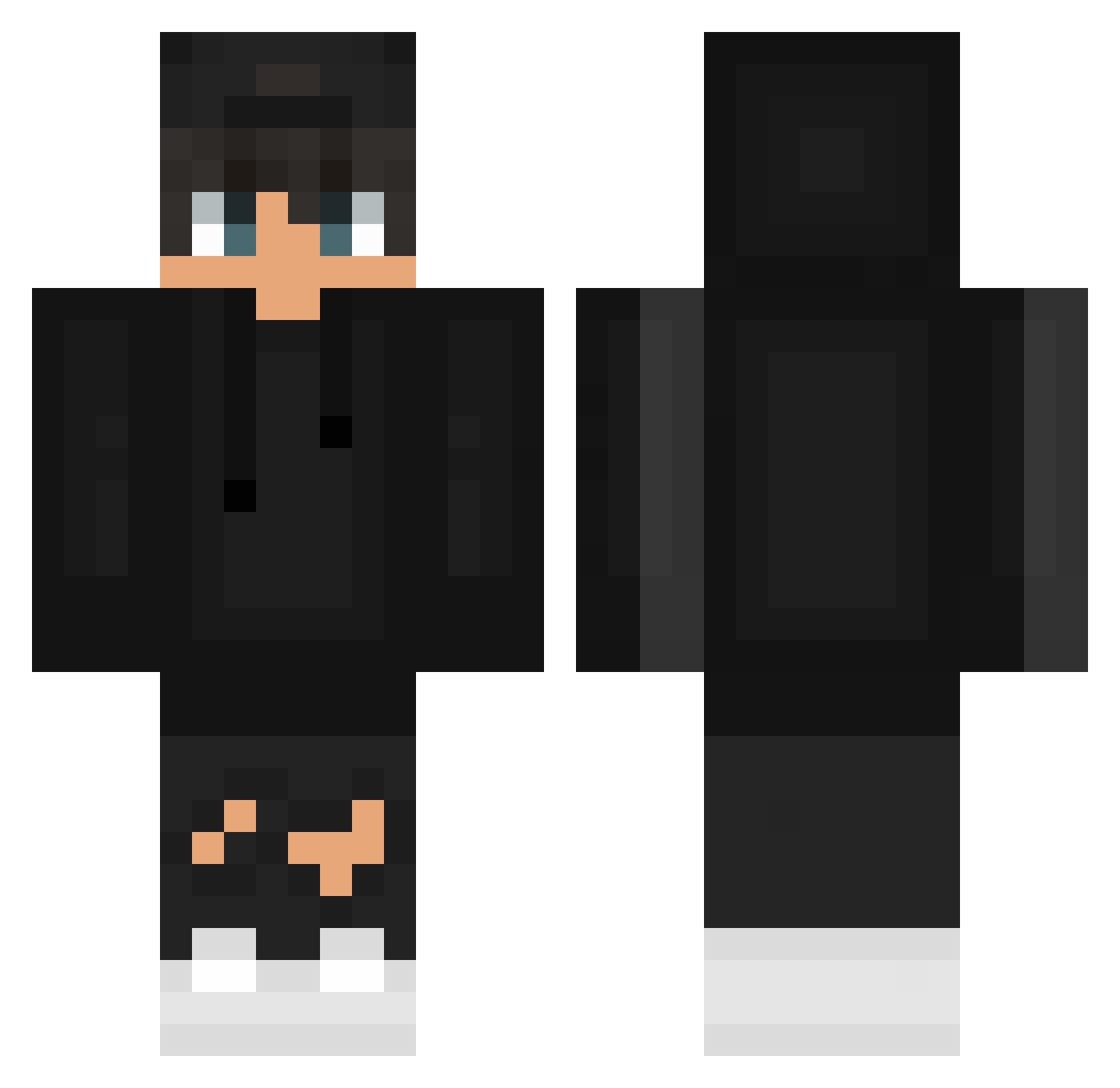
Current Minecraft skin of the player jendiiis25, loaded from the official Mojang API. Rotate the 3D model with your mouse or finger, then download the skin as a PNG file and use it in Minecraft: Bedrock Edition or Java Edition for free. When jendiiis25 changes their skin, this page updates automatically and the old skin stays in the history below.
Other players with this skin (626)
jendiiis25 was the 5th player we have seen with this skin, first spotted on 22.07.2026. The same skin was seen on these players. Open a nickname to see their current skin and skin history.
 NanXoZ JARUSSS__ aru4444 Muminek_CD RRikeRR renko_k koki_1214 noderecl FizzkinW ahmetmrt06 BezNickuXD TheOnlyPro ToFuBB DerAsti Naxiarz_ ImSkies matteo607_ Nitxe72 JuFlashFR Beryex ycyang0418 KaszubskiSzpieg Lamberts_ 1Skateee ZemtronGER
 yeiden03 cinnamonsoon Fl0ppaN Batman_Nietoperz kiszu7 ZetrixAZ ddongdong2 FrxshMike IKaY__ BOBIK22 dezertrag pippoalberto TobiAlbi maciNATO Saidon_01
 Nixarek DafoltElite ThiagoAbib BrxkenAiden OffcRex_ dym7 AlaNss0 roberurban 22kVidar tyforthecape MR_DENISKA xrldbql sakakibara06 PJRC Touraco ixLegendx pawlineq_yt NotSuffer By_Legus bartkowsky_
How to install the jendiiis25 skin
- Press the Download button above to save the skin as a PNG file.
- Minecraft: Bedrock Edition (PE): open the Dressing Room from the main menu (or tap your character → Edit Character), go to Classic Skins → Owned, press the + (new skin) button, choose the downloaded PNG and pick the Classic (Steve) model. Works on PC and mobile; consoles cannot import custom skins.
- Minecraft: Java Edition: open the Minecraft Launcher, go to the Skins tab, click New Skin, load the PNG, pick the Classic (Steve) model and press Save & Use. You can also upload it at minecraft.net → Profile → Change Skin.
The skin does not show up after import - what should I do?
Restart Minecraft and open the Dressing Room again - imported skins sometimes appear only after a restart. Also make sure you selected the imported skin and picked the Classic (Steve) model.
Which model should I choose, Classic or Slim?
This skin is designed for the Classic (Steve) model. If you pick the wrong model, the arms of the skin will look stretched or squeezed.
Is the skin of jendiiis25 free to download?
Yes. Press Download, save the PNG file and use it in Minecraft: Bedrock Edition or Java Edition - no payment or registration needed. The skin also works on multiplayer servers and Realms.
More skins
Looking for more? Go back to all Minecraft skins and check the top skins of the week, month and all time, or find any player's skin by nickname.