
jedwinnn - Minecraft Skins & Skin History
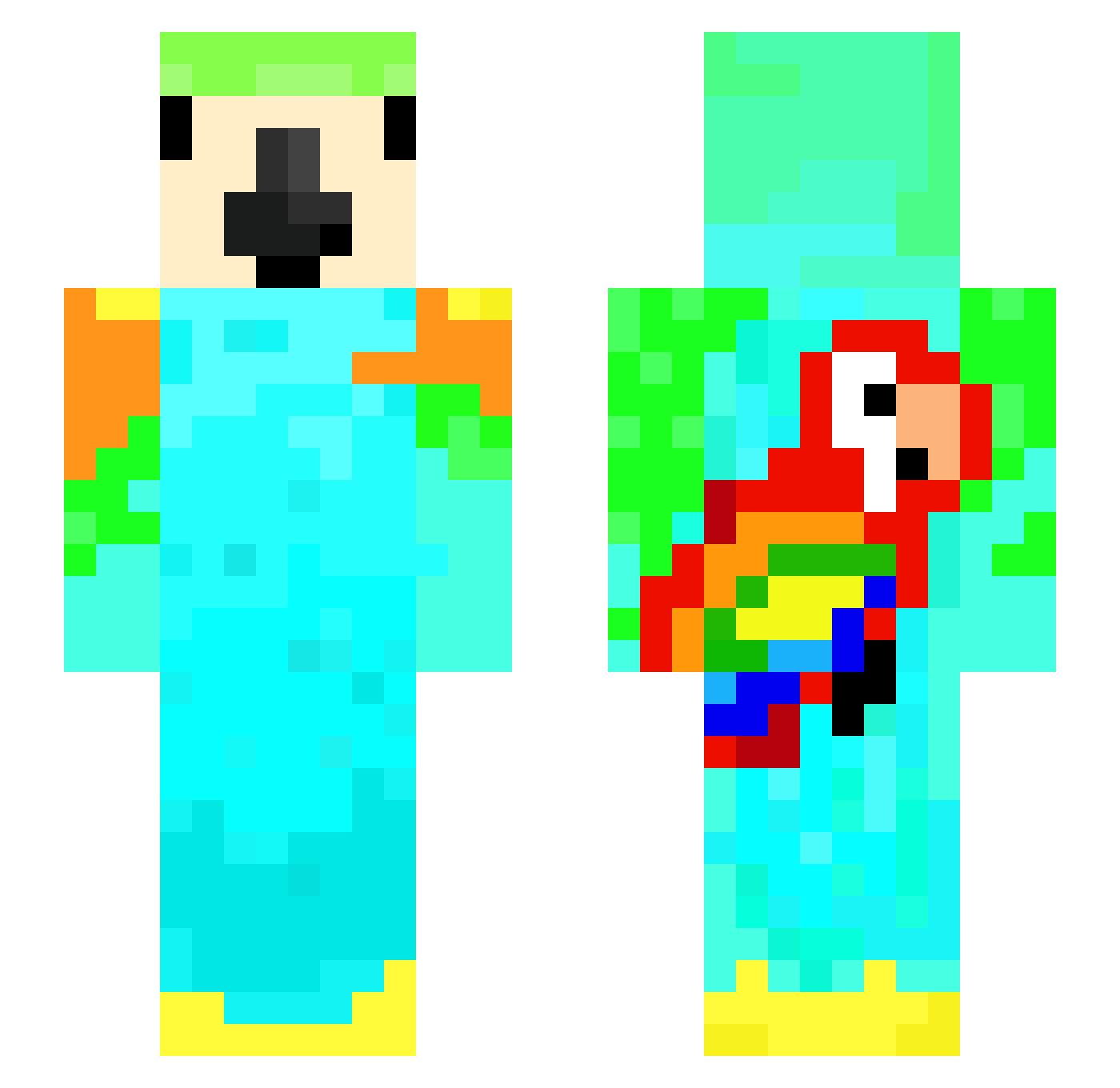
Current Minecraft skin of the player jedwinnn, loaded from the official Mojang API. Rotate the 3D model with your mouse or finger, then download the skin as a PNG file and use it in Minecraft: Bedrock Edition or Java Edition for free. When jedwinnn changes their skin, this page updates automatically and the old skin stays in the history below.
Other players with this skin (206)
jedwinnn was the 167th player we have seen with this skin, first spotted on 30.10.2026. The same skin was seen on these players. Open a nickname to see their current skin and skin history.
 Jooly2211 Thiomas Neechy1 eksiseker P1GW1N riviere_ Bever4ge CursedGems healz001 Fel_AD09 kubinka6 Editzu_ Stanislavovna KillerK2013 tinkafv DaSquid124 Kubulak1 elyesa_pro Kiki272 YeshuaIsKing444 ParrtX3 Somnni Sweanka Mariyan14 Huskyktm23 ParrotsCantFly manderijntje123 buchty9841 Gameboy10987 _Patyczak_ DolphinWhaleFish SombreGymnast81 ArOsSt yakrupefe52 PirateTheParrot Idk3157 simbeluks CamCoop87 shadxw_L1fe TheKittycat850 Puudless_ sfhxb TactileKnot9650 evanplayz492 fishy_man13 BirbL0af iMatxs777 PenguinsRule538 powerkid99 JADR07 Dr7hh yukaiza P1etro_ leon76345 Hackuseado Eash3101 AMM_1910 LonesquidXT boberek59 FFXR
More Parrot Minecraft skins
How to install the jedwinnn skin
- Press the Download button above to save the skin as a PNG file.
- Minecraft: Bedrock Edition (PE): open the Dressing Room from the main menu (or tap your character → Edit Character), go to Classic Skins → Owned, press the + (new skin) button, choose the downloaded PNG and pick the Slim (Alex) model. Works on PC and mobile; consoles cannot import custom skins.
- Minecraft: Java Edition: open the Minecraft Launcher, go to the Skins tab, click New Skin, load the PNG, pick the Slim (Alex) model and press Save & Use. You can also upload it at minecraft.net → Profile → Change Skin.
The skin does not show up after import - what should I do?
Restart Minecraft and open the Dressing Room again - imported skins sometimes appear only after a restart. Also make sure you selected the imported skin and picked the Slim (Alex) model.
Which model should I choose, Classic or Slim?
This skin is designed for the Slim (Alex) model. If you pick the wrong model, the arms of the skin will look stretched or squeezed.
Is the skin of jedwinnn free to download?
Yes. Press Download, save the PNG file and use it in Minecraft: Bedrock Edition or Java Edition - no payment or registration needed. The skin also works on multiplayer servers and Realms.
More skins
Looking for more? Go back to all Minecraft skins and check the top skins of the week, month and all time, or find any player's skin by nickname.