
jaxonrt8 - Minecraft Skins & Skin History
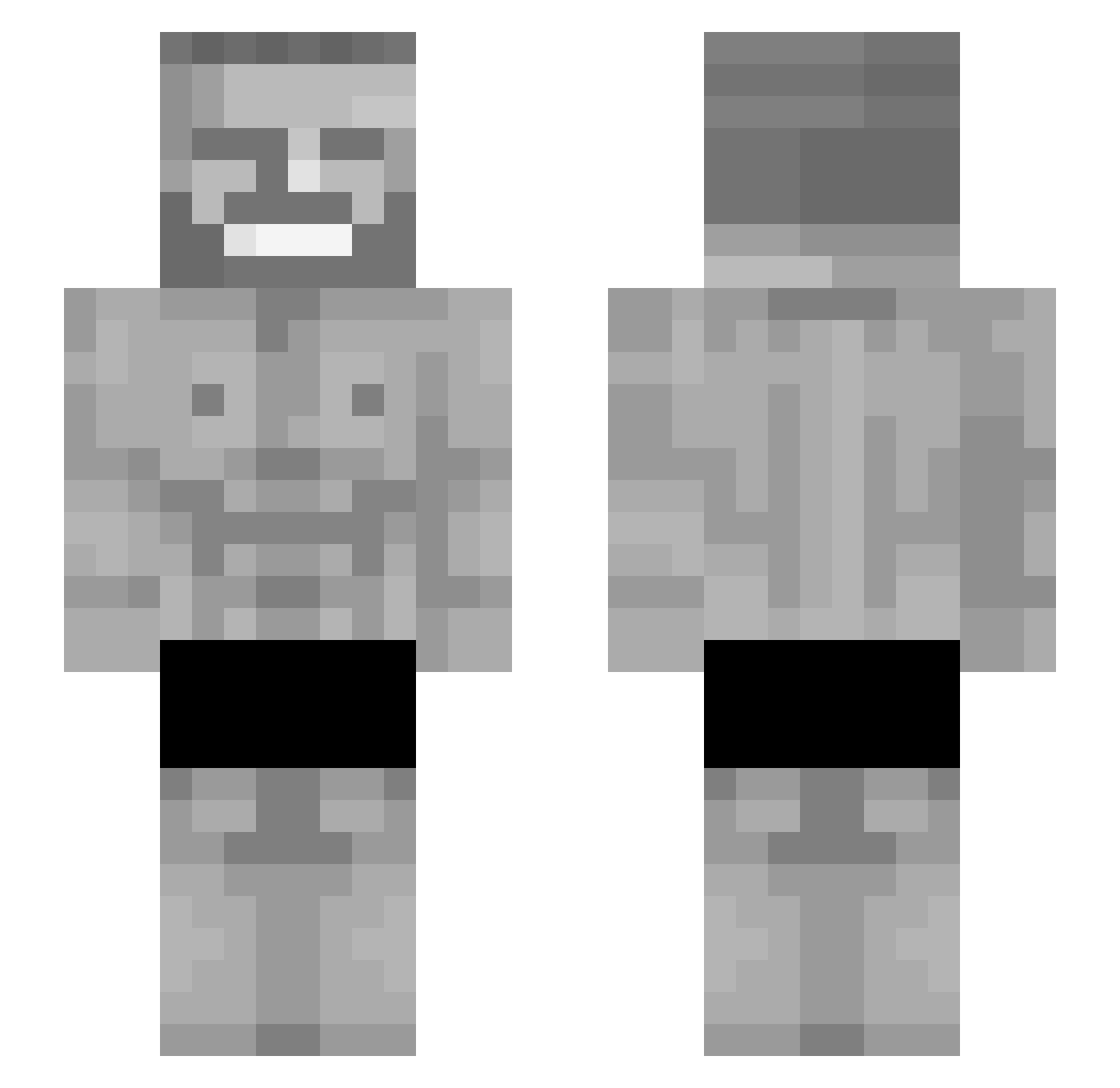
Current Minecraft skin of the player jaxonrt8, loaded from the official Mojang API. Rotate the 3D model with your mouse or finger, then download the skin as a PNG file and use it in Minecraft: Bedrock Edition or Java Edition for free. When jaxonrt8 changes their skin, this page updates automatically and the old skin stays in the history below.
Other players with this skin (142)
jaxonrt8 was the 74th player we have seen with this skin, first spotted on 18.09.2026. The same skin was seen on these players. Open a nickname to see their current skin and skin history.
 treydaddy69 AlejPagar cborke03 ballsisdelicious Ddoug24 ClipZy2908 Insyte1 NirvaanZ TDOMC Troyblade200 LaptopM12 PTK98 PaidConfigs dopefart miguelhsf SigmaBartekBP TheKingOJ LordDraxito tarou235 DeepFriedStuff MegaPeeSniffer julianscott BoMamba Lord_Pimp_Daddy FlyvendeHjort ethanbriggs0231 BlackDadNotFound AMMAR0906 UniQuExAim DatPill Flextape07 TheGoat431 Kizzie124 Circle11 SskDeLosTenebros JulianLs mateesito Makaroniarz69 DorfdiskoDieter acyri B4mb0sz FemurBonk Leta_ne_bylo SuperAwsomeSauce Smiles21 yumek666 godlyfool Teslartas SurgePulse Arstral14 ziegtrund1 RoyalNRGY syzzang033 BeefSupreme30_02 SawiX123 MrZacchinni CamMak KenanBoy Fubtol SigmaAdrianek
More Gigachad Minecraft skins
How to install the jaxonrt8 skin
- Press the Download button above to save the skin as a PNG file.
- Minecraft: Bedrock Edition (PE): open the Dressing Room from the main menu (or tap your character → Edit Character), go to Classic Skins → Owned, press the + (new skin) button, choose the downloaded PNG and pick the Slim (Alex) model. Works on PC and mobile; consoles cannot import custom skins.
- Minecraft: Java Edition: open the Minecraft Launcher, go to the Skins tab, click New Skin, load the PNG, pick the Slim (Alex) model and press Save & Use. You can also upload it at minecraft.net → Profile → Change Skin.
The skin does not show up after import - what should I do?
Restart Minecraft and open the Dressing Room again - imported skins sometimes appear only after a restart. Also make sure you selected the imported skin and picked the Slim (Alex) model.
Which model should I choose, Classic or Slim?
This skin is designed for the Slim (Alex) model. If you pick the wrong model, the arms of the skin will look stretched or squeezed.
Is the skin of jaxonrt8 free to download?
Yes. Press Download, save the PNG file and use it in Minecraft: Bedrock Edition or Java Edition - no payment or registration needed. The skin also works on multiplayer servers and Realms.
More skins
Looking for more? Go back to all Minecraft skins and check the top skins of the week, month and all time, or find any player's skin by nickname.