
syzzang033 - Minecraft Skins & Skin History
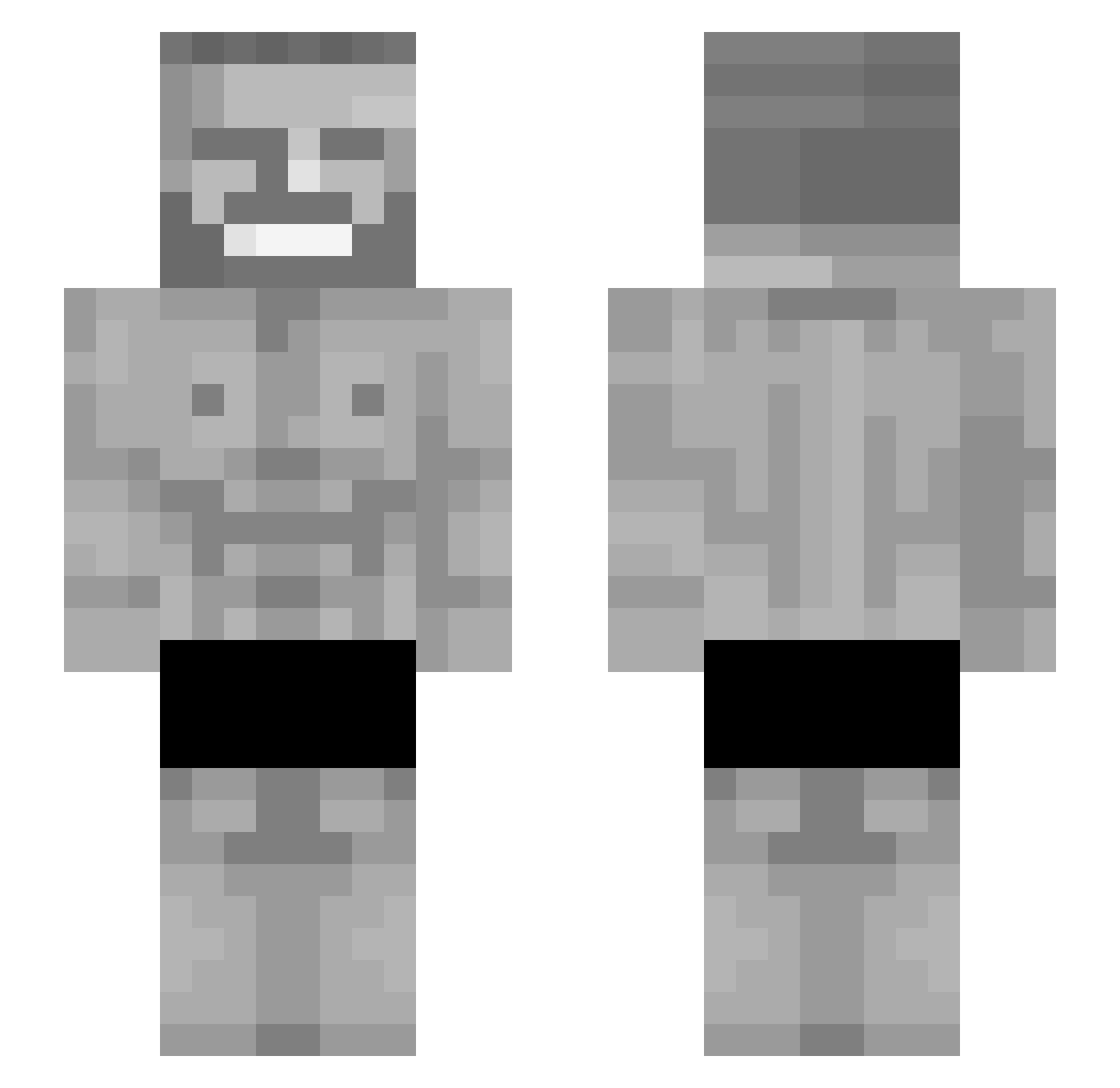
Current Minecraft skin of the player syzzang033, loaded from the official Mojang API. Rotate the 3D model with your mouse or finger, then download the skin as a PNG file and use it in Minecraft: Bedrock Edition or Java Edition for free. When syzzang033 changes their skin, this page updates automatically and the old skin stays in the history below.
Other players with this skin (142)
syzzang033 was the 104th player we have seen with this skin, first spotted on 08.10.2026. The same skin was seen on these players. Open a nickname to see their current skin and skin history.
 RoyalNRGY ziegtrund1 Arstral14 SurgePulse KenanBoy SigmaAdrianek SpeedyMckeezy Endermanchad2 Smiles21 fif_gaming_yt sekedin TomilaXDDD ByZero0 Kruikje phantzm6 Ritorimo hiaskk Bomb_Laden Circle11 Kizzie124 TheGoat431 Flextape07 DatPill AMMAR0906 degen000 Tminhk AmGotYalayici31 ethanbriggs0231 FlyvendeHjort Lord_Pimp_Daddy julianscott MegaPeeSniffer LordDraxito ThorbenHasCorona SigmaBartekBP FD_999 dopefart Mystereo Gamerphobics PaidConfigs GordoEnfermo U4L3X PTK98 PCMasterrace420 laLysl KINGOFTHENORTH17 LaptopM12 Troyblade200 Wuwinator UncleLarry32690 AnotherShadow90 TDOMC NirvaanZ Sqzleem Insyte1 okezsa Gornilius Buckshire dnnyl SNAFU4200
More Gigachad Minecraft skins
How to install the syzzang033 skin
- Press the Download button above to save the skin as a PNG file.
- Minecraft: Bedrock Edition (PE): open the Dressing Room from the main menu (or tap your character → Edit Character), go to Classic Skins → Owned, press the + (new skin) button, choose the downloaded PNG and pick the Slim (Alex) model. Works on PC and mobile; consoles cannot import custom skins.
- Minecraft: Java Edition: open the Minecraft Launcher, go to the Skins tab, click New Skin, load the PNG, pick the Slim (Alex) model and press Save & Use. You can also upload it at minecraft.net → Profile → Change Skin.
The skin does not show up after import - what should I do?
Restart Minecraft and open the Dressing Room again - imported skins sometimes appear only after a restart. Also make sure you selected the imported skin and picked the Slim (Alex) model.
Which model should I choose, Classic or Slim?
This skin is designed for the Slim (Alex) model. If you pick the wrong model, the arms of the skin will look stretched or squeezed.
Is the skin of syzzang033 free to download?
Yes. Press Download, save the PNG file and use it in Minecraft: Bedrock Edition or Java Edition - no payment or registration needed. The skin also works on multiplayer servers and Realms.
More skins
Looking for more? Go back to all Minecraft skins and check the top skins of the week, month and all time, or find any player's skin by nickname.