
janmuck - Minecraft Skins & Skin History
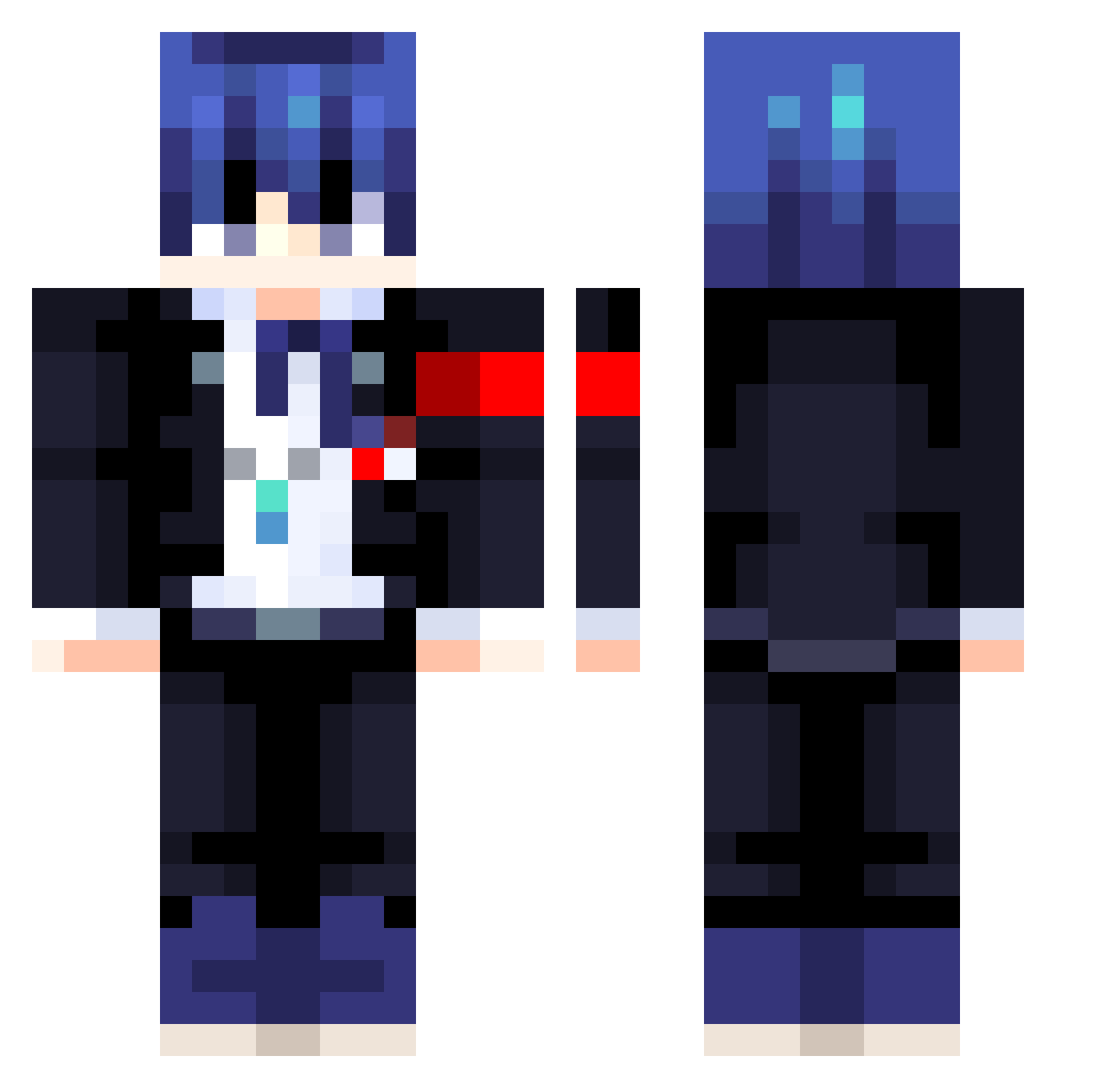
Current Minecraft skin of the player janmuck, loaded from the official Mojang API. Rotate the 3D model with your mouse or finger, then download the skin as a PNG file and use it in Minecraft: Bedrock Edition or Java Edition for free. When janmuck changes their skin, this page updates automatically and the old skin stays in the history below.
Other players with this skin (413)
janmuck was the 374th player we have seen with this skin, first spotted on 23.10.2026. The same skin was seen on these players. Open a nickname to see their current skin and skin history.
 pleasuretokill ke_n___fsd LKingyoya Ancool_12 woshiyizhicaigou Donjima EvaNo02 Louisz1 Wing_Kuriboh fanxing39 AWP_35 SolitudeZsz Xenophes26 seeokii nomikcrack AigisAeon LineALSpares Zexuin Rafyta14 Dopeshades24 Romangull InSit Emouu Mzller Tsunamiwoo unstable_e YaelFA LambertRoyes Diegosnake98 Clemente_Oscuro Stubert31 Lord_Roller ariamizuki TheDoom73 Copium_Ingot DerutaSama Th3Dor Juniqque ShibaPersona lancer2233 propsx yPedrok yamaty61 Antol_02 Wilarose_ Cozmo0510 tortoise20009 mouriox EvolutionC shigure54 ComboDodge sero730 Kesici3 SummerTrain06 Nesta_121 Calamity1016 hammer9610 HMChand nocommas555 bb___
More Makoto Naegi Minecraft skins
How to install the janmuck skin
- Press the Download button above to save the skin as a PNG file.
- Minecraft: Bedrock Edition (PE): open the Dressing Room from the main menu (or tap your character → Edit Character), go to Classic Skins → Owned, press the + (new skin) button, choose the downloaded PNG and pick the Classic (Steve) model. Works on PC and mobile; consoles cannot import custom skins.
- Minecraft: Java Edition: open the Minecraft Launcher, go to the Skins tab, click New Skin, load the PNG, pick the Classic (Steve) model and press Save & Use. You can also upload it at minecraft.net → Profile → Change Skin.
The skin does not show up after import - what should I do?
Restart Minecraft and open the Dressing Room again - imported skins sometimes appear only after a restart. Also make sure you selected the imported skin and picked the Classic (Steve) model.
Which model should I choose, Classic or Slim?
This skin is designed for the Classic (Steve) model. If you pick the wrong model, the arms of the skin will look stretched or squeezed.
Is the skin of janmuck free to download?
Yes. Press Download, save the PNG file and use it in Minecraft: Bedrock Edition or Java Edition - no payment or registration needed. The skin also works on multiplayer servers and Realms.
More skins
Looking for more? Go back to all Minecraft skins and check the top skins of the week, month and all time, or find any player's skin by nickname.