
jackfrost_gaming - Minecraft Skins & Skin History
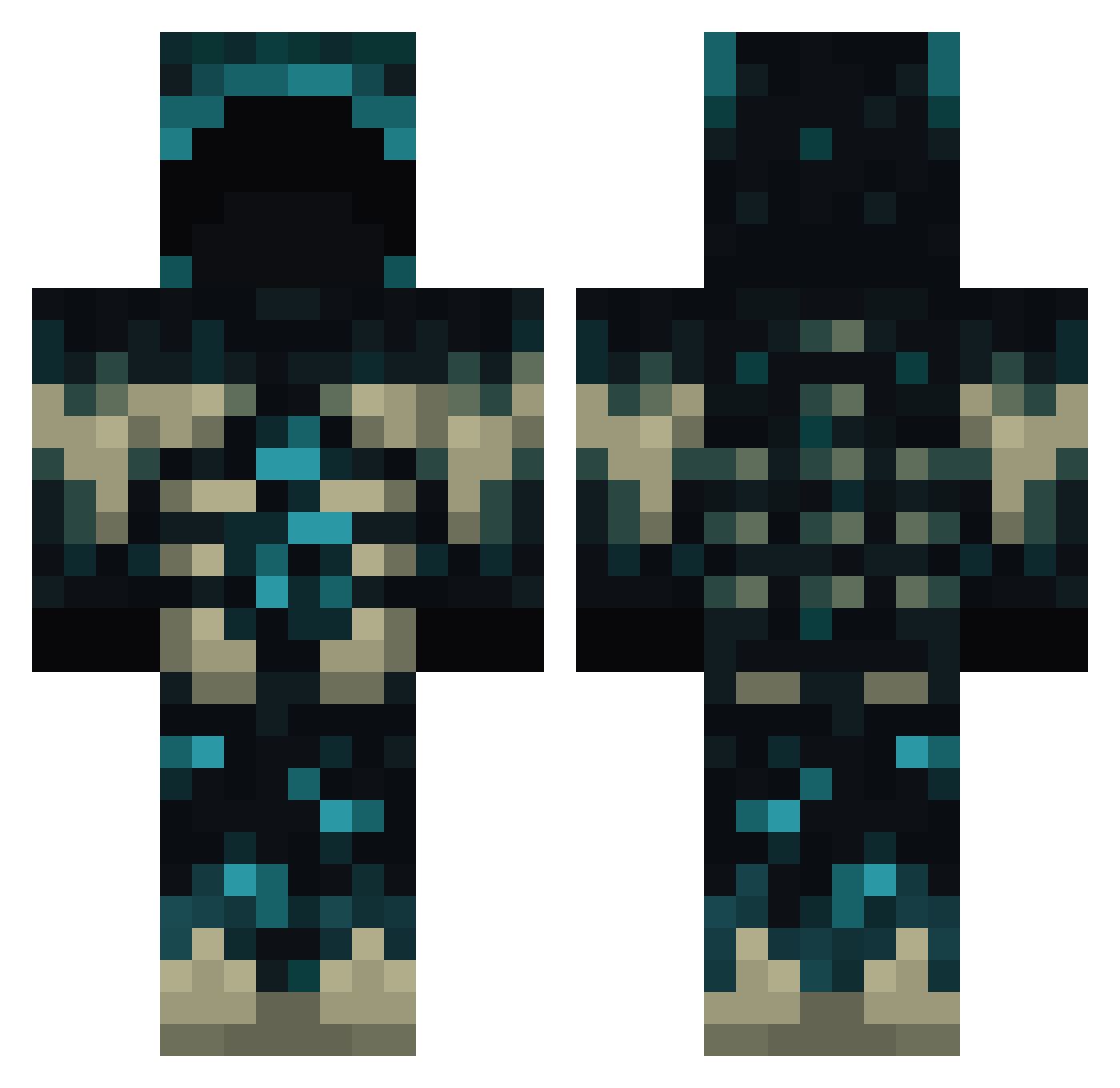
Current Minecraft skin of the player jackfrost_gaming, loaded from the official Mojang API. Rotate the 3D model with your mouse or finger, then download the skin as a PNG file and use it in Minecraft: Bedrock Edition or Java Edition for free. When jackfrost_gaming changes their skin, this page updates automatically and the old skin stays in the history below.
Other players with this skin (938)
jackfrost_gaming was the 785th player we have seen with this skin, first spotted on 03.11.2026. The same skin was seen on these players. Open a nickname to see their current skin and skin history.
 Erikoskokos Aizi2009 X3nonCross dreambrooks WattaS77 Jawbreaker_1 Lauvzzz Mekos_ Fearanthrax plsdontcallmefat maworii AT0BI TexasInSpace OpTiC_Daniel morhan9102 prandiniAA javiwuay Willeh2025 wasdwasd123123 Alyeri EASY_OMG Lokiserbe WalkerLawrence JHeezy19 Shoujin0 Tanleyy DM_Bro RoiHarel Peteyyyyy TvoyKorol jypaz tonomaru SpeedierCar2896 Carbonat_Erol JakeFromCVS Smol_Warden evil_engel tarifas Frysski Musashi_LS WolfGuy189 Eren3302 TheRealBossman9 combatkarl80 Soukkage Kallman25 xGiia Smiler10K 0m3g6 Joh820 basara_UwU MORARURATIK GlitchedRabbit Efeyk231 bygone1134 ACadiz7 zorttttttt Mury237 Crazy224 DMPfamily
More Deep Dark Minecraft skins
How to install the jackfrost_gaming skin
- Press the Download button above to save the skin as a PNG file.
- Minecraft: Bedrock Edition (PE): open the Dressing Room from the main menu (or tap your character → Edit Character), go to Classic Skins → Owned, press the + (new skin) button, choose the downloaded PNG and pick the Classic (Steve) model. Works on PC and mobile; consoles cannot import custom skins.
- Minecraft: Java Edition: open the Minecraft Launcher, go to the Skins tab, click New Skin, load the PNG, pick the Classic (Steve) model and press Save & Use. You can also upload it at minecraft.net → Profile → Change Skin.
The skin does not show up after import - what should I do?
Restart Minecraft and open the Dressing Room again - imported skins sometimes appear only after a restart. Also make sure you selected the imported skin and picked the Classic (Steve) model.
Which model should I choose, Classic or Slim?
This skin is designed for the Classic (Steve) model. If you pick the wrong model, the arms of the skin will look stretched or squeezed.
Is the skin of jackfrost_gaming free to download?
Yes. Press Download, save the PNG file and use it in Minecraft: Bedrock Edition or Java Edition - no payment or registration needed. The skin also works on multiplayer servers and Realms.
More skins
Looking for more? Go back to all Minecraft skins and check the top skins of the week, month and all time, or find any player's skin by nickname.