
jacicort1228 - Minecraft Skins & Skin History
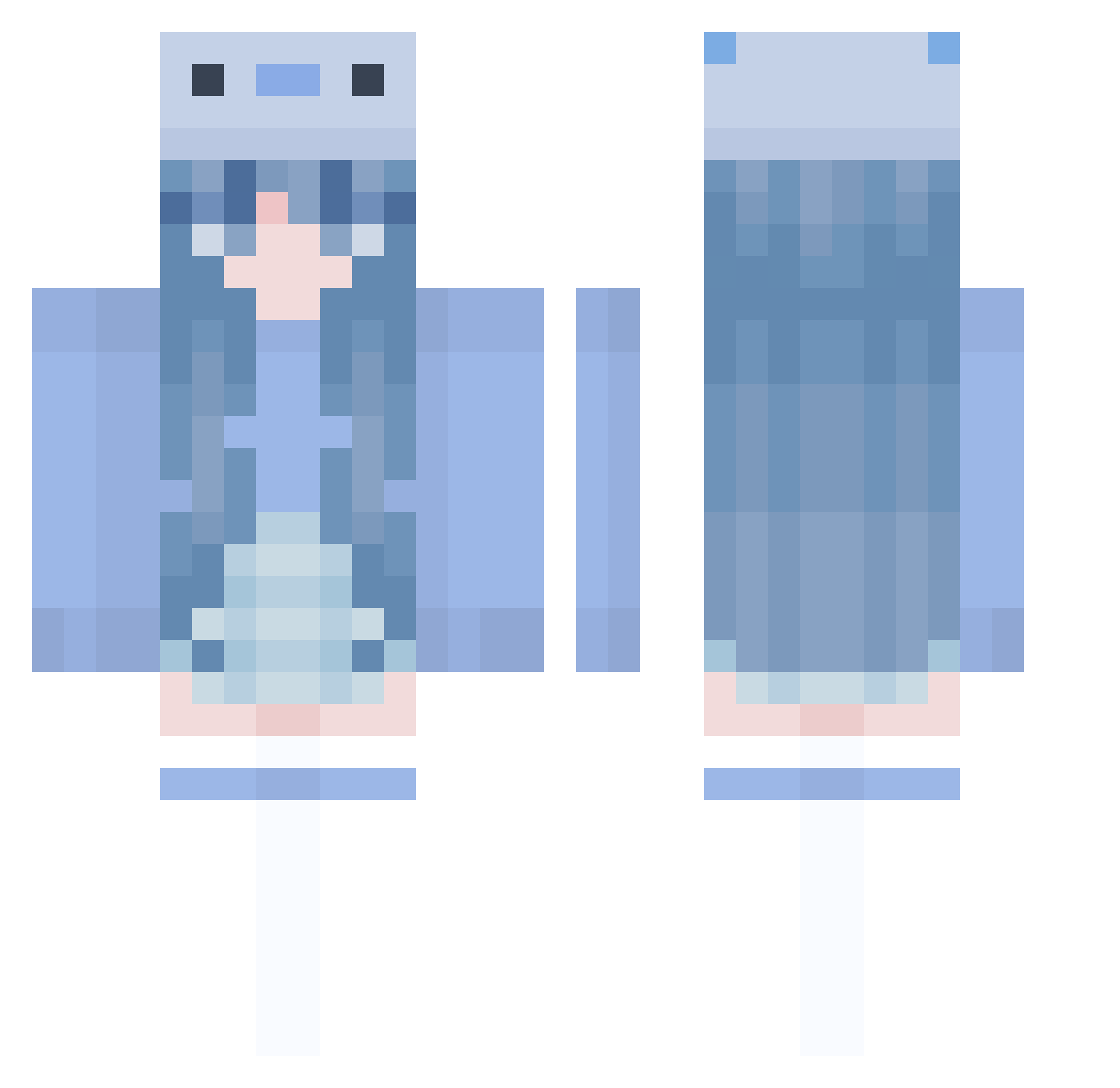
Current Minecraft skin of the player jacicort1228, loaded from the official Mojang API. Rotate the 3D model with your mouse or finger, then download the skin as a PNG file and use it in Minecraft: Bedrock Edition or Java Edition for free. When jacicort1228 changes their skin, this page updates automatically and the old skin stays in the history below.
Other players with this skin (1005)
jacicort1228 was the 928th player we have seen with this skin, first spotted on 30.10.2026. The same skin was seen on these players. Open a nickname to see their current skin and skin history.
 Pouiit_ Clever445566 Joleeni minicono Jhk13 Pupperninkle Kedomo Nympia Prunbit kelliew23 Ienisoe KARINA71 HoneyWhale007 yo_ok spicyflava xxDARIAxx69 RagingCowRS YONGYOUG bloopcakes Maxzj LiamThibado iriscia HappIsBetter VixelGamez shirayama Nadena_ww SENAMAY ChubbyBunny41320 Cocopops1256 MH_Min Fixorek matchabean24 Gloweee2 Umassdposting D00MMY1 _LemonPossum_ Hannda VERYTHANKSALOT ShadowCeleste4 JJJISU Flowfan Peter446 maopenpen MorganaEverwood ThunderSSausage GeenieWeen basicallyskyy WeeDie420 Chocowo sienasabiva acatastrophe2 SeaUnicorn6113 EllenElefant avxeriaa xbeccadavis MrsKreutzer Xx_Miku_xX Bumblebouble Danievg01 KazuKing0808
More Axolotl Minecraft skins
How to install the jacicort1228 skin
- Press the Download button above to save the skin as a PNG file.
- Minecraft: Bedrock Edition (PE): open the Dressing Room from the main menu (or tap your character → Edit Character), go to Classic Skins → Owned, press the + (new skin) button, choose the downloaded PNG and pick the Classic (Steve) model. Works on PC and mobile; consoles cannot import custom skins.
- Minecraft: Java Edition: open the Minecraft Launcher, go to the Skins tab, click New Skin, load the PNG, pick the Classic (Steve) model and press Save & Use. You can also upload it at minecraft.net → Profile → Change Skin.
The skin does not show up after import - what should I do?
Restart Minecraft and open the Dressing Room again - imported skins sometimes appear only after a restart. Also make sure you selected the imported skin and picked the Classic (Steve) model.
Which model should I choose, Classic or Slim?
This skin is designed for the Classic (Steve) model. If you pick the wrong model, the arms of the skin will look stretched or squeezed.
Is the skin of jacicort1228 free to download?
Yes. Press Download, save the PNG file and use it in Minecraft: Bedrock Edition or Java Edition - no payment or registration needed. The skin also works on multiplayer servers and Realms.
More skins
Looking for more? Go back to all Minecraft skins and check the top skins of the week, month and all time, or find any player's skin by nickname.