
jXg564 - Minecraft Skins & Skin History
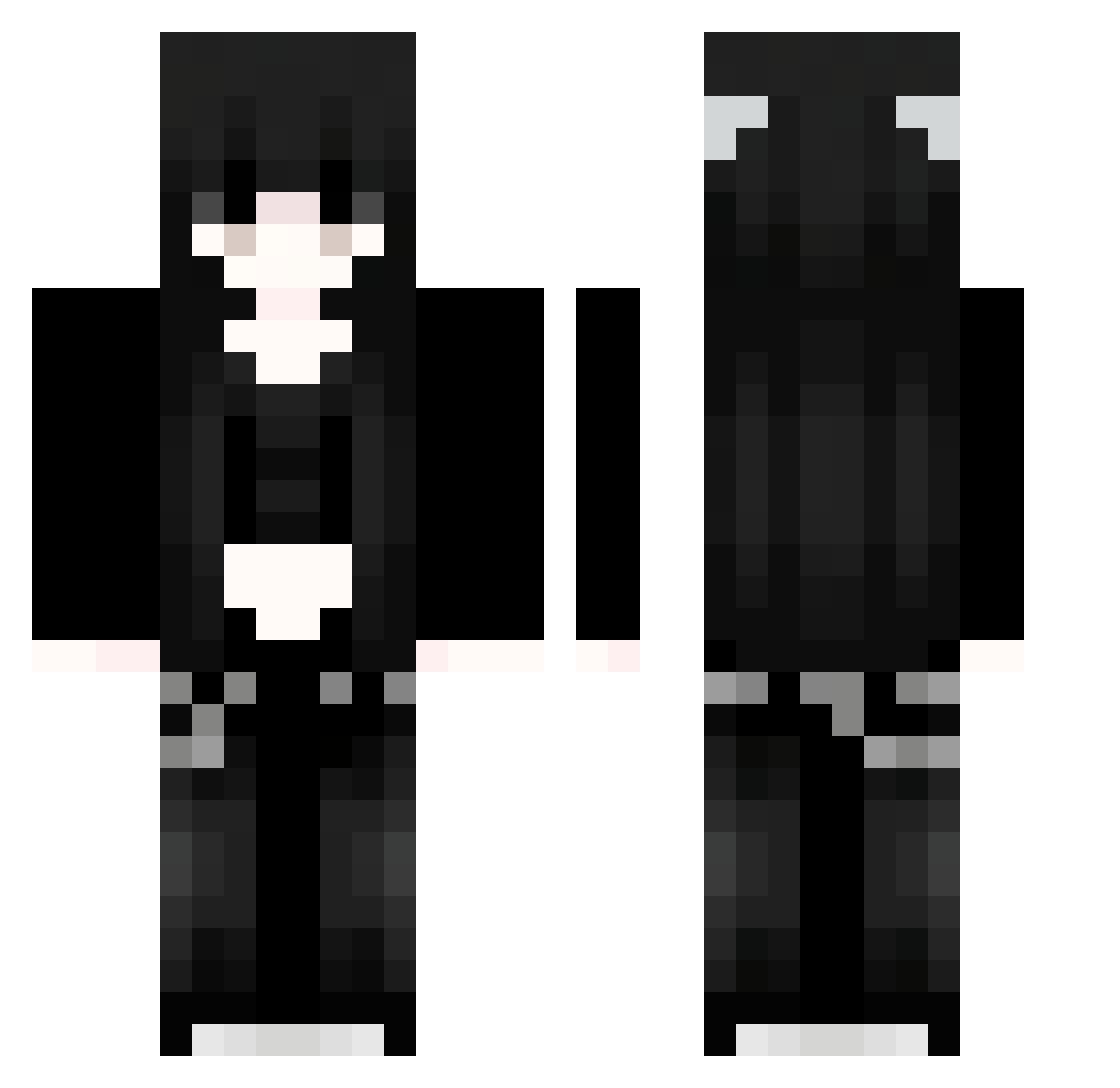
Current Minecraft skin of the player jXg564, loaded from the official Mojang API. Rotate the 3D model with your mouse or finger, then download the skin as a PNG file and use it in Minecraft: Bedrock Edition or Java Edition for free. When jXg564 changes their skin, this page updates automatically and the old skin stays in the history below.
Other players with this skin (1061)
jXg564 was the 54th player we have seen with this skin, first spotted on 31.07.2026. The same skin was seen on these players. Open a nickname to see their current skin and skin history.
 Xzl712 wPO123 Sakura_INUHmm797 Nachotronixx DHD78 rSR598 XMD190 omF957 gUU105 TPH425 XSO429 Sakura_mdyRee378 EOD495 IWd183 Rys111 iOF105 oUg376 SaKuraXGP_vFf371 ArkadyTopor G1asy 91_UDMHdnmJzU153 SuSSy88 VFH773 TxPdneFTtSbYP360 bYC426 Chashis PHe943 EXN670 vBZ759 fmD874 Tvg775 xQg174 onzoo srt733 TJWLZtgJCIjoM783 Jvav_neIKgKQP968 Mac39 Sakura_YPFwQF143 91_nkleOZxKJV778 Sakura_giSwxB612 Nrr946 Xwr918 DbL751 91_IKnvjWAnAM630 OUNIXIE Mateeeeeek Ueh68 FGI549 RDK702 qFw117 LYcoeeMFDhtPB116 wPE390 ebO973 Man9shu Zxg205 DrP227 SaKuraXGP_pOg138 030llll Sakura_UkXpxX474 T1ira
More Emo Minecraft skins
How to install the jXg564 skin
- Press the Download button above to save the skin as a PNG file.
- Minecraft: Bedrock Edition (PE): open the Dressing Room from the main menu (or tap your character → Edit Character), go to Classic Skins → Owned, press the + (new skin) button, choose the downloaded PNG and pick the Classic (Steve) model. Works on PC and mobile; consoles cannot import custom skins.
- Minecraft: Java Edition: open the Minecraft Launcher, go to the Skins tab, click New Skin, load the PNG, pick the Classic (Steve) model and press Save & Use. You can also upload it at minecraft.net → Profile → Change Skin.
The skin does not show up after import - what should I do?
Restart Minecraft and open the Dressing Room again - imported skins sometimes appear only after a restart. Also make sure you selected the imported skin and picked the Classic (Steve) model.
Which model should I choose, Classic or Slim?
This skin is designed for the Classic (Steve) model. If you pick the wrong model, the arms of the skin will look stretched or squeezed.
Is the skin of jXg564 free to download?
Yes. Press Download, save the PNG file and use it in Minecraft: Bedrock Edition or Java Edition - no payment or registration needed. The skin also works on multiplayer servers and Realms.
More skins
Looking for more? Go back to all Minecraft skins and check the top skins of the week, month and all time, or find any player's skin by nickname.