
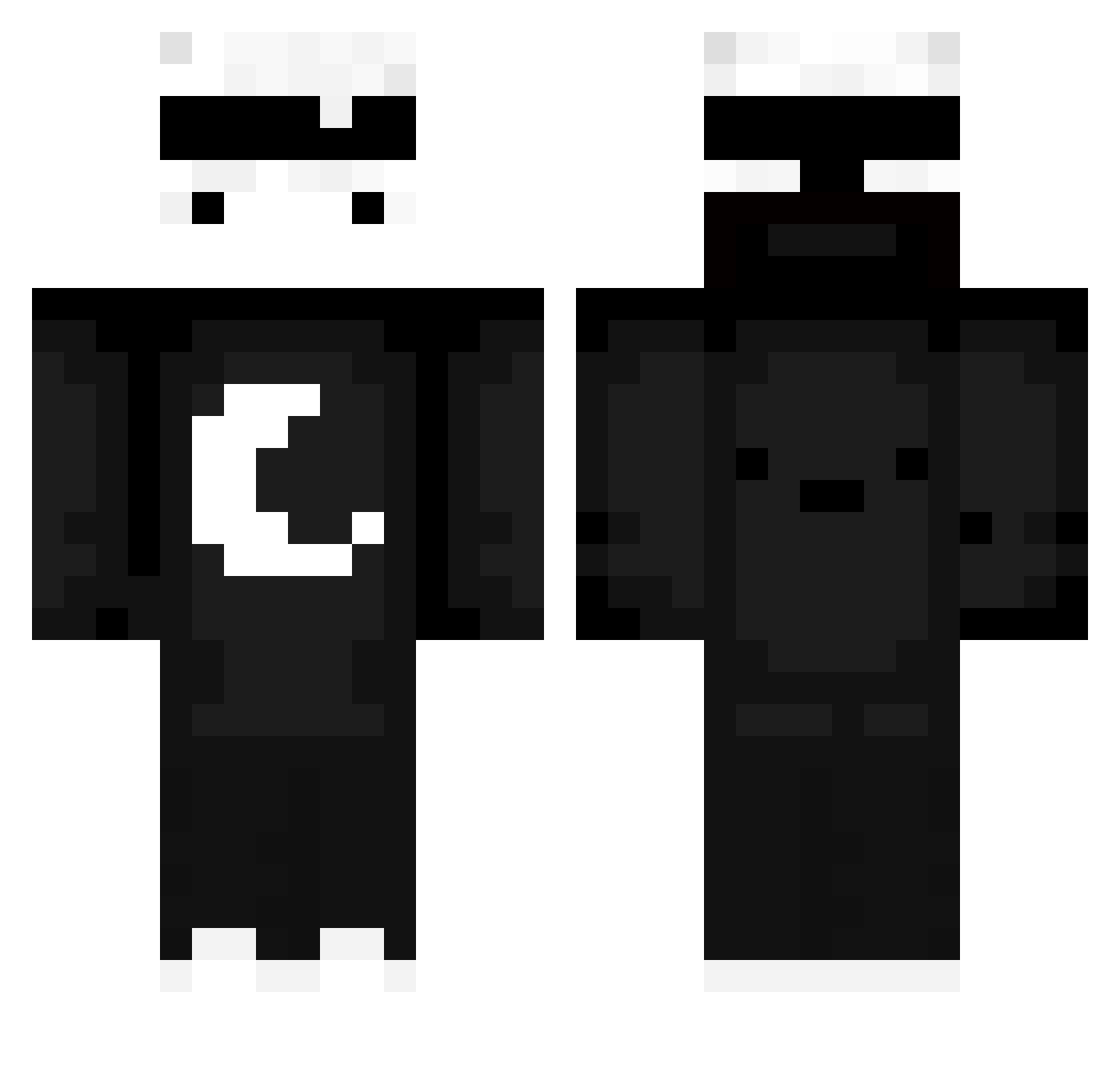
Current Minecraft skin of the player j4mal_7, loaded from the official Mojang API. Rotate the 3D model with your mouse or finger, then download the skin as a PNG file and use it in Minecraft: Bedrock Edition or Java Edition for free. When j4mal_7 changes their skin, this page updates automatically and the old skin stays in the history below.
Other players with this skin (534)
j4mal_7 was the 176th player we have seen with this skin, first spotted on 22.08.2026. The same skin was seen on these players. Open a nickname to see their current skin and skin history.
 self4K klabur MyEnvy LATTE_2004 nachoooxeneize 18184488555
 christianostew pandaboy69420
 Brianfox252006 X_ero2 DLXODN123 Twokayaks draak212 zaalmar LupoSo Shadowblack95123 Tian0819 JustABridger1 FlilocoXD DjohnG4 inkviton henjoe1 WilczeQ__ MrsJellyScott SAYREKS_ZXC warpHorus BrizzlyJeSefik Sinister_Sneer penguin3141 alexandrebr22 RufatM gwn_lion Miret74 Dsfreyder wtfsmilley Zeleny_kaktoos rockythestar OHLI08 bag3l4 Technonine Theman1127 yudj1n JhonAdulto ommr208 Invasor2 Jamexdoespvp Lorax_00 daxyxw LadyBrutal
 Kima_Kun xXfootlicker67Xx
 Asian_Jon Teflon42 korean_human0710 Mao_Vulcan Mastreo11 50k_dollarz Q_een1k TwiggyRocket366 Maex_33
More Moon Minecraft skins
How to install the j4mal_7 skin
- Press the Download button above to save the skin as a PNG file.
- Minecraft: Bedrock Edition (PE): open the Dressing Room from the main menu (or tap your character → Edit Character), go to Classic Skins → Owned, press the + (new skin) button, choose the downloaded PNG and pick the Classic (Steve) model. Works on PC and mobile; consoles cannot import custom skins.
- Minecraft: Java Edition: open the Minecraft Launcher, go to the Skins tab, click New Skin, load the PNG, pick the Classic (Steve) model and press Save & Use. You can also upload it at minecraft.net → Profile → Change Skin.
The skin does not show up after import - what should I do?
Restart Minecraft and open the Dressing Room again - imported skins sometimes appear only after a restart. Also make sure you selected the imported skin and picked the Classic (Steve) model.
Which model should I choose, Classic or Slim?
This skin is designed for the Classic (Steve) model. If you pick the wrong model, the arms of the skin will look stretched or squeezed.
Is the skin of j4mal_7 free to download?
Yes. Press Download, save the PNG file and use it in Minecraft: Bedrock Edition or Java Edition - no payment or registration needed. The skin also works on multiplayer servers and Realms.
More skins
Looking for more? Go back to all Minecraft skins and check the top skins of the week, month and all time, or find any player's skin by nickname.