
izangg27 - Minecraft Skins & Skin History
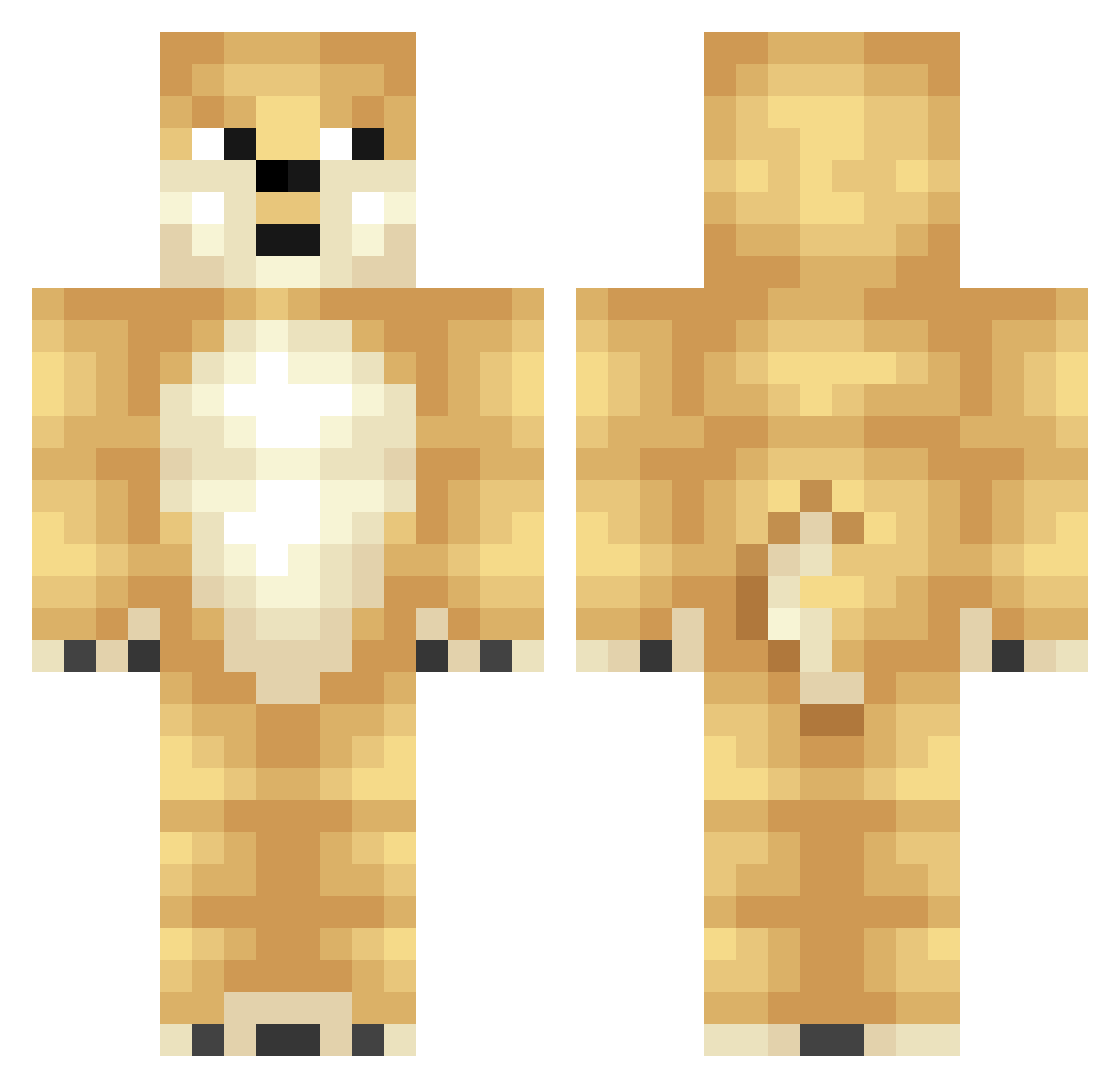
Current Minecraft skin of the player izangg27, loaded from the official Mojang API. Rotate the 3D model with your mouse or finger, then download the skin as a PNG file and use it in Minecraft: Bedrock Edition or Java Edition for free. When izangg27 changes their skin, this page updates automatically and the old skin stays in the history below.
Other players with this skin (320)
izangg27 was the 267th player we have seen with this skin, first spotted on 18.10.2026. The same skin was seen on these players. Open a nickname to see their current skin and skin history.
 2017iic RhysBass2003 OiTanu jelldog77 bridget60 Cloudssong pinkpill1223 DMDJDJ Screamworks LeeKiJ SonArtz doge0000001 yyxxxxyy jonyboy103 RBS297 limsarang heng429 Doge_322 tianchicken Mook_il yeonjulove yankeldonk EsstyEssty IzJess shuaibaoo ayushzenith ChooYN dogeyepuffycat J0st0phe KDawgDaGoat Ejoke97 aratatan MIXIA_0 AdeptProd RedbowRose Reeee_kiddd Jack_shen sunxiaochuan667 Heterogeneity duvwlqro GoPeng Speedy124124 Mischprisch Tourske Ubagcagil UltimateDoge8 saddsadd studentrem DoGE2284856 IntGoose Siamino QAQfengzai OlguinL Street_Gierus RhytMSep Ollie_Butter AaronSTRP shiang fifi_del_toro w3imei
More Shiba Inu Minecraft skins
How to install the izangg27 skin
- Press the Download button above to save the skin as a PNG file.
- Minecraft: Bedrock Edition (PE): open the Dressing Room from the main menu (or tap your character → Edit Character), go to Classic Skins → Owned, press the + (new skin) button, choose the downloaded PNG and pick the Classic (Steve) model. Works on PC and mobile; consoles cannot import custom skins.
- Minecraft: Java Edition: open the Minecraft Launcher, go to the Skins tab, click New Skin, load the PNG, pick the Classic (Steve) model and press Save & Use. You can also upload it at minecraft.net → Profile → Change Skin.
The skin does not show up after import - what should I do?
Restart Minecraft and open the Dressing Room again - imported skins sometimes appear only after a restart. Also make sure you selected the imported skin and picked the Classic (Steve) model.
Which model should I choose, Classic or Slim?
This skin is designed for the Classic (Steve) model. If you pick the wrong model, the arms of the skin will look stretched or squeezed.
Is the skin of izangg27 free to download?
Yes. Press Download, save the PNG file and use it in Minecraft: Bedrock Edition or Java Edition - no payment or registration needed. The skin also works on multiplayer servers and Realms.
More skins
Looking for more? Go back to all Minecraft skins and check the top skins of the week, month and all time, or find any player's skin by nickname.