
iwolex213 - Minecraft Skins & Skin History
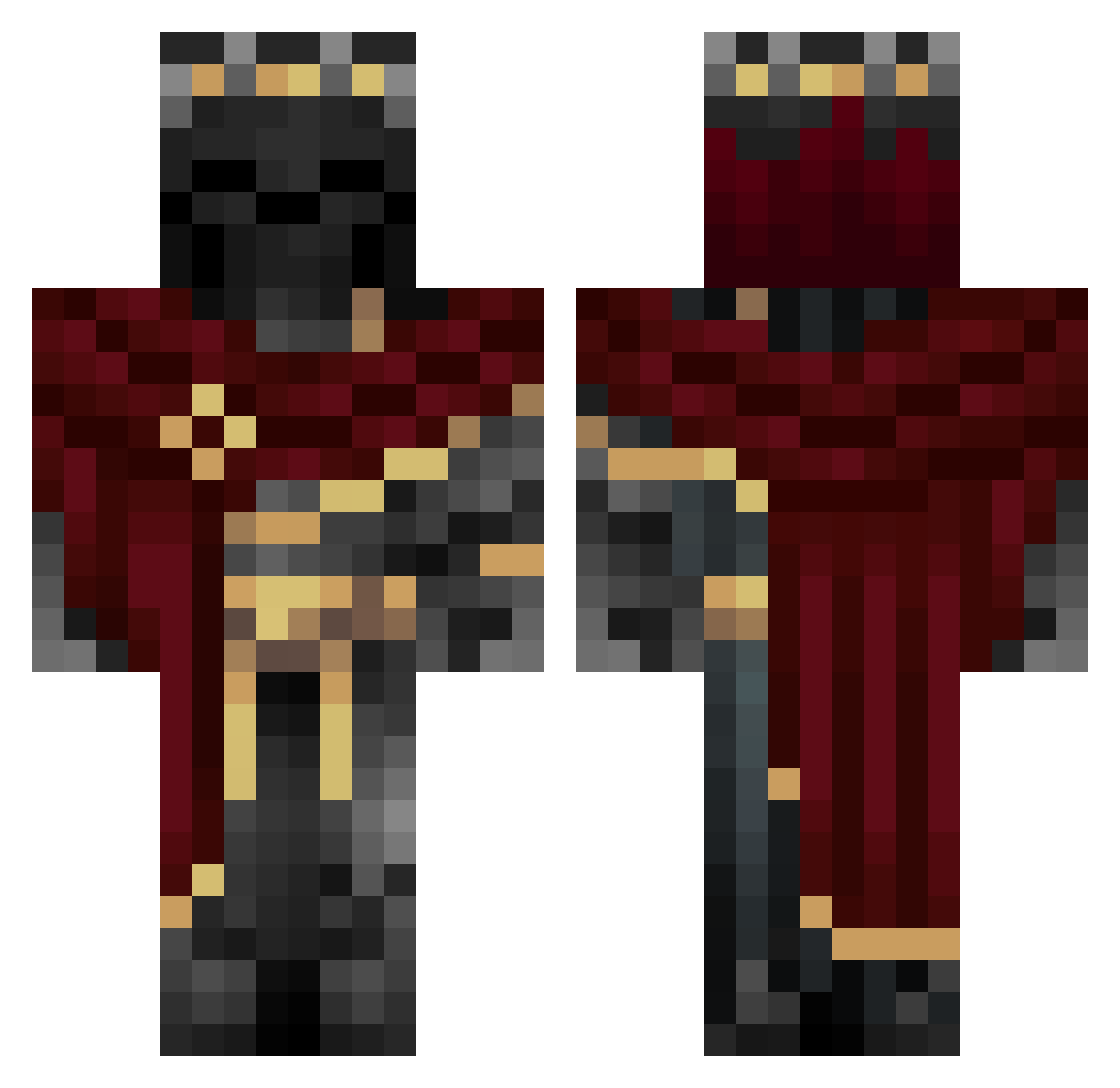
Current Minecraft skin of the player iwolex213, loaded from the official Mojang API. Rotate the 3D model with your mouse or finger, then download the skin as a PNG file and use it in Minecraft: Bedrock Edition or Java Edition for free. When iwolex213 changes their skin, this page updates automatically and the old skin stays in the history below.
Other players with this skin (1007)
iwolex213 was the 181st player we have seen with this skin, first spotted on 11.08.2026. The same skin was seen on these players. Open a nickname to see their current skin and skin history.
 Giparas VictorMordo Chaos_Plasma Lazatschus5 Nesifo Sabri3l LordAvadon1 Kremiccc Chert_0121 KEKS_05 cpt_sparks FajnyMnich knudkyvs FK991 thegreatwizardo kamilNormalnie Denismas Vlad99990 method1234 Reaperdeath0 Mr_Luxima DJ_Moses
 kyrdzik
 _Onyx9_ Thresh_00 SweeetCheeeks01 MXZ275 Kaaniimani MagmaUST Torrenzo II_Grim_II X_iron99 Atticus_Batticus KuKlxKlan Iurion Davin148 V3RTAL3RT Marvozk SomVIX Vickxy9608 GNOM2 biggymrgg c0rnis Axmay244 BadNether razer5567 TRod2323 gamerDomca Vital_Xbangs tutzk Yrrips SiiLeNTzSkiLLs MadMonkyNutz KennySSL Tigrouz_ NouNejm GewuerzMoewe LordMDN Ghost2_17 GraviityLinkk
More King Minecraft skins
How to install the iwolex213 skin
- Press the Download button above to save the skin as a PNG file.
- Minecraft: Bedrock Edition (PE): open the Dressing Room from the main menu (or tap your character → Edit Character), go to Classic Skins → Owned, press the + (new skin) button, choose the downloaded PNG and pick the Classic (Steve) model. Works on PC and mobile; consoles cannot import custom skins.
- Minecraft: Java Edition: open the Minecraft Launcher, go to the Skins tab, click New Skin, load the PNG, pick the Classic (Steve) model and press Save & Use. You can also upload it at minecraft.net → Profile → Change Skin.
The skin does not show up after import - what should I do?
Restart Minecraft and open the Dressing Room again - imported skins sometimes appear only after a restart. Also make sure you selected the imported skin and picked the Classic (Steve) model.
Which model should I choose, Classic or Slim?
This skin is designed for the Classic (Steve) model. If you pick the wrong model, the arms of the skin will look stretched or squeezed.
Is the skin of iwolex213 free to download?
Yes. Press Download, save the PNG file and use it in Minecraft: Bedrock Edition or Java Edition - no payment or registration needed. The skin also works on multiplayer servers and Realms.
More skins
Looking for more? Go back to all Minecraft skins and check the top skins of the week, month and all time, or find any player's skin by nickname.