
ivantzs - Minecraft Skins & Skin History
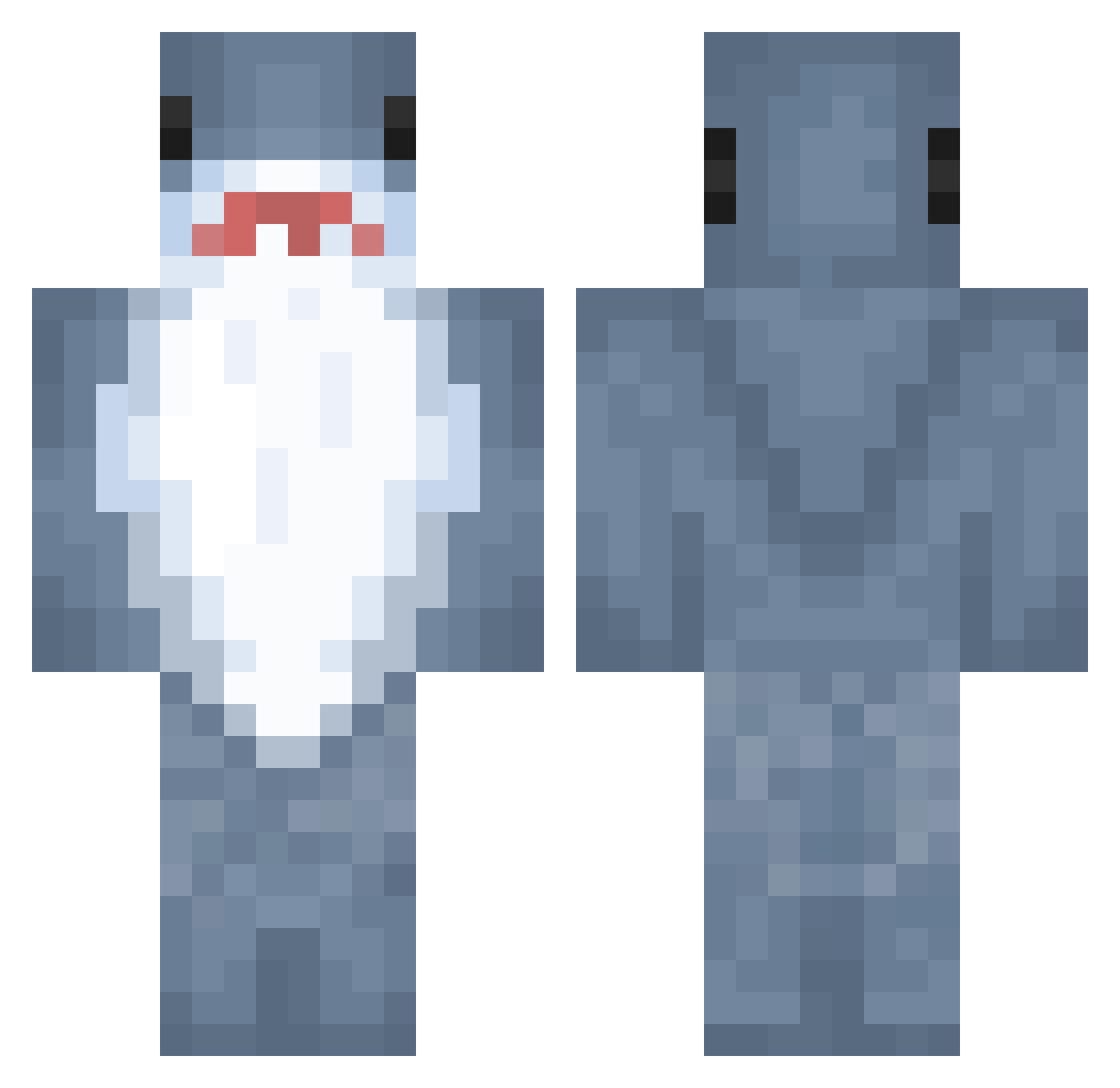
Current Minecraft skin of the player ivantzs, loaded from the official Mojang API. Rotate the 3D model with your mouse or finger, then download the skin as a PNG file and use it in Minecraft: Bedrock Edition or Java Edition for free. When ivantzs changes their skin, this page updates automatically and the old skin stays in the history below.
Other players with this skin (1072)
ivantzs was the 1033rd player we have seen with this skin, first spotted on 14.11.2026. The same skin was seen on these players. Open a nickname to see their current skin and skin history.
 lixiangyu12 bingjun777 nikkopip Sydney_24 V00rh33s_9742 MrMayorr ituxe XIAOYUOVO7 mmoonstonee Willo_Oak Sn0o0p breathicalalt agonip AllWs Miojo27 Vampire2097 Lolo_le_Haricot q8bt spekboom medicenpri Schlappohr12 HungryfishbosS udon42 kwon1113 BlindMonster07 JapanerJodel BobFrank19 stinkymonkey1 ENOSPC 420tears kuroron95 koolkool_ Jollyshrrk dios_tiburon mars1230 Delfin3005 Sumikk_ Sofirodrii55 LaFronteraMX Sloshymuffin GabboVerse Nobody_gamer16 FLOWER_BIRD CHUNYOU6 irlpinterestwhre Atomek2301 Arogonot SpencerKriggie zzzfg DJP214 xia0724 SmollShark Sharkinoo qwezsd TERRY17 TheQueenKaur stormtreader105 ItsKevoh CaptainThicccccc ss3renity
More Shark Minecraft skins
How to install the ivantzs skin
- Press the Download button above to save the skin as a PNG file.
- Minecraft: Bedrock Edition (PE): open the Dressing Room from the main menu (or tap your character → Edit Character), go to Classic Skins → Owned, press the + (new skin) button, choose the downloaded PNG and pick the Classic (Steve) model. Works on PC and mobile; consoles cannot import custom skins.
- Minecraft: Java Edition: open the Minecraft Launcher, go to the Skins tab, click New Skin, load the PNG, pick the Classic (Steve) model and press Save & Use. You can also upload it at minecraft.net → Profile → Change Skin.
The skin does not show up after import - what should I do?
Restart Minecraft and open the Dressing Room again - imported skins sometimes appear only after a restart. Also make sure you selected the imported skin and picked the Classic (Steve) model.
Which model should I choose, Classic or Slim?
This skin is designed for the Classic (Steve) model. If you pick the wrong model, the arms of the skin will look stretched or squeezed.
Is the skin of ivantzs free to download?
Yes. Press Download, save the PNG file and use it in Minecraft: Bedrock Edition or Java Edition - no payment or registration needed. The skin also works on multiplayer servers and Realms.
More skins
Looking for more? Go back to all Minecraft skins and check the top skins of the week, month and all time, or find any player's skin by nickname.