
ivanart123 - Minecraft Skins & Skin History
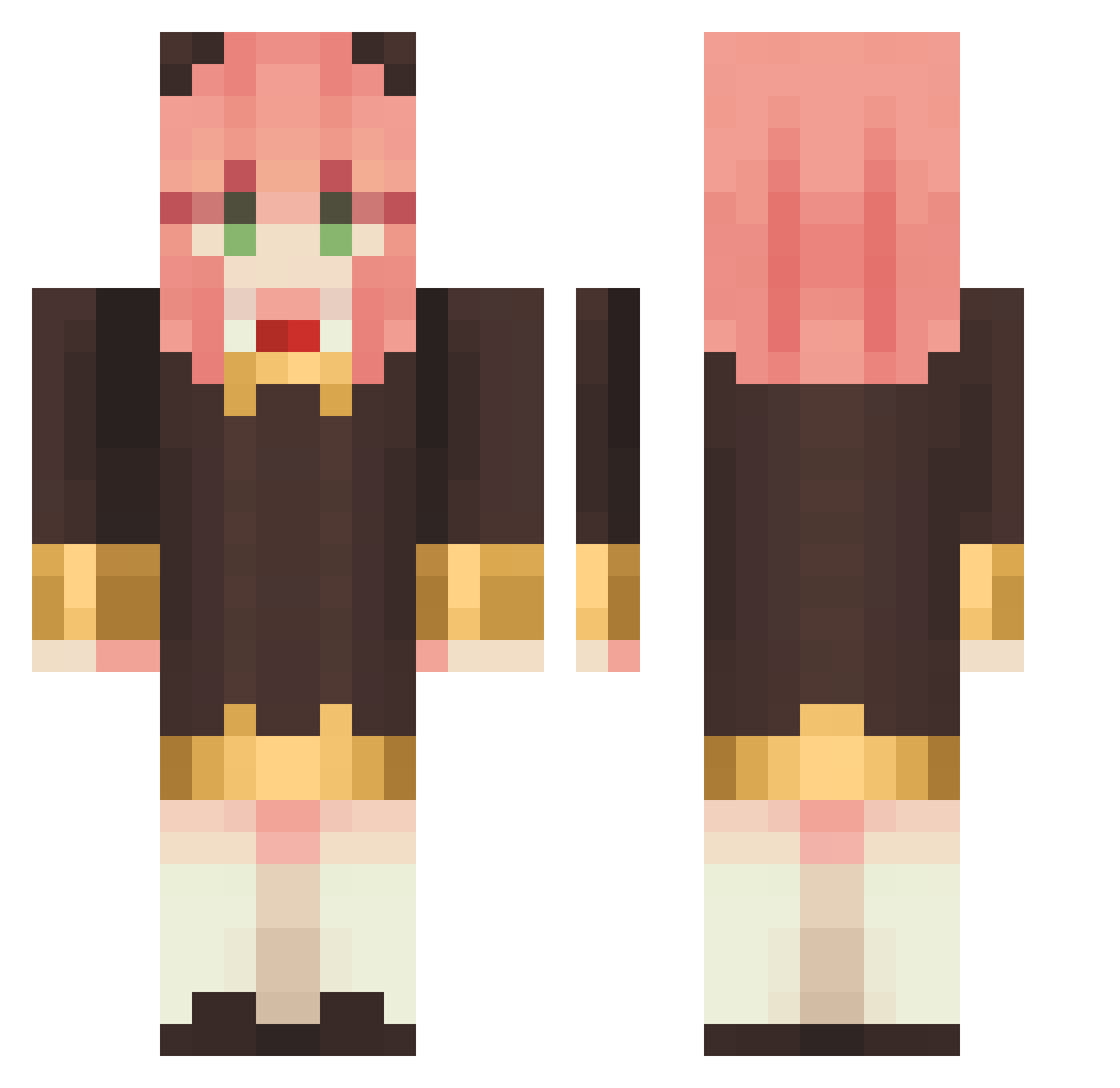
Current Minecraft skin of the player ivanart123, loaded from the official Mojang API. Rotate the 3D model with your mouse or finger, then download the skin as a PNG file and use it in Minecraft: Bedrock Edition or Java Edition for free. When ivanart123 changes their skin, this page updates automatically and the old skin stays in the history below.
Other players with this skin (1148)
ivanart123 was the 54th player we have seen with this skin, first spotted on 28.07.2026. The same skin was seen on these players. Open a nickname to see their current skin and skin history.
 chana08 DADASAKURA biutyfulibra WikisWorldTour _LQQi_ leiluchis Elol0 niluOVOb Outpoi Momhety Lan0oz liuyucheng14 Jmnzzz kuroSEM Chuldeuk iiTzCrystal MCU09400923 leosleep Ejddl_ NovaNoobSTR neue_persona
 bensonshabi CHIN_77 Cocotigo Mailenso LiSiXian DeadGhotish Heisxdd changys06 Glasses16 EnochPanzer Gabriel_Dias Mihononn Ciega Ca_Nnan Beclip soloqwer8190 D00RNO mecahh sunddddd l1_ng_ tanfok GodFobe wwwwwhite606 Bakwi ayupon1015 AeeFrost checkmtae Yan_1205 T0MAT0T Frozenzx TheUnknown2720 Fuu_2323 ShinyHyperion QueenKari Akaark JamesBona LiangCha520 apples_to_apples anya_forge
More Anya Forger Minecraft skins
How to install the ivanart123 skin
- Press the Download button above to save the skin as a PNG file.
- Minecraft: Bedrock Edition (PE): open the Dressing Room from the main menu (or tap your character → Edit Character), go to Classic Skins → Owned, press the + (new skin) button, choose the downloaded PNG and pick the Classic (Steve) model. Works on PC and mobile; consoles cannot import custom skins.
- Minecraft: Java Edition: open the Minecraft Launcher, go to the Skins tab, click New Skin, load the PNG, pick the Classic (Steve) model and press Save & Use. You can also upload it at minecraft.net → Profile → Change Skin.
The skin does not show up after import - what should I do?
Restart Minecraft and open the Dressing Room again - imported skins sometimes appear only after a restart. Also make sure you selected the imported skin and picked the Classic (Steve) model.
Which model should I choose, Classic or Slim?
This skin is designed for the Classic (Steve) model. If you pick the wrong model, the arms of the skin will look stretched or squeezed.
Is the skin of ivanart123 free to download?
Yes. Press Download, save the PNG file and use it in Minecraft: Bedrock Edition or Java Edition - no payment or registration needed. The skin also works on multiplayer servers and Realms.
More skins
Looking for more? Go back to all Minecraft skins and check the top skins of the week, month and all time, or find any player's skin by nickname.