
itzretros - Minecraft Skins & Skin History
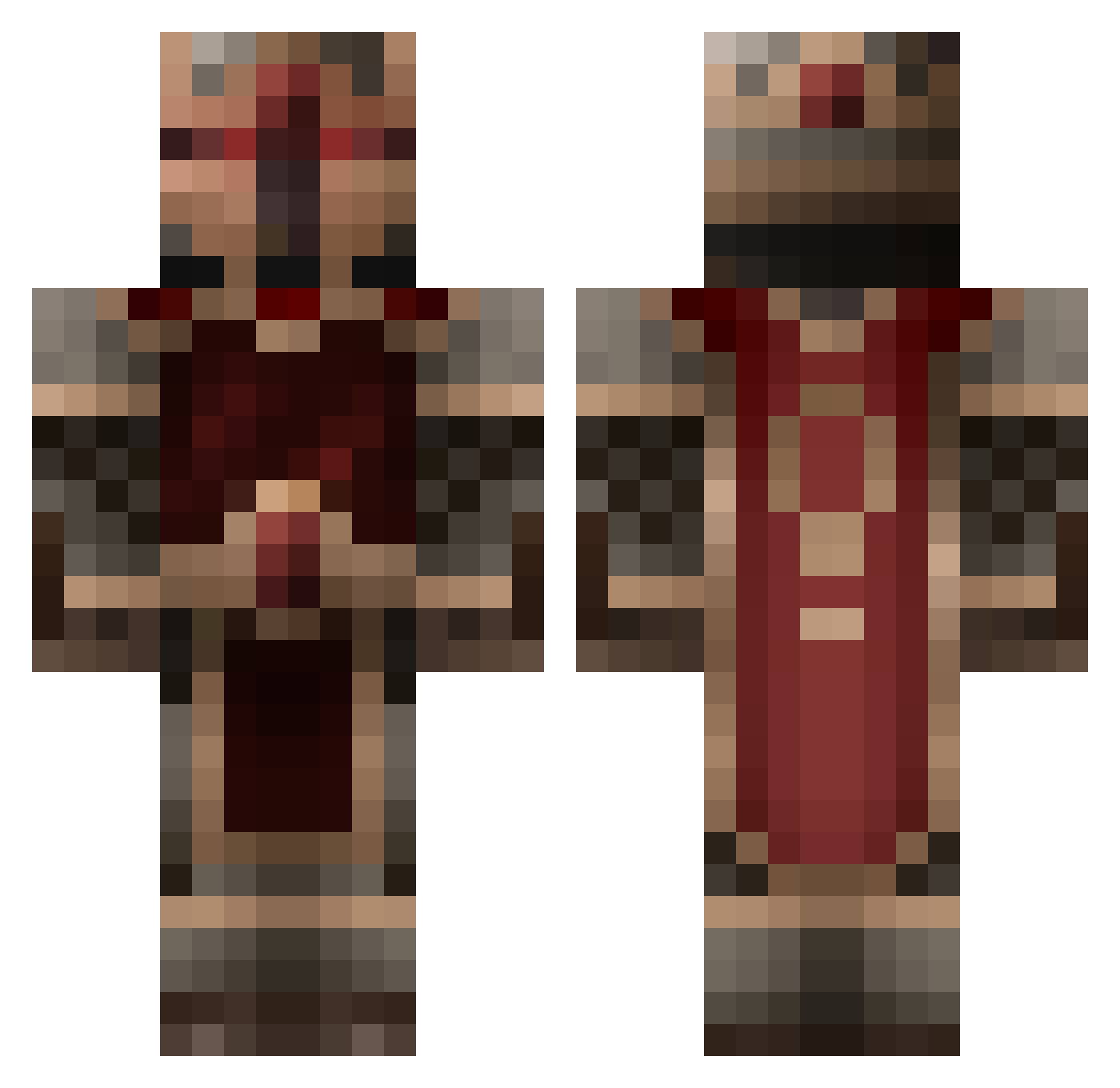
Current Minecraft skin of the player itzretros, loaded from the official Mojang API. Rotate the 3D model with your mouse or finger, then download the skin as a PNG file and use it in Minecraft: Bedrock Edition or Java Edition for free. When itzretros changes their skin, this page updates automatically and the old skin stays in the history below.
Other players with this skin (856)
itzretros was the 549th player we have seen with this skin, first spotted on 10.10.2026. The same skin was seen on these players. Open a nickname to see their current skin and skin history.
 voltanvoid CaptainGatling murdern Methylparaben ANXIDEL Joshuaah Belephron DasRowik coltonp1999 lapointe7592 LittleFlameMan Mr_Lipton Snugglewumpkins Sphynx99 Countdhoun demigod4043 karma2002 charlie520 Kemigeni TuMan204 IntenseSpark3 raswims Grim_Fervor EVIL_NINJA12 Stiiifler123 Marreny RazorJoint2 Normodz Dark_Heart26 Shad0wSaurus Broil remarks tenchyrock CocaCola2004 flame17758 subzero121 Judge_Dredd4 carsonmccormick Talyn2011 Odinisus XDarkhunter0815 Bakr Snapper321 Aeizir NomeKing Darkzama Shadowluke20 CorkMocha Jartin47 xXxSquadxXx patothezombie Zapper722 Victorhuggo Corganis AMthegrave dranongar jugilg varialtheflayer Belarix willard555
More Knight Minecraft skins
How to install the itzretros skin
- Press the Download button above to save the skin as a PNG file.
- Minecraft: Bedrock Edition (PE): open the Dressing Room from the main menu (or tap your character → Edit Character), go to Classic Skins → Owned, press the + (new skin) button, choose the downloaded PNG and pick the Classic (Steve) model. Works on PC and mobile; consoles cannot import custom skins.
- Minecraft: Java Edition: open the Minecraft Launcher, go to the Skins tab, click New Skin, load the PNG, pick the Classic (Steve) model and press Save & Use. You can also upload it at minecraft.net → Profile → Change Skin.
The skin does not show up after import - what should I do?
Restart Minecraft and open the Dressing Room again - imported skins sometimes appear only after a restart. Also make sure you selected the imported skin and picked the Classic (Steve) model.
Which model should I choose, Classic or Slim?
This skin is designed for the Classic (Steve) model. If you pick the wrong model, the arms of the skin will look stretched or squeezed.
Is the skin of itzretros free to download?
Yes. Press Download, save the PNG file and use it in Minecraft: Bedrock Edition or Java Edition - no payment or registration needed. The skin also works on multiplayer servers and Realms.
More skins
Looking for more? Go back to all Minecraft skins and check the top skins of the week, month and all time, or find any player's skin by nickname.