
im_china_520 - Minecraft Skins & Skin History
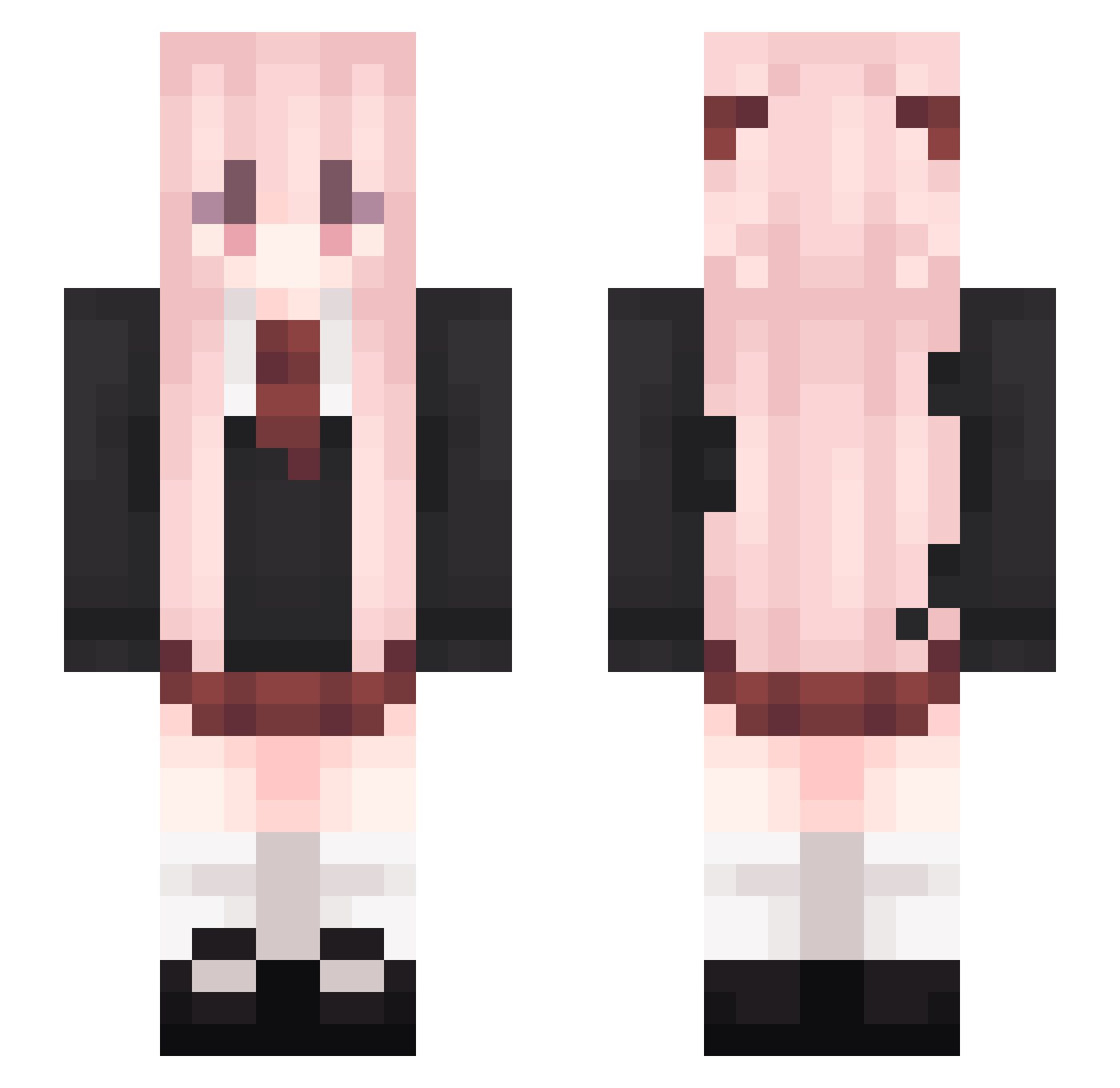
Current Minecraft skin of the player im_china_520, loaded from the official Mojang API. Rotate the 3D model with your mouse or finger, then download the skin as a PNG file and use it in Minecraft: Bedrock Edition or Java Edition for free. When im_china_520 changes their skin, this page updates automatically and the old skin stays in the history below.
Other players with this skin (184)
im_china_520 was the 32nd player we have seen with this skin, first spotted on 13.08.2026. The same skin was seen on these players. Open a nickname to see their current skin and skin history.
 Ronald_PRO07 MrChen_CN loveun_ IceIzy AriesFish yte7n G_Gtime Lucidism z_pepe imchiix apple_0908 xinyejiangjin calcisharddd QinBao_Xuan
 chengzimo versionq KropciaHopcia123 Meow_Ling0 kk91616 iNebula__ Slanderr3065 Iridiums
 MasterYu_XXC MI_JIO CamelliaQvQ zurcMC htyn_ Cahmilk Norn_ Radutz Hmeow_ haachamauwu remu27 bxrta Melisa_xd
 Yuna45 castlejo
 sihaoQWQ Ac3btw yongha1121 CRedzi
 KuYu33 ARY_PHENEX LazarNova nayming pinhea Lolipogg heartlessenemy chunqiu_L Its_XD Antoniomaks Hinamy teufel_morder misakazu ANZ_7th Zeiht lucy10_ RusKekosU akatuki010
 Le_Goo
More School Uniform Minecraft skins
See all 6637 School Uniform skins
How to install the im_china_520 skin
- Press the Download button above to save the skin as a PNG file.
- Minecraft: Bedrock Edition (PE): open the Dressing Room from the main menu (or tap your character → Edit Character), go to Classic Skins → Owned, press the + (new skin) button, choose the downloaded PNG and pick the Slim (Alex) model. Works on PC and mobile; consoles cannot import custom skins.
- Minecraft: Java Edition: open the Minecraft Launcher, go to the Skins tab, click New Skin, load the PNG, pick the Slim (Alex) model and press Save & Use. You can also upload it at minecraft.net → Profile → Change Skin.
The skin does not show up after import - what should I do?
Restart Minecraft and open the Dressing Room again - imported skins sometimes appear only after a restart. Also make sure you selected the imported skin and picked the Slim (Alex) model.
Which model should I choose, Classic or Slim?
This skin is designed for the Slim (Alex) model. If you pick the wrong model, the arms of the skin will look stretched or squeezed.
Is the skin of im_china_520 free to download?
Yes. Press Download, save the PNG file and use it in Minecraft: Bedrock Edition or Java Edition - no payment or registration needed. The skin also works on multiplayer servers and Realms.
More skins
Looking for more? Go back to all Minecraft skins and check the top skins of the week, month and all time, or find any player's skin by nickname.