
iloveb4 - Minecraft Skins & Skin History
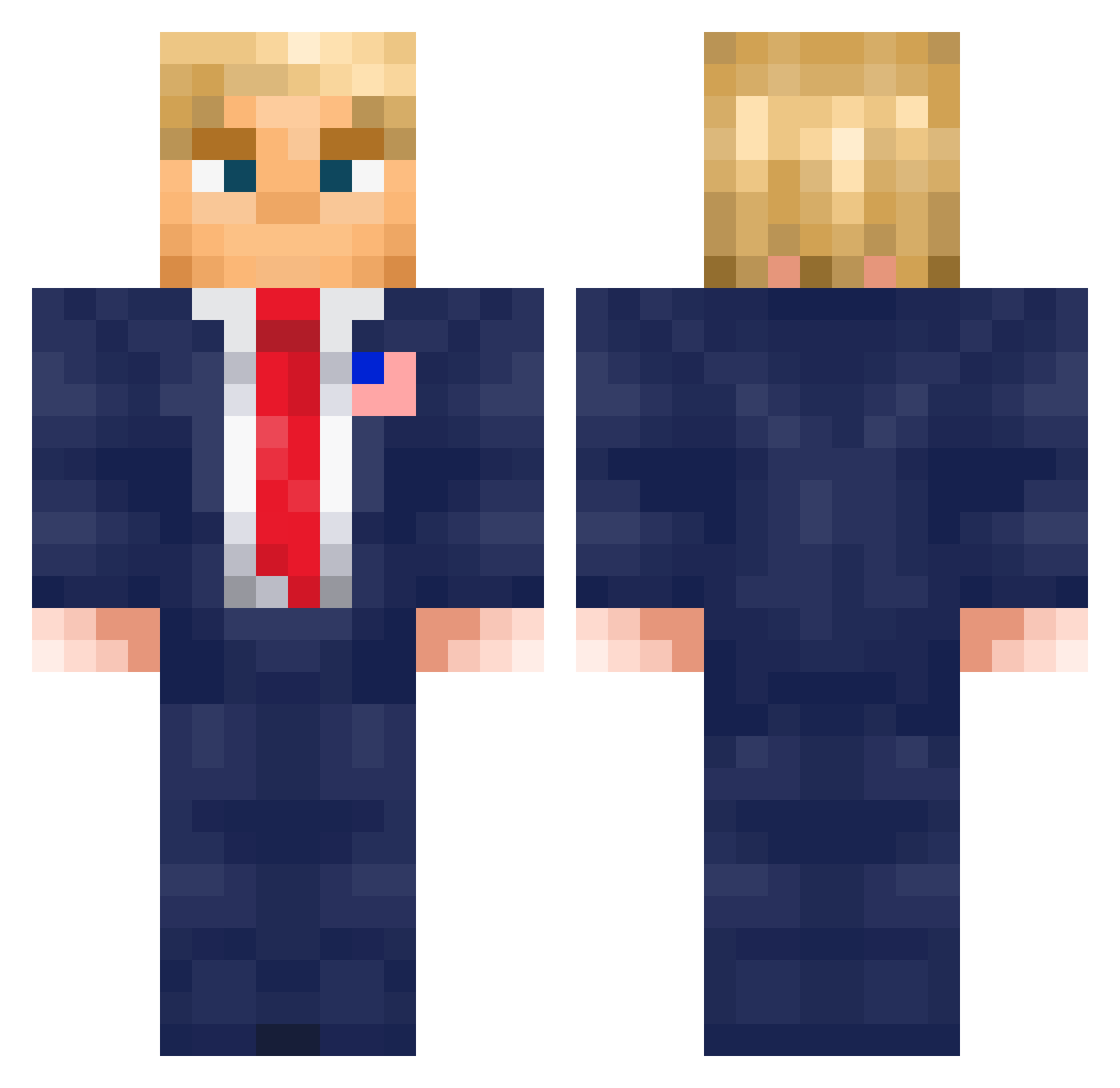
Current Minecraft skin of the player iloveb4, loaded from the official Mojang API. Rotate the 3D model with your mouse or finger, then download the skin as a PNG file and use it in Minecraft: Bedrock Edition or Java Edition for free. When iloveb4 changes their skin, this page updates automatically and the old skin stays in the history below.
Other players with this skin (576)
iloveb4 was the 531st player we have seen with this skin, first spotted on 23.10.2026. The same skin was seen on these players. Open a nickname to see their current skin and skin history.
 fifix87 epsteinfinalboss Motounsi NelzZ kingsman_lee XHumLaeX SuperTrenton1158 Caz0Sf0ndatore Wonski2115 maxtherocketguy MCsomthing Pyronado_ Ozanhel Buuck12 Oskarro4o SilliestGoose19 Ruxini10 JohnRambosNephew pacocom tvpmc MrGamerDudePro MrHero88 CatchFortyTwo WIze_man Murphtro jj_Tomek11_jj Proob144 itz_quitus tuffasnailss cicolini10 samuel0709 tywest0916 xXGATRIXxEP AnAbortedBaby Giadl1 felgusik Wuhan_Menace Zentolex EnRiCmUt Miguel420 Hamoyei Kosmixx Hutss2010 vvaalesitaa Miyke_ cagopurple Netguard Eliteni99a2211 SuleRom RssuEst Blippihat LaiGG Mthsssss EduLoveU2 Hepatots RomanUrdt Voltic_Scar69 Kiroz_1710 FlyingCoyote206 chen11523604
More Donald Trump Minecraft skins
See all 326 Donald Trump skins
How to install the iloveb4 skin
- Press the Download button above to save the skin as a PNG file.
- Minecraft: Bedrock Edition (PE): open the Dressing Room from the main menu (or tap your character → Edit Character), go to Classic Skins → Owned, press the + (new skin) button, choose the downloaded PNG and pick the Classic (Steve) model. Works on PC and mobile; consoles cannot import custom skins.
- Minecraft: Java Edition: open the Minecraft Launcher, go to the Skins tab, click New Skin, load the PNG, pick the Classic (Steve) model and press Save & Use. You can also upload it at minecraft.net → Profile → Change Skin.
The skin does not show up after import - what should I do?
Restart Minecraft and open the Dressing Room again - imported skins sometimes appear only after a restart. Also make sure you selected the imported skin and picked the Classic (Steve) model.
Which model should I choose, Classic or Slim?
This skin is designed for the Classic (Steve) model. If you pick the wrong model, the arms of the skin will look stretched or squeezed.
Is the skin of iloveb4 free to download?
Yes. Press Download, save the PNG file and use it in Minecraft: Bedrock Edition or Java Edition - no payment or registration needed. The skin also works on multiplayer servers and Realms.
More skins
Looking for more? Go back to all Minecraft skins and check the top skins of the week, month and all time, or find any player's skin by nickname.