
ica76 - Minecraft Skins & Skin History
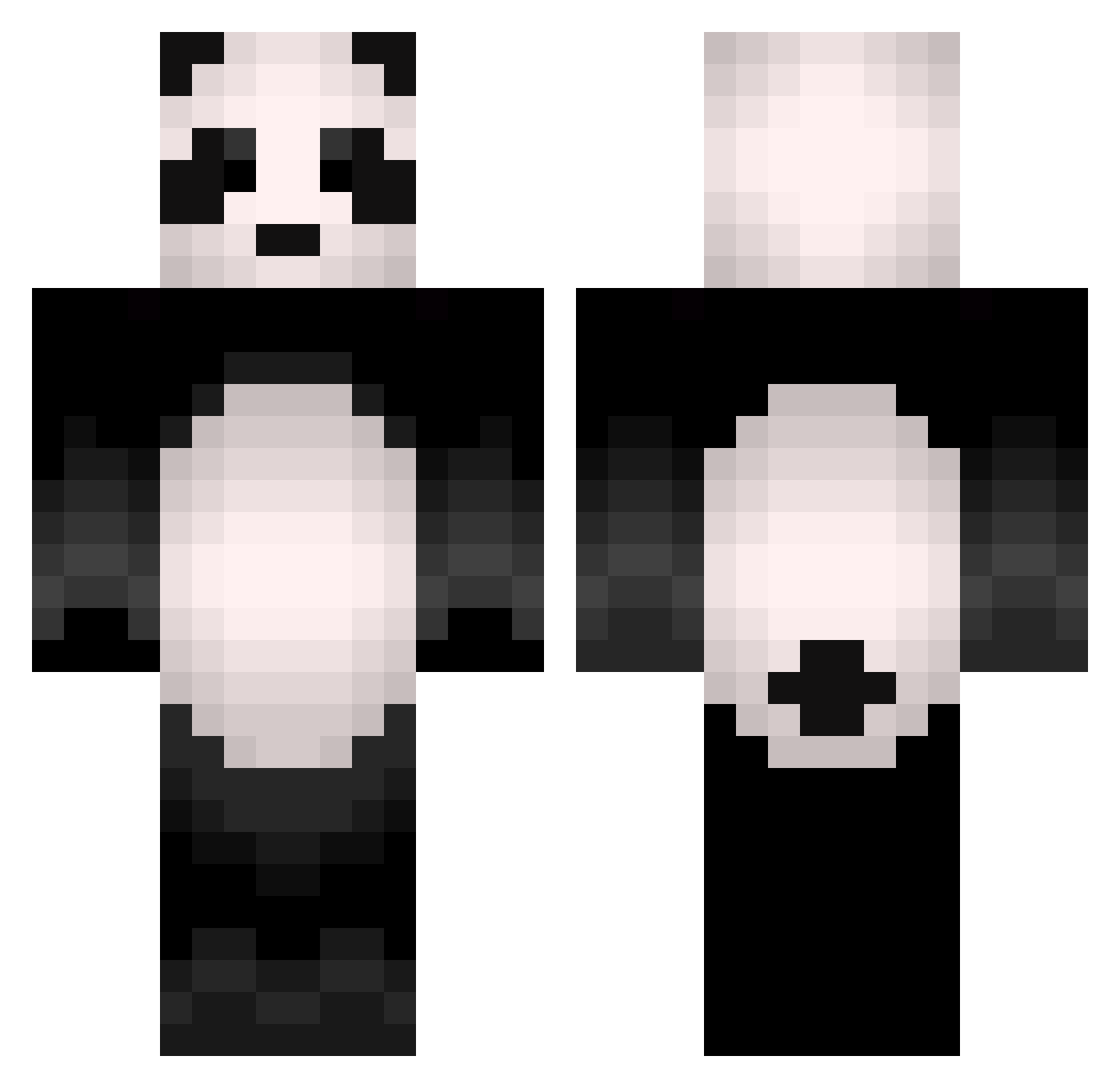
Current Minecraft skin of the player ica76, loaded from the official Mojang API. Rotate the 3D model with your mouse or finger, then download the skin as a PNG file and use it in Minecraft: Bedrock Edition or Java Edition for free. When ica76 changes their skin, this page updates automatically and the old skin stays in the history below.
Other players with this skin (504)
ica76 was the 400th player we have seen with this skin, first spotted on 19.10.2026. The same skin was seen on these players. Open a nickname to see their current skin and skin history.
 IT_Cozy Drake5289 PandElah parkdooho Kay0112 DDO_ryeong Wukiii xp4nda_ ivanbg111 SleepPanda09 AlePandi Pepito1124 GIVEMEURPANTS MrBroC2003 pandaJeon PandaSenpaiUwU relishedpanda11 ohmycrii Yoomsy M5sFaNtAsIa Gwiezdnetaco PaulGTEAM Celynkaa masawish1126 nodigit doBi___ alfredo1989 bdu03 Molemoler23 Smultronmuffin Laggiro SupaCoolBeefGoat Janeshfears11 bero321 Squ1shey NovaX_TT FuzzyBear76 FranAguirree Pandabxr nikochan2019 Myr_tille _SoapyJOE_ Iguana7071 Shakybird WeArePete Felliip ScoutieMeneer x__panda SureThing111 JosePepe1369 Waalllyy iScraM Panda12345678900 _BlackAng3l_ CCxnell NinjagamerXXVIII miausniakkot Ikarus99 Provebob Stormhammerr
More Animal Minecraft skins
How to install the ica76 skin
- Press the Download button above to save the skin as a PNG file.
- Minecraft: Bedrock Edition (PE): open the Dressing Room from the main menu (or tap your character → Edit Character), go to Classic Skins → Owned, press the + (new skin) button, choose the downloaded PNG and pick the Classic (Steve) model. Works on PC and mobile; consoles cannot import custom skins.
- Minecraft: Java Edition: open the Minecraft Launcher, go to the Skins tab, click New Skin, load the PNG, pick the Classic (Steve) model and press Save & Use. You can also upload it at minecraft.net → Profile → Change Skin.
The skin does not show up after import - what should I do?
Restart Minecraft and open the Dressing Room again - imported skins sometimes appear only after a restart. Also make sure you selected the imported skin and picked the Classic (Steve) model.
Which model should I choose, Classic or Slim?
This skin is designed for the Classic (Steve) model. If you pick the wrong model, the arms of the skin will look stretched or squeezed.
Is the skin of ica76 free to download?
Yes. Press Download, save the PNG file and use it in Minecraft: Bedrock Edition or Java Edition - no payment or registration needed. The skin also works on multiplayer servers and Realms.
More skins
Looking for more? Go back to all Minecraft skins and check the top skins of the week, month and all time, or find any player's skin by nickname.