
ianonavy - Minecraft Skins & Skin History
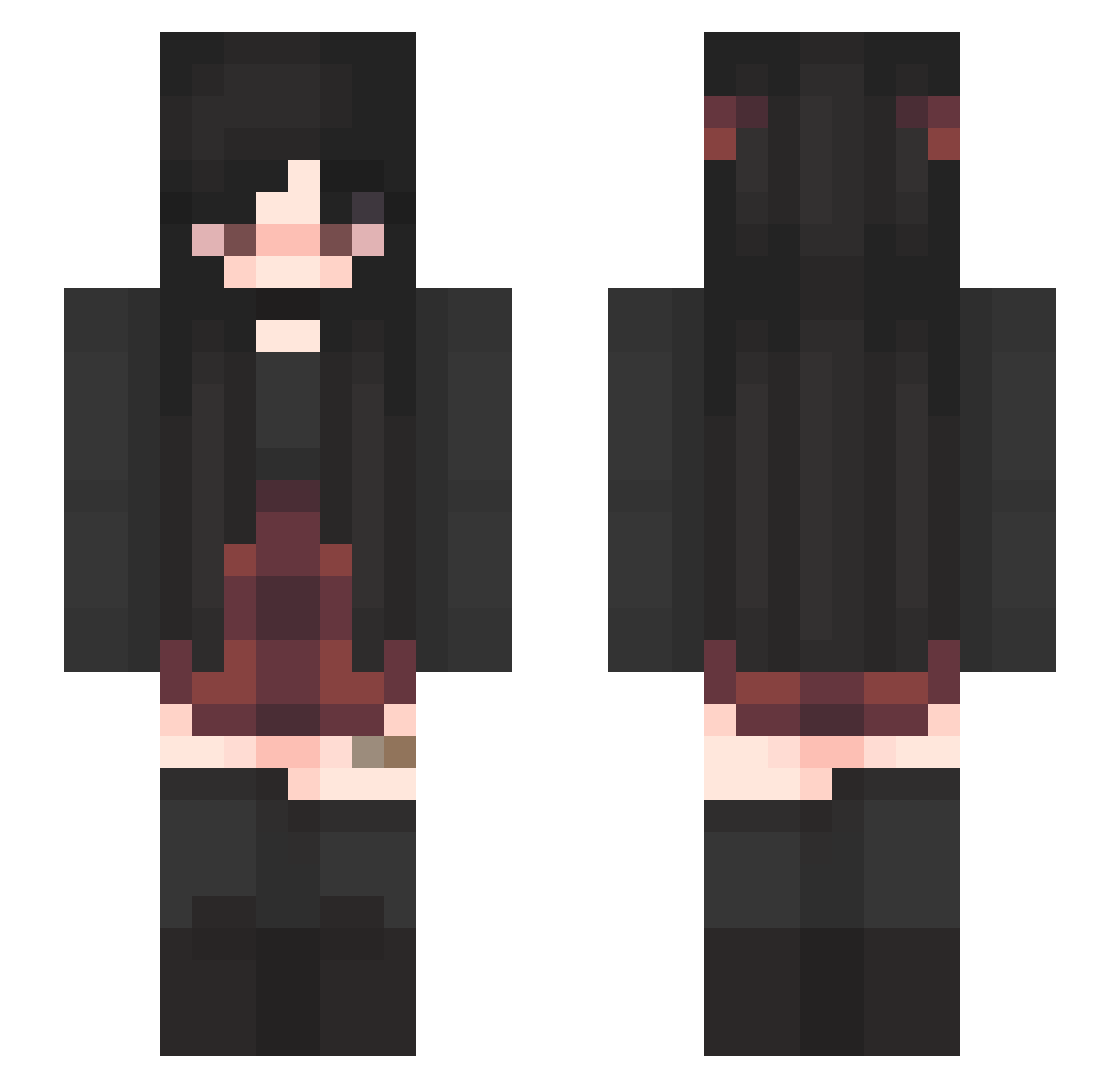
Current Minecraft skin of the player ianonavy, loaded from the official Mojang API. Rotate the 3D model with your mouse or finger, then download the skin as a PNG file and use it in Minecraft: Bedrock Edition or Java Edition for free. When ianonavy changes their skin, this page updates automatically and the old skin stays in the history below.
Other players with this skin (340)
ianonavy was the 70th player we have seen with this skin, first spotted on 12.08.2026. The same skin was seen on these players. Open a nickname to see their current skin and skin history.
 jhjhtrhcug MiseryBlack Haskiz WhiteCat700 Psychodias Dandelion32 AviyaTF Eliffen WolvesThatCrow noi_ero imnosylla yoshkin _Loquacis_ Carlita584 Deleuzeion SamLamb0 Xx_Nepogamer_xX lovekiller22 otterspaceee Mystify999 daecheo yimkaja Giyoshi RavioliMelon MollyLuna slothiimango MatriarchE Chikuwa640 Vxfiel EdgyPreteenGirl Kaytap ngahuiapahi kushqueen_ TinkyBae AvoidSpades SaMaMaPi Novva47 polyakovskaya BBin9437 saturn1342 emmaxhayman SabrinaSch GothMommy04 ybnn justnoturdad devilbaby182 kittttten sweetsungie vivssaura Nukevie_7 The_Backup001 stelluv Karline123456 _Reyno_ Cosmic_Wooolf xX_Elise_Xx X_Chaosgirl_X kyxrie Makiee62 Fairen13
More Emo Minecraft skins
How to install the ianonavy skin
- Press the Download button above to save the skin as a PNG file.
- Minecraft: Bedrock Edition (PE): open the Dressing Room from the main menu (or tap your character → Edit Character), go to Classic Skins → Owned, press the + (new skin) button, choose the downloaded PNG and pick the Slim (Alex) model. Works on PC and mobile; consoles cannot import custom skins.
- Minecraft: Java Edition: open the Minecraft Launcher, go to the Skins tab, click New Skin, load the PNG, pick the Slim (Alex) model and press Save & Use. You can also upload it at minecraft.net → Profile → Change Skin.
The skin does not show up after import - what should I do?
Restart Minecraft and open the Dressing Room again - imported skins sometimes appear only after a restart. Also make sure you selected the imported skin and picked the Slim (Alex) model.
Which model should I choose, Classic or Slim?
This skin is designed for the Slim (Alex) model. If you pick the wrong model, the arms of the skin will look stretched or squeezed.
Is the skin of ianonavy free to download?
Yes. Press Download, save the PNG file and use it in Minecraft: Bedrock Edition or Java Edition - no payment or registration needed. The skin also works on multiplayer servers and Realms.
More skins
Looking for more? Go back to all Minecraft skins and check the top skins of the week, month and all time, or find any player's skin by nickname.