
iamoldcow - Minecraft Skins & Skin History
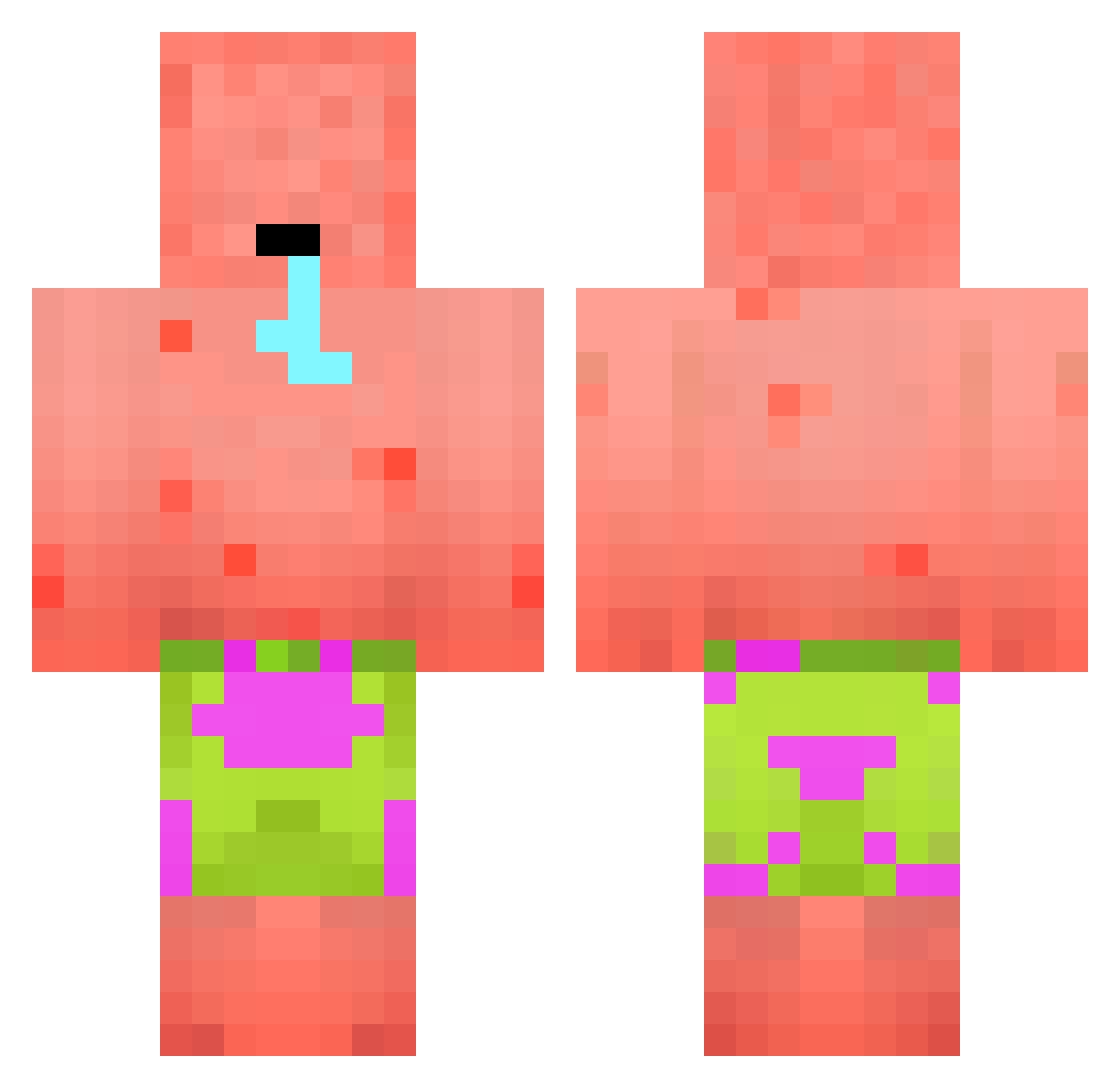
Current Minecraft skin of the player iamoldcow, loaded from the official Mojang API. Rotate the 3D model with your mouse or finger, then download the skin as a PNG file and use it in Minecraft: Bedrock Edition or Java Edition for free. When iamoldcow changes their skin, this page updates automatically and the old skin stays in the history below.
Other players with this skin (394)
iamoldcow was the 368th player we have seen with this skin, first spotted on 24.10.2026. The same skin was seen on these players. Open a nickname to see their current skin and skin history.
 _AWX_ bad420 Reias Mcdivad2k04 DarkGhouUL xXOrriXx Kentai420 TheVolKing chris364 Niimate criTeeh123 JeffMinestein KartonF58 Dalla46 HiddenAyyenus Gadget_Playz angelin_450 despairJIANG MrFrise44 Xoggg KyleFinley1227 LamaDrake Rigglez1035 Schweinepest Predatorsphexx MariusNyg _Tubo_ Toftokra4 Kawimah DirtyRaizor BinCh3838 Crack_Ho3 domdodogn CSX_Minator Michaeljockson13 Maxnana07 BiqSterzy XxFlyGamer12xX block_mauler FngerlikinGud CanHitler KakiGadol grandelicorneros DFOR18 Onho92 Uyg4rblt xiaochenmaicai xTRTx haguto NGV4 Duckila AlphaWolfie49 Leonie9 KLOMPEDOMP47 kaiwen890 suckmick SPIDEX_LUMINEX tatsumine dabriqshaw SirS1mp
More Patrick Star Minecraft skins
See all 611 Patrick Star skins
How to install the iamoldcow skin
- Press the Download button above to save the skin as a PNG file.
- Minecraft: Bedrock Edition (PE): open the Dressing Room from the main menu (or tap your character → Edit Character), go to Classic Skins → Owned, press the + (new skin) button, choose the downloaded PNG and pick the Classic (Steve) model. Works on PC and mobile; consoles cannot import custom skins.
- Minecraft: Java Edition: open the Minecraft Launcher, go to the Skins tab, click New Skin, load the PNG, pick the Classic (Steve) model and press Save & Use. You can also upload it at minecraft.net → Profile → Change Skin.
The skin does not show up after import - what should I do?
Restart Minecraft and open the Dressing Room again - imported skins sometimes appear only after a restart. Also make sure you selected the imported skin and picked the Classic (Steve) model.
Which model should I choose, Classic or Slim?
This skin is designed for the Classic (Steve) model. If you pick the wrong model, the arms of the skin will look stretched or squeezed.
Is the skin of iamoldcow free to download?
Yes. Press Download, save the PNG file and use it in Minecraft: Bedrock Edition or Java Edition - no payment or registration needed. The skin also works on multiplayer servers and Realms.
More skins
Looking for more? Go back to all Minecraft skins and check the top skins of the week, month and all time, or find any player's skin by nickname.