
iamdaaan - Minecraft Skins & Skin History
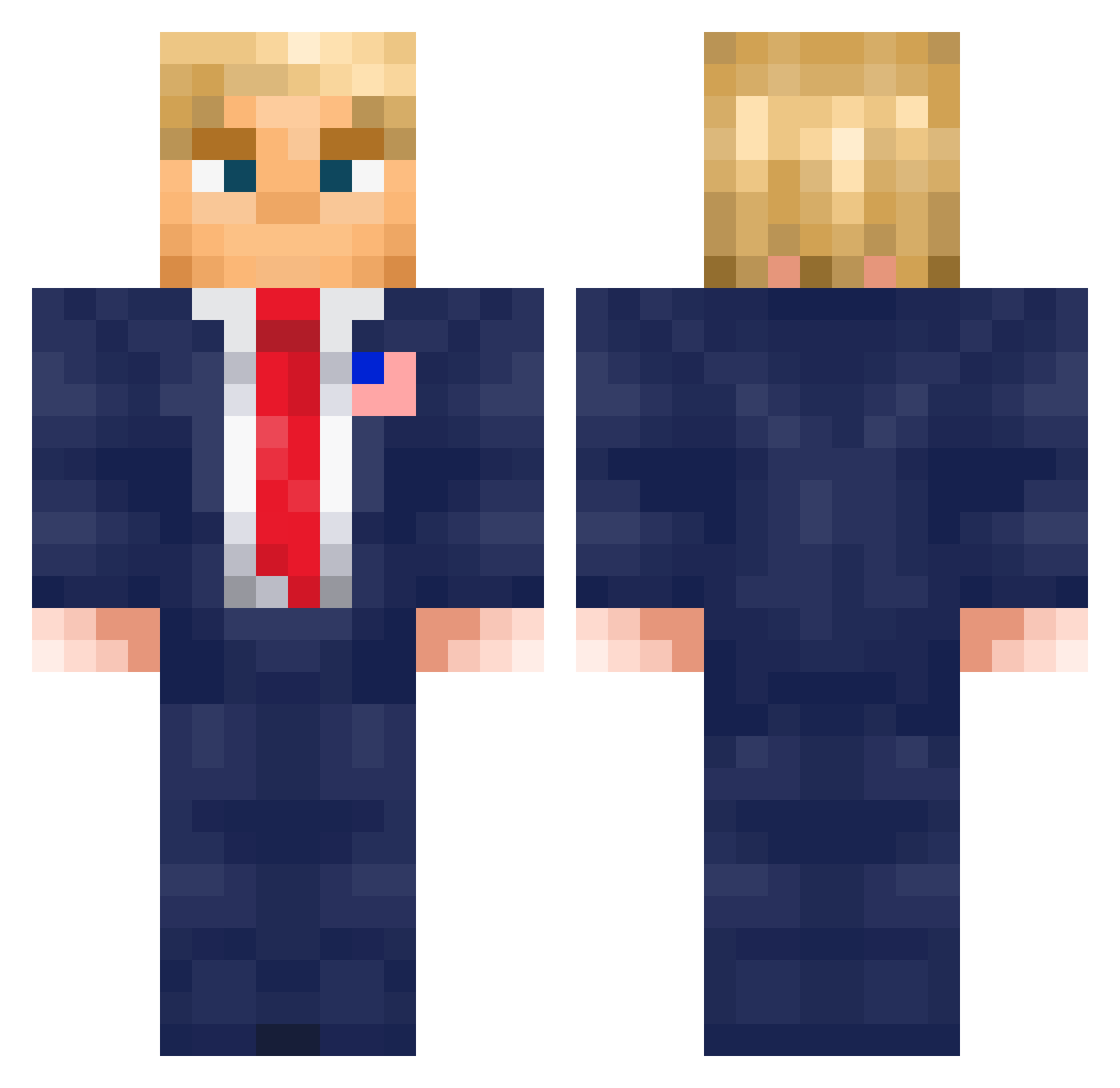
Current Minecraft skin of the player iamdaaan, loaded from the official Mojang API. Rotate the 3D model with your mouse or finger, then download the skin as a PNG file and use it in Minecraft: Bedrock Edition or Java Edition for free. When iamdaaan changes their skin, this page updates automatically and the old skin stays in the history below.
Other players with this skin (576)
iamdaaan was the 183rd player we have seen with this skin, first spotted on 29.08.2026. The same skin was seen on these players. Open a nickname to see their current skin and skin history.
 wharl kxvyFN harrykhanh CashMan5000 BanNux ClovisFP karolp3103 BobbyBoy012 duruduru42 Jaivees Hugxx8 Joelit0 lennisfrs5 Acmobs JegErSkaldet Technoblunt IMOneE brakington _Ironik_ Mr_LeoTheLegend Glace_08 Shirou7 BlasKo014 pequinho2A Jo_Dirt_Sheesh GogaCreeper GeneratorMan129 Sr_Ibero Toft30 Hsunnnn athessz rowhswkf baelryn detal_mick RuneBoy tomlenoob200 Bismark39 Jealouz _Jacson_ arfarfarf07 Juli0o ryvalty PoRd188
 nino0929 TMBJacob TravyPattyy minepoju420 Charouto420 saltyfish14 __EVIL Bedeeeevok BigDih18 EL_COXI Hamburbur_ Donald_T_r_u_m_p Enastex mauskardinal TulypYT NoSleepJustGrind Maiken5470
More Donald Trump Minecraft skins
See all 325 Donald Trump skins
How to install the iamdaaan skin
- Press the Download button above to save the skin as a PNG file.
- Minecraft: Bedrock Edition (PE): open the Dressing Room from the main menu (or tap your character → Edit Character), go to Classic Skins → Owned, press the + (new skin) button, choose the downloaded PNG and pick the Classic (Steve) model. Works on PC and mobile; consoles cannot import custom skins.
- Minecraft: Java Edition: open the Minecraft Launcher, go to the Skins tab, click New Skin, load the PNG, pick the Classic (Steve) model and press Save & Use. You can also upload it at minecraft.net → Profile → Change Skin.
The skin does not show up after import - what should I do?
Restart Minecraft and open the Dressing Room again - imported skins sometimes appear only after a restart. Also make sure you selected the imported skin and picked the Classic (Steve) model.
Which model should I choose, Classic or Slim?
This skin is designed for the Classic (Steve) model. If you pick the wrong model, the arms of the skin will look stretched or squeezed.
Is the skin of iamdaaan free to download?
Yes. Press Download, save the PNG file and use it in Minecraft: Bedrock Edition or Java Edition - no payment or registration needed. The skin also works on multiplayer servers and Realms.
More skins
Looking for more? Go back to all Minecraft skins and check the top skins of the week, month and all time, or find any player's skin by nickname.