
i_Kromx - Minecraft Skins & Skin History
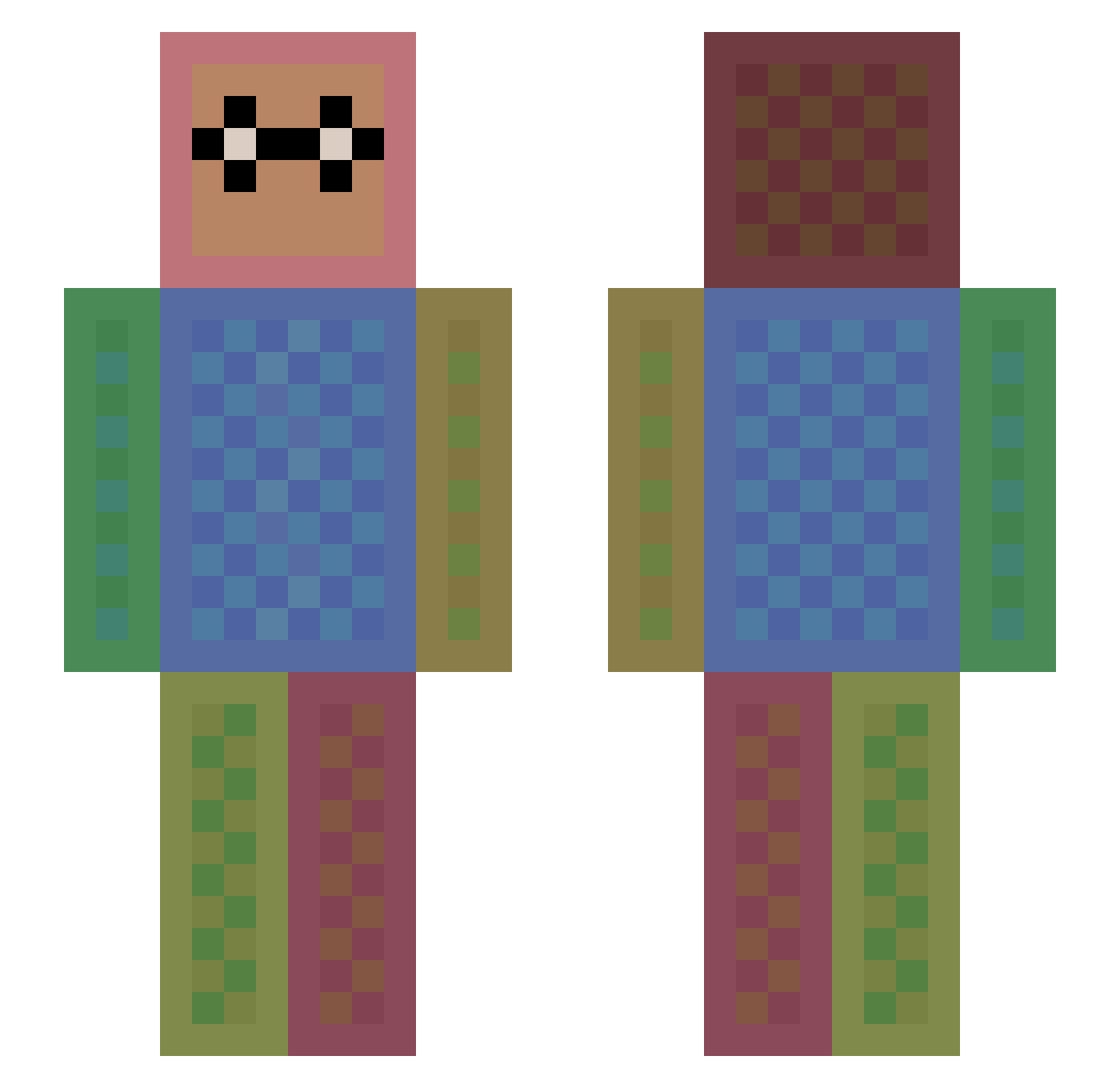
Current Minecraft skin of the player i_Kromx, loaded from the official Mojang API. Rotate the 3D model with your mouse or finger, then download the skin as a PNG file and use it in Minecraft: Bedrock Edition or Java Edition for free. When i_Kromx changes their skin, this page updates automatically and the old skin stays in the history below.
Other players with this skin (1113)
i_Kromx was the 21st player we have seen with this skin, first spotted on 23.07.2026. The same skin was seen on these players. Open a nickname to see their current skin and skin history.
 lior2004 sopozitiv Deesangel fastwolf596 MatthewMcKinlay xym5366 evil_gear Jonaschu morabito1 BeybladeMatel Lukas_Ittai quick_silver4 Kay1301 ghassan1960 harisioan MR3B_GAMES Steph662 Romeodjd emeyer94 chelsea21 lyallward _cool_mikkel FinleyJ17 ipoku rlawngur My_Lovely_World Bluelily24 Smoke_Marijuana crally23 OMGot Rexeim2 MERIDA74 Matilar skateur001 AcePremium GTMiner3 adoplay kast2_0 Bierdopje_1999 joonsik della_king15 chris_gu arturoguerreiro KevinTinj stella0824 TSNViper donutmonsteret McKennaRB Patriksilva187 capricorn_yagi WolfyGaming1234 littleavenger93 beastman2005 firebreak61 TwistedHelix1 teara05 LJfriel liuyunbofeng l751 Black_Magic17
How to install the i_Kromx skin
- Press the Download button above to save the skin as a PNG file.
- Minecraft: Bedrock Edition (PE): open the Dressing Room from the main menu (or tap your character → Edit Character), go to Classic Skins → Owned, press the + (new skin) button, choose the downloaded PNG and pick the Slim (Alex) model. Works on PC and mobile; consoles cannot import custom skins.
- Minecraft: Java Edition: open the Minecraft Launcher, go to the Skins tab, click New Skin, load the PNG, pick the Slim (Alex) model and press Save & Use. You can also upload it at minecraft.net → Profile → Change Skin.
The skin does not show up after import - what should I do?
Restart Minecraft and open the Dressing Room again - imported skins sometimes appear only after a restart. Also make sure you selected the imported skin and picked the Slim (Alex) model.
Which model should I choose, Classic or Slim?
This skin is designed for the Slim (Alex) model. If you pick the wrong model, the arms of the skin will look stretched or squeezed.
Is the skin of i_Kromx free to download?
Yes. Press Download, save the PNG file and use it in Minecraft: Bedrock Edition or Java Edition - no payment or registration needed. The skin also works on multiplayer servers and Realms.
More skins
Looking for more? Go back to all Minecraft skins and check the top skins of the week, month and all time, or find any player's skin by nickname.