
l751 - Minecraft Skins & Skin History
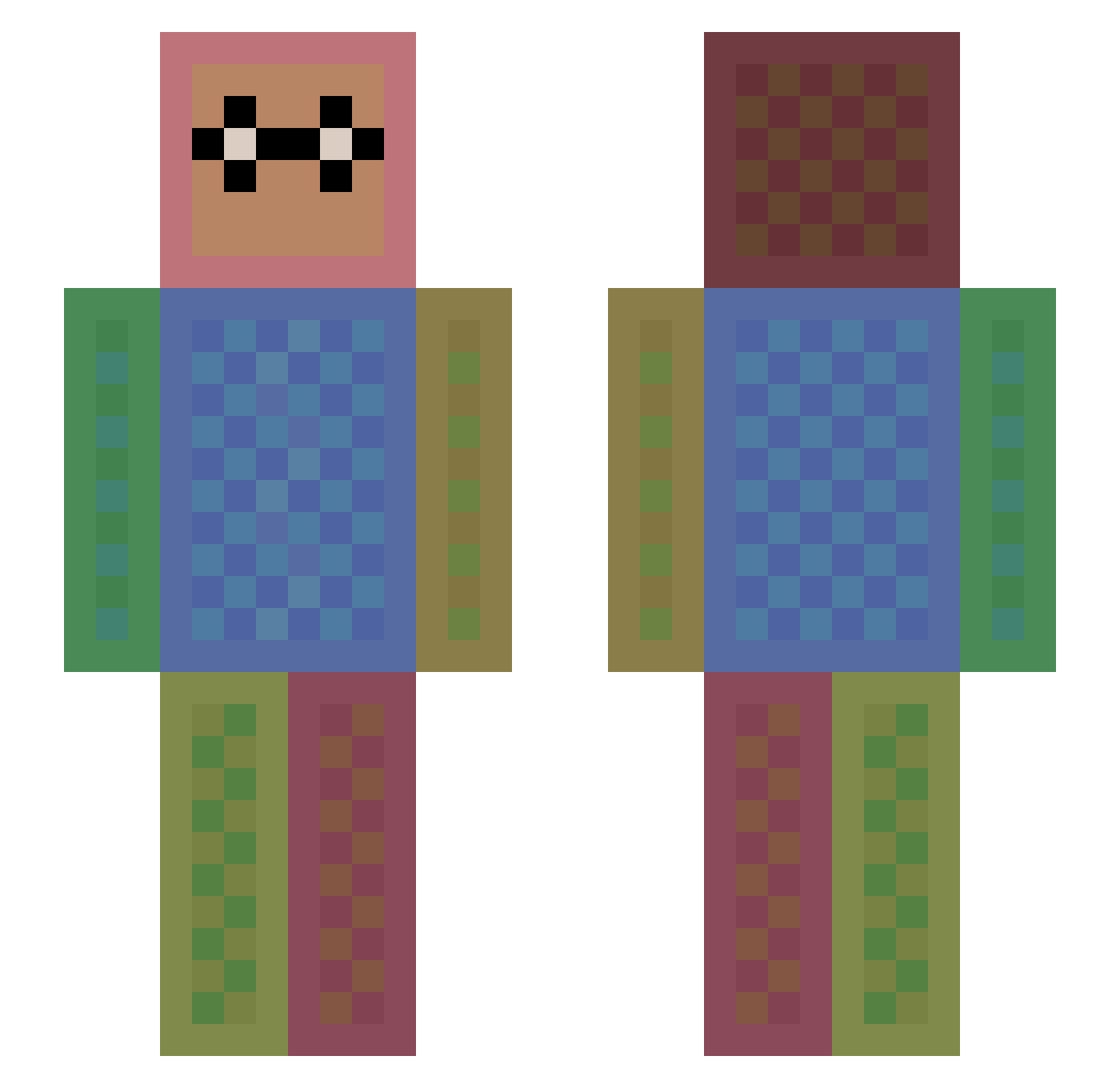
Current Minecraft skin of the player l751, loaded from the official Mojang API. Rotate the 3D model with your mouse or finger, then download the skin as a PNG file and use it in Minecraft: Bedrock Edition or Java Edition for free. When l751 changes their skin, this page updates automatically and the old skin stays in the history below.
Other players with this skin (1113)
l751 was the 60th player we have seen with this skin, first spotted on 28.07.2026. The same skin was seen on these players. Open a nickname to see their current skin and skin history.
 Black_Magic17 liuyunbofeng LJfriel SHELLY0011 DreadWNG axelmanian teara05 TwistedHelix1 ohitsjay HazyKids firebreak61 beastman2005 littleavenger93 CBJackson iodinemathmatic akichabin eudokas crazyboi019 Dustin5847 TEBRELA Level_61 WolfyGaming1234 Cute_Pander Swatow7 Koksupo Patriksilva187 juka McKennaRB donutmonsteret TSNViper stella0824 KevinTinj Ed24 Nerlaf arturoguerreiro jonashlarsen joonsik Bierdopje_1999 adoplay MrCattanzara AcePremium skateur001 Si__O2 Matilar MERIDA74 Rexeim2 Bluelily24 Soccerbrett19 rlawngur stradi_99 ipoku FinleyJ17 _cool_mikkel lyallward bigbuckskiller swegmaster47 chelsea21 PureFinesse ryuki3344 Romeodjd
How to install the l751 skin
- Press the Download button above to save the skin as a PNG file.
- Minecraft: Bedrock Edition (PE): open the Dressing Room from the main menu (or tap your character → Edit Character), go to Classic Skins → Owned, press the + (new skin) button, choose the downloaded PNG and pick the Slim (Alex) model. Works on PC and mobile; consoles cannot import custom skins.
- Minecraft: Java Edition: open the Minecraft Launcher, go to the Skins tab, click New Skin, load the PNG, pick the Slim (Alex) model and press Save & Use. You can also upload it at minecraft.net → Profile → Change Skin.
The skin does not show up after import - what should I do?
Restart Minecraft and open the Dressing Room again - imported skins sometimes appear only after a restart. Also make sure you selected the imported skin and picked the Slim (Alex) model.
Which model should I choose, Classic or Slim?
This skin is designed for the Slim (Alex) model. If you pick the wrong model, the arms of the skin will look stretched or squeezed.
Is the skin of l751 free to download?
Yes. Press Download, save the PNG file and use it in Minecraft: Bedrock Edition or Java Edition - no payment or registration needed. The skin also works on multiplayer servers and Realms.
More skins
Looking for more? Go back to all Minecraft skins and check the top skins of the week, month and all time, or find any player's skin by nickname.