
iTunc_YTT - Minecraft Skins & Skin History
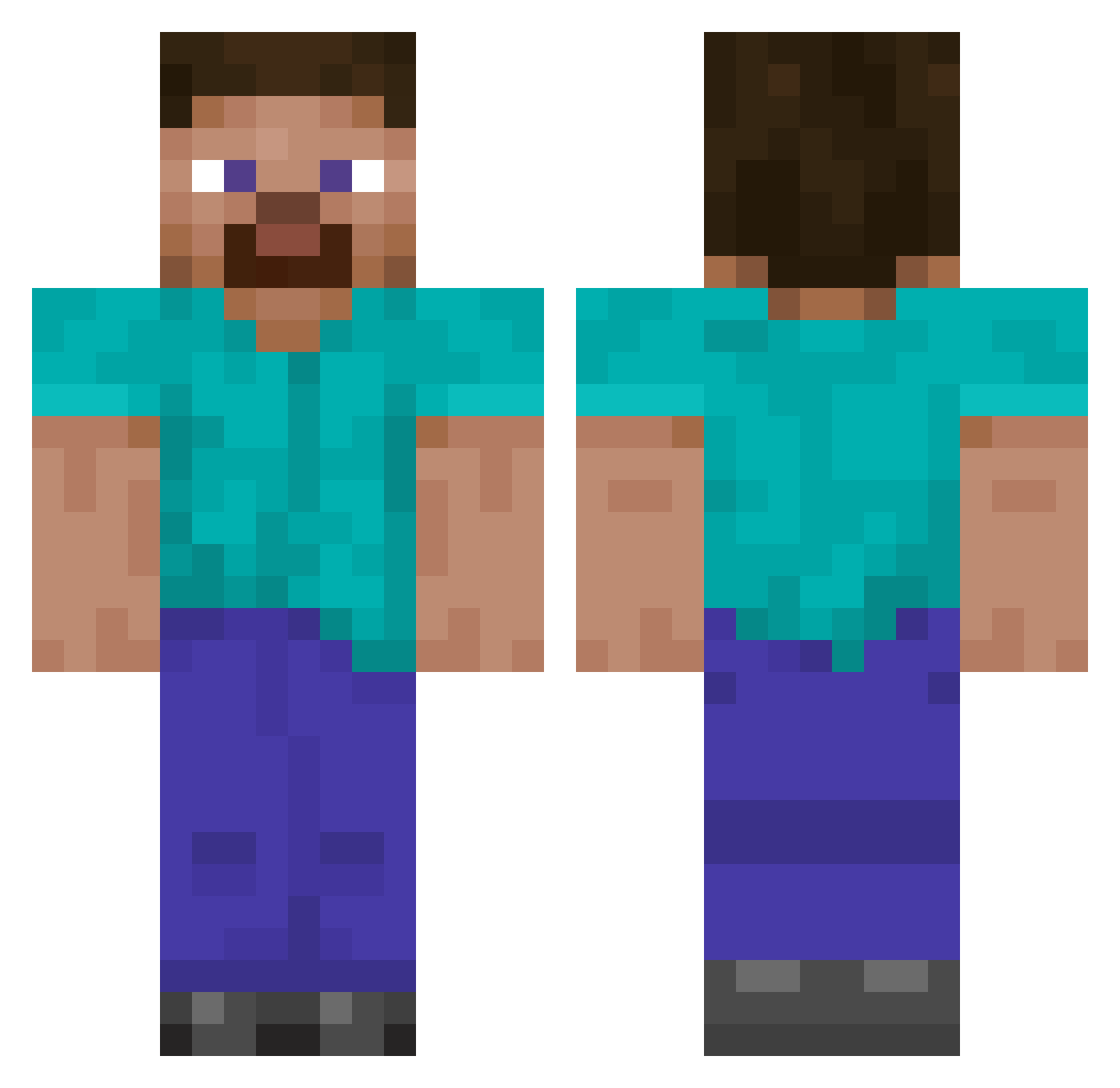
Current Minecraft skin of the player iTunc_YTT, loaded from the official Mojang API. Rotate the 3D model with your mouse or finger, then download the skin as a PNG file and use it in Minecraft: Bedrock Edition or Java Edition for free. When iTunc_YTT changes their skin, this page updates automatically and the old skin stays in the history below.
Other players with this skin (138)
iTunc_YTT was the 48th player we have seen with this skin, first spotted on 31.08.2026. The same skin was seen on these players. Open a nickname to see their current skin and skin history.
 Minecrafter4283 armaand RedDevilWB Amundos Snoeman Johnotek samosim
 GabuShipa Randomzx Susu_br loulou2442 sunt_robert daviddoran56 Offblast protopectin suzunk Sepikoira Samj88 teckdecz 82_bars AliveOnce Fragbuscus Horrologiome510 Twenty2kay Craim_07 Sol3423 Atharv_Is_OP tiulyed AspectZA abedo098 mamtogdzies DogBlazer__ Le1Rz Malacca UngArbejder theshortson Hadaned rokaeun Santhill WayZz Jan211100 Forlore Prov66 StieveFriend IIShedII fer1790 Kackalackin DanielExe xdlol1234 MykiiZ LOOKNOSKILLS LeGG53 DatBoyRaiman duprownik patrickspine GustavTheMiner craftingfever teerabbit EnvyIWNL kar90000
How to install the iTunc_YTT skin
- Press the Download button above to save the skin as a PNG file.
- Minecraft: Bedrock Edition (PE): open the Dressing Room from the main menu (or tap your character → Edit Character), go to Classic Skins → Owned, press the + (new skin) button, choose the downloaded PNG and pick the Classic (Steve) model. Works on PC and mobile; consoles cannot import custom skins.
- Minecraft: Java Edition: open the Minecraft Launcher, go to the Skins tab, click New Skin, load the PNG, pick the Classic (Steve) model and press Save & Use. You can also upload it at minecraft.net → Profile → Change Skin.
The skin does not show up after import - what should I do?
Restart Minecraft and open the Dressing Room again - imported skins sometimes appear only after a restart. Also make sure you selected the imported skin and picked the Classic (Steve) model.
Which model should I choose, Classic or Slim?
This skin is designed for the Classic (Steve) model. If you pick the wrong model, the arms of the skin will look stretched or squeezed.
Is the skin of iTunc_YTT free to download?
Yes. Press Download, save the PNG file and use it in Minecraft: Bedrock Edition or Java Edition - no payment or registration needed. The skin also works on multiplayer servers and Realms.
More skins
Looking for more? Go back to all Minecraft skins and check the top skins of the week, month and all time, or find any player's skin by nickname.