
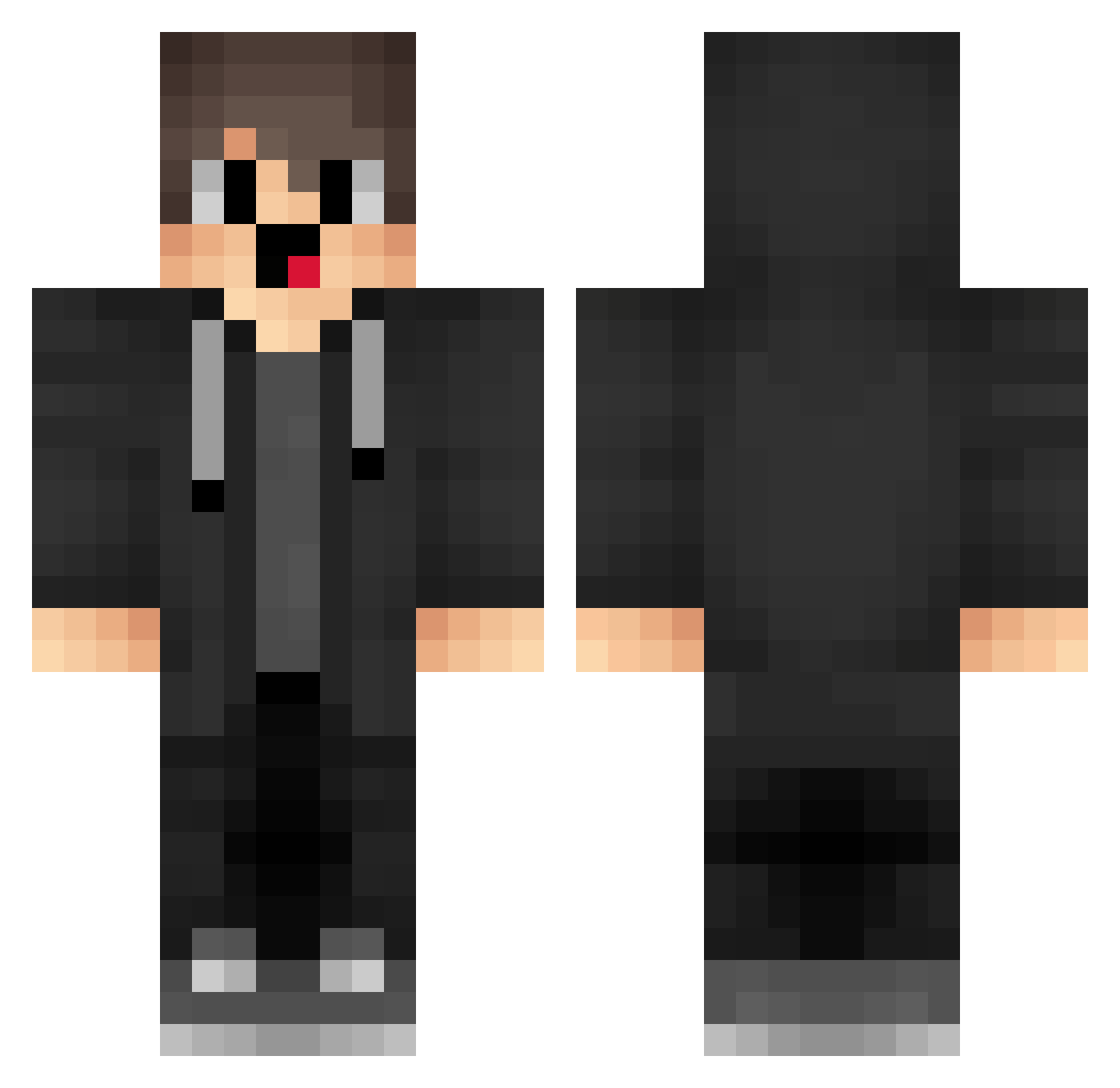
Current Minecraft skin of the player iSq112, loaded from the official Mojang API. Rotate the 3D model with your mouse or finger, then download the skin as a PNG file and use it in Minecraft: Bedrock Edition or Java Edition for free. When iSq112 changes their skin, this page updates automatically and the old skin stays in the history below.
Other players with this skin (1280)
iSq112 was the 371st player we have seen with this skin, first spotted on 19.08.2026. The same skin was seen on these players. Open a nickname to see their current skin and skin history.
 uHf956 jwX599 xoV379 boraslit xcQ132 tzi_zsjeK_07_18 pup750 CHM794
 shenxiaozhong Lsm722 box_embadZSwC583 Fqk184 Leonardoc1 uKNpr box_fnrDeUHOp870 numberaixs30 velocity_examine EzraW rkL454 LbM125 pWb259 jZV335 IWc881 fortiix Sa3ura_1997 Ke_FuTX tiY728 Ziblakong APn619 VbN604 kOe531 qwqDaHaiqwq Merrycc UjM446 Cnq56 eyw264 Zhangjiameng788 VRN413 aaK517 iRE569 RCP958 visedfox Efw906 Eternity_END zqI301 CZn94 SFl389 jNe711 yde410 box_MDsemMOkS658 J1nhappyu crU583 jnO194 DNE823 PRW292 NhO206 ZYG482 box_qtoRmiMgI918 lVx770 EhJ468
How to install the iSq112 skin
- Press the Download button above to save the skin as a PNG file.
- Minecraft: Bedrock Edition (PE): open the Dressing Room from the main menu (or tap your character → Edit Character), go to Classic Skins → Owned, press the + (new skin) button, choose the downloaded PNG and pick the Classic (Steve) model. Works on PC and mobile; consoles cannot import custom skins.
- Minecraft: Java Edition: open the Minecraft Launcher, go to the Skins tab, click New Skin, load the PNG, pick the Classic (Steve) model and press Save & Use. You can also upload it at minecraft.net → Profile → Change Skin.
The skin does not show up after import - what should I do?
Restart Minecraft and open the Dressing Room again - imported skins sometimes appear only after a restart. Also make sure you selected the imported skin and picked the Classic (Steve) model.
Which model should I choose, Classic or Slim?
This skin is designed for the Classic (Steve) model. If you pick the wrong model, the arms of the skin will look stretched or squeezed.
Is the skin of iSq112 free to download?
Yes. Press Download, save the PNG file and use it in Minecraft: Bedrock Edition or Java Edition - no payment or registration needed. The skin also works on multiplayer servers and Realms.
More skins
Looking for more? Go back to all Minecraft skins and check the top skins of the week, month and all time, or find any player's skin by nickname.