
iGustavo13 - Minecraft Skins & Skin History
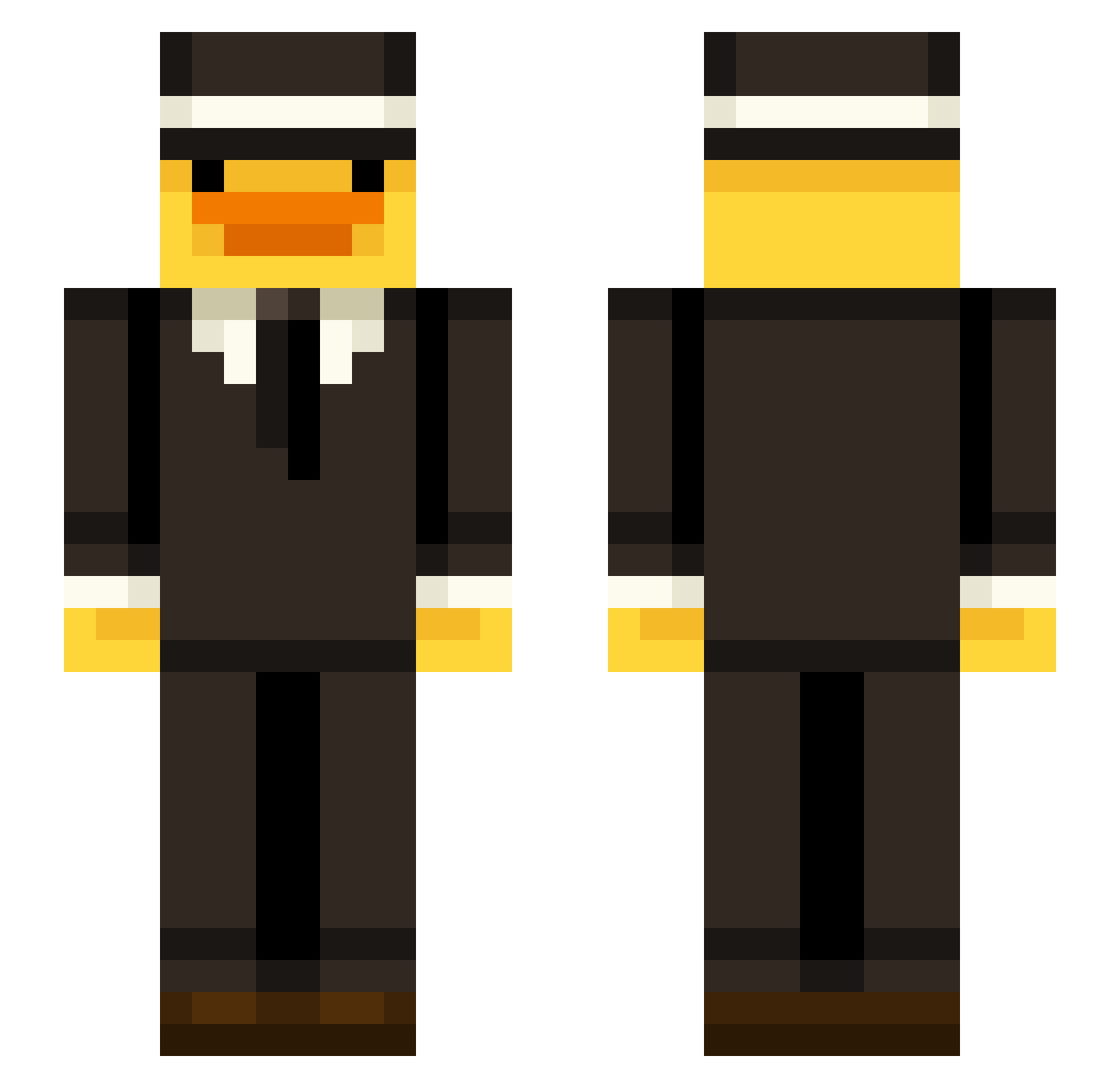
Current Minecraft skin of the player iGustavo13, loaded from the official Mojang API. Rotate the 3D model with your mouse or finger, then download the skin as a PNG file and use it in Minecraft: Bedrock Edition or Java Edition for free. When iGustavo13 changes their skin, this page updates automatically and the old skin stays in the history below.
Other players with this skin (45)
iGustavo13 was the 34th player we have seen with this skin, first spotted on 04.10.2026. The same skin was seen on these players. Open a nickname to see their current skin and skin history.
 BabaGee1263 Lukex2014 vexuliya Vidaryy Beyond69420 DAK_BAL xturbann RezzixD Gooze1775 DragonStar_5000 sosiaalipummi SwagMonke_ Jajay68 StinKyTof PAWyl4142 Caviarrrr SonoCri zMalvr mydlo__ Alambritox16 ComboStrqfes crsvnn NotDuckyYt xslow999 EliasErum _GO0B3R zicxc GOD_mrkev Samppa23 _ZMN X_MrParowa Pepito33131 bash3po2 Zabka147 xAksi_ Coco_312 OliveGalaxy7774
 manzana369 TryHardBlakey
 gofredulsalavat CryinFr Wojt1324 AbridgedDoor46 y0x55ev
 SkinEditor
Previous skins of iGustavo13
Skins that iGustavo13 wore before, newest first. Click a skin to open its page and download it.
More Mobster Minecraft skins
How to install the iGustavo13 skin
- Press the Download button above to save the skin as a PNG file.
- Minecraft: Bedrock Edition (PE): open the Dressing Room from the main menu (or tap your character → Edit Character), go to Classic Skins → Owned, press the + (new skin) button, choose the downloaded PNG and pick the Slim (Alex) model. Works on PC and mobile; consoles cannot import custom skins.
- Minecraft: Java Edition: open the Minecraft Launcher, go to the Skins tab, click New Skin, load the PNG, pick the Slim (Alex) model and press Save & Use. You can also upload it at minecraft.net → Profile → Change Skin.
The skin does not show up after import - what should I do?
Restart Minecraft and open the Dressing Room again - imported skins sometimes appear only after a restart. Also make sure you selected the imported skin and picked the Slim (Alex) model.
Which model should I choose, Classic or Slim?
This skin is designed for the Slim (Alex) model. If you pick the wrong model, the arms of the skin will look stretched or squeezed.
Is the skin of iGustavo13 free to download?
Yes. Press Download, save the PNG file and use it in Minecraft: Bedrock Edition or Java Edition - no payment or registration needed. The skin also works on multiplayer servers and Realms.
More skins
Looking for more? Go back to all Minecraft skins and check the top skins of the week, month and all time, or find any player's skin by nickname.