
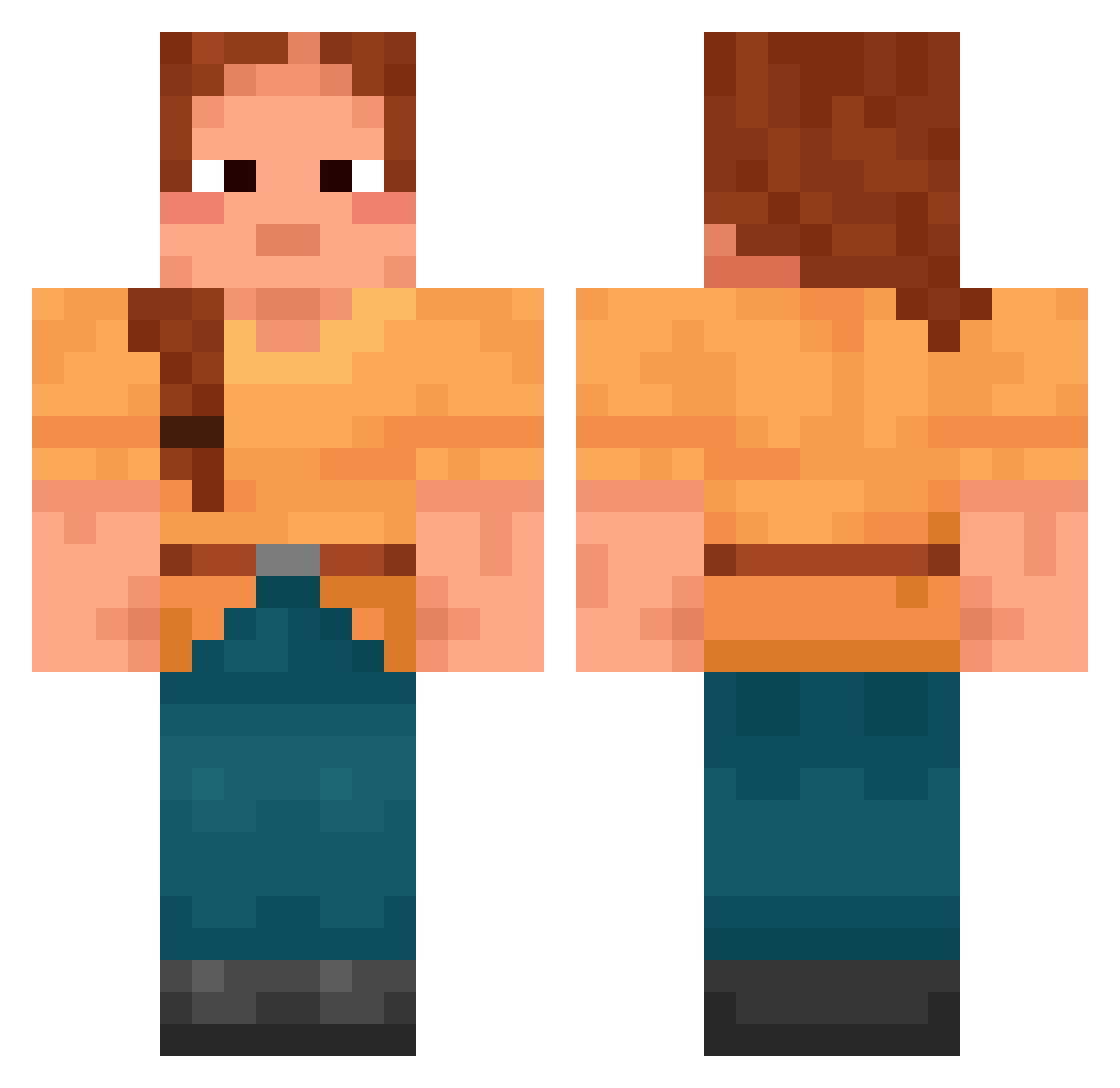
Current Minecraft skin of the player iDose, loaded from the official Mojang API. Rotate the 3D model with your mouse or finger, then download the skin as a PNG file and use it in Minecraft: Bedrock Edition or Java Edition for free. When iDose changes their skin, this page updates automatically and the old skin stays in the history below.
Other players with this skin (1391)
iDose was the 916th player we have seen with this skin, first spotted on 23.09.2026. The same skin was seen on these players. Open a nickname to see their current skin and skin history.
 boilers Elvoric Mietha Patatatomica FrankZack421 HyperExcitement AbidIsCracked Kitana83 suzerain H4NSE0 DragonCode04 TinkyWinkyKRVL LLayer papaverine jatinisop CXK671 Hochheimer LandwirtinAlexa wrgj2i34h992 emissive djukaaa Orugonami maraunzer PizzaHut231 murasakim LimeV4 FatTable Milliwie nori_443 Stooth EsoTilin198 nasenskigebiet Jarilo Scion flattop xCheez_ badtothebone800 Sandrone_1933 zampogna Resl impressivny treatiser nik4cikx Soldiery thecakeoftruth Baldinater Zorom1 Lezoxe Raelity123 Okegon_ DavidTrinh NicoleMilani IMPish95 bobbypedro OscarElla dorbel Hallia Imradir SchieberKnecht Complanate
More Cottagecore Minecraft skins
See all 5467 Cottagecore skins
How to install the iDose skin
- Press the Download button above to save the skin as a PNG file.
- Minecraft: Bedrock Edition (PE): open the Dressing Room from the main menu (or tap your character → Edit Character), go to Classic Skins → Owned, press the + (new skin) button, choose the downloaded PNG and pick the Classic (Steve) model. Works on PC and mobile; consoles cannot import custom skins.
- Minecraft: Java Edition: open the Minecraft Launcher, go to the Skins tab, click New Skin, load the PNG, pick the Classic (Steve) model and press Save & Use. You can also upload it at minecraft.net → Profile → Change Skin.
The skin does not show up after import - what should I do?
Restart Minecraft and open the Dressing Room again - imported skins sometimes appear only after a restart. Also make sure you selected the imported skin and picked the Classic (Steve) model.
Which model should I choose, Classic or Slim?
This skin is designed for the Classic (Steve) model. If you pick the wrong model, the arms of the skin will look stretched or squeezed.
Is the skin of iDose free to download?
Yes. Press Download, save the PNG file and use it in Minecraft: Bedrock Edition or Java Edition - no payment or registration needed. The skin also works on multiplayer servers and Realms.
More skins
Looking for more? Go back to all Minecraft skins and check the top skins of the week, month and all time, or find any player's skin by nickname.