
iCloudzy - Minecraft Skins & Skin History
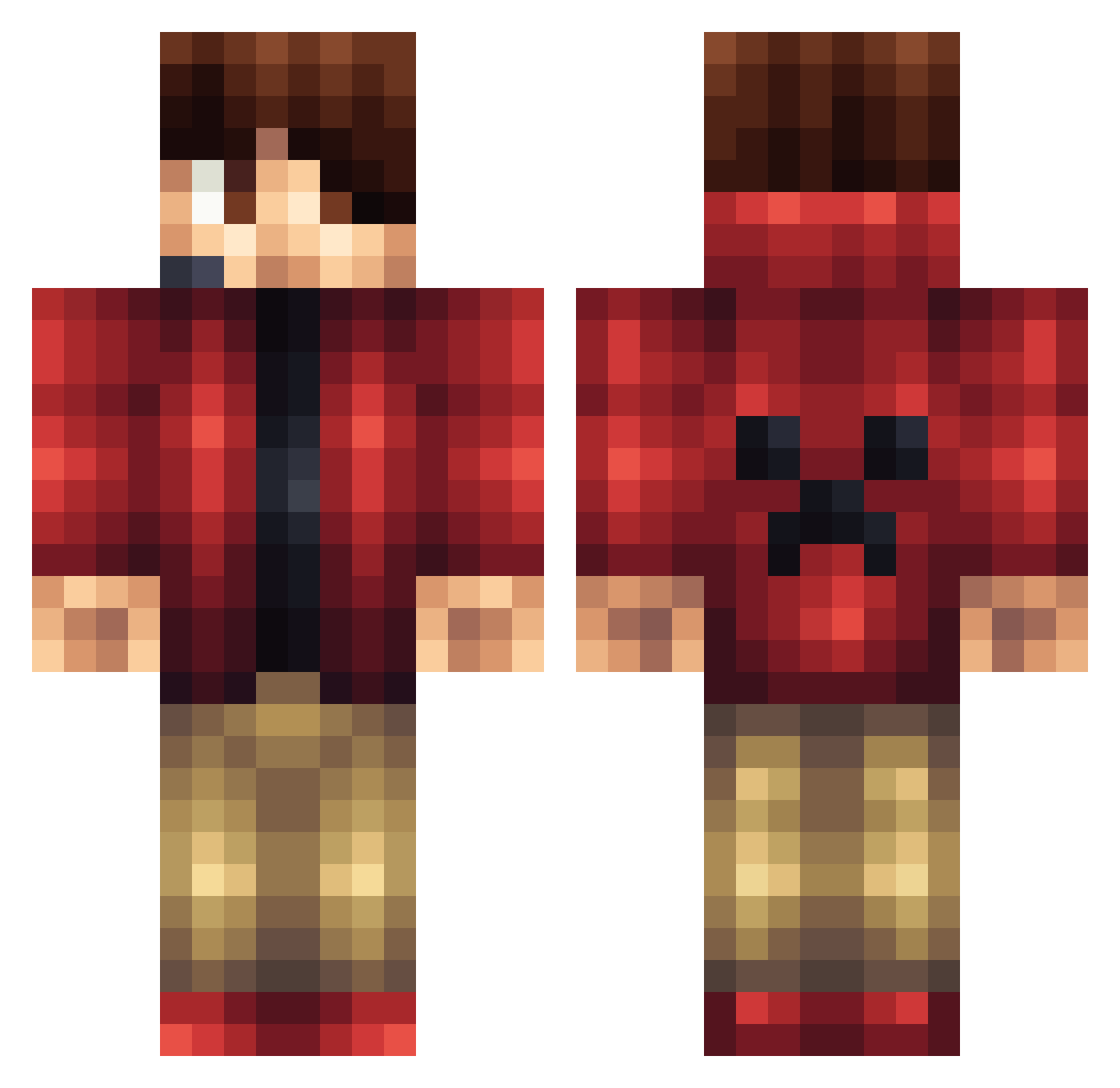
Current Minecraft skin of the player iCloudzy, loaded from the official Mojang API. Rotate the 3D model with your mouse or finger, then download the skin as a PNG file and use it in Minecraft: Bedrock Edition or Java Edition for free. When iCloudzy changes their skin, this page updates automatically and the old skin stays in the history below.
Other players with this skin (1165)
iCloudzy was the 334th player we have seen with this skin, first spotted on 26.08.2026. The same skin was seen on these players. Open a nickname to see their current skin and skin history.
 Pcollins10 _MrJose_ roberthpmh ANNN11 tomtheterminator alonsoorts djlandon Andrewx82 AzurePoem PhilipAkerberg xlegend74 TheGoat420 tjstockman25 Steving1212 Bissendrengen Acelepirate awesome_nudge repkoto xX_MeatPack69_Xx Domefurz freddystylezx TheCoww VanDerLee mastermaker8842 SL_Riss WeedyArny Red_Schmidt SonofATT MaxJ897 goonerlad35 MCPNetwork nobes2003 darraghliam123 SnaggedAxe DadoIT darwin_2005 RelentlessGummy anthonyterry Krueggi Marty3713 Tomatso twinpowerrr experius Rampillidarn1 ESKILTIRIL Xx3B1SxX Strikerj224 Thirx212 NavySeals1956 Tarv0 buildersbg MCCrusher20 PaulBlartMemeCop holden319 KallMeKeeKz GrantLeeB CamelotKnight Thdffsd GalaxyBurster Rammstein0304
More Headset Minecraft skins
How to install the iCloudzy skin
- Press the Download button above to save the skin as a PNG file.
- Minecraft: Bedrock Edition (PE): open the Dressing Room from the main menu (or tap your character → Edit Character), go to Classic Skins → Owned, press the + (new skin) button, choose the downloaded PNG and pick the Classic (Steve) model. Works on PC and mobile; consoles cannot import custom skins.
- Minecraft: Java Edition: open the Minecraft Launcher, go to the Skins tab, click New Skin, load the PNG, pick the Classic (Steve) model and press Save & Use. You can also upload it at minecraft.net → Profile → Change Skin.
The skin does not show up after import - what should I do?
Restart Minecraft and open the Dressing Room again - imported skins sometimes appear only after a restart. Also make sure you selected the imported skin and picked the Classic (Steve) model.
Which model should I choose, Classic or Slim?
This skin is designed for the Classic (Steve) model. If you pick the wrong model, the arms of the skin will look stretched or squeezed.
Is the skin of iCloudzy free to download?
Yes. Press Download, save the PNG file and use it in Minecraft: Bedrock Edition or Java Edition - no payment or registration needed. The skin also works on multiplayer servers and Realms.
More skins
Looking for more? Go back to all Minecraft skins and check the top skins of the week, month and all time, or find any player's skin by nickname.