
i1dr - Minecraft Skins & Skin History
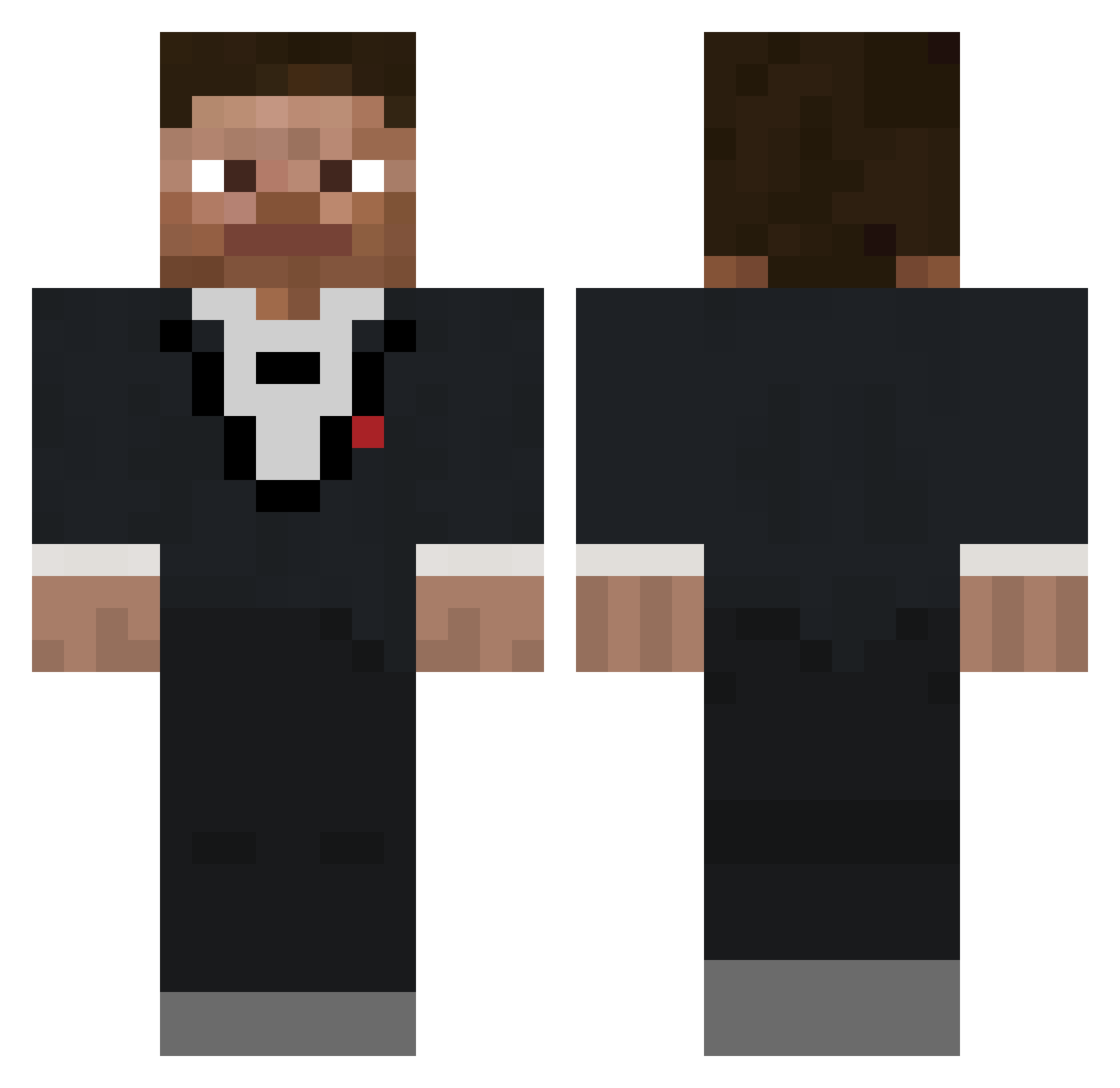
Current Minecraft skin of the player i1dr, loaded from the official Mojang API. Rotate the 3D model with your mouse or finger, then download the skin as a PNG file and use it in Minecraft: Bedrock Edition or Java Edition for free. When i1dr changes their skin, this page updates automatically and the old skin stays in the history below.
Other players with this skin (558)
i1dr was the 142nd player we have seen with this skin, first spotted on 17.08.2026. The same skin was seen on these players. Open a nickname to see their current skin and skin history.
 Spino990 Dejwido_ Milkislegit Raul_FC PineappleKoala_ blacknaplet NormalSet235879 ItsxKatsu jamiejunior
 Scorpionfe18 vatomir csdriver KingZeusB GrungySwing2814 StrafeTap Ding_Gus thatfellaorion2 tacoman9926 Findlay55 johnWASaBus bigbiss quickrevive20 Pennurite grommitdogg AbledGaming PingwinSiurak Msgiak Arkman2012 kingbachiii IchSpieleHG yousefalenzi Sp1derJesus G4m3rT4g Paolonicus InsaneCleric03 RipBlankz Aa353Qwerty fluxx46 s0up2323 Dtalo4567 GamertagSus Farlyd SuperIronHero Monkeyslayer57 deancarl loganxgehman ChetCaddieuxIII pancri2013 __Perry BasedStalin5202 SalsaTheCat PandaCastanho Agaje77 TamaleTony HolyFlaps EMMANUELJRY aidenr42 TheBlart69 PZBZ ArturVitaljevic
How to install the i1dr skin
- Press the Download button above to save the skin as a PNG file.
- Minecraft: Bedrock Edition (PE): open the Dressing Room from the main menu (or tap your character → Edit Character), go to Classic Skins → Owned, press the + (new skin) button, choose the downloaded PNG and pick the Classic (Steve) model. Works on PC and mobile; consoles cannot import custom skins.
- Minecraft: Java Edition: open the Minecraft Launcher, go to the Skins tab, click New Skin, load the PNG, pick the Classic (Steve) model and press Save & Use. You can also upload it at minecraft.net → Profile → Change Skin.
The skin does not show up after import - what should I do?
Restart Minecraft and open the Dressing Room again - imported skins sometimes appear only after a restart. Also make sure you selected the imported skin and picked the Classic (Steve) model.
Which model should I choose, Classic or Slim?
This skin is designed for the Classic (Steve) model. If you pick the wrong model, the arms of the skin will look stretched or squeezed.
Is the skin of i1dr free to download?
Yes. Press Download, save the PNG file and use it in Minecraft: Bedrock Edition or Java Edition - no payment or registration needed. The skin also works on multiplayer servers and Realms.
More skins
Looking for more? Go back to all Minecraft skins and check the top skins of the week, month and all time, or find any player's skin by nickname.