
huamanlou1002 - Minecraft Skins & Skin History
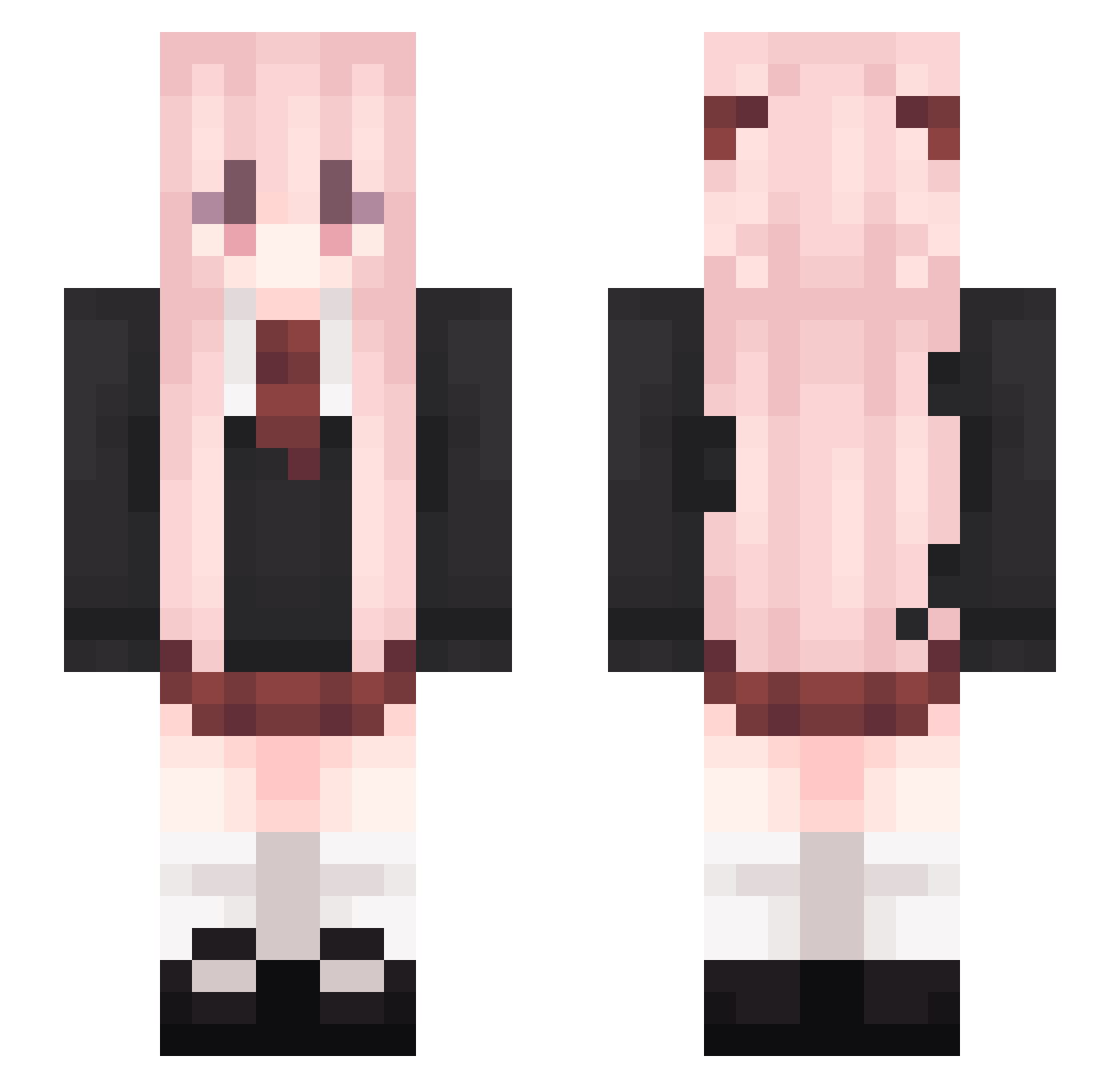
Current Minecraft skin of the player huamanlou1002, loaded from the official Mojang API. Rotate the 3D model with your mouse or finger, then download the skin as a PNG file and use it in Minecraft: Bedrock Edition or Java Edition for free. When huamanlou1002 changes their skin, this page updates automatically and the old skin stays in the history below.
Other players with this skin (541)
huamanlou1002 was the 74th player we have seen with this skin, first spotted on 12.08.2026. The same skin was seen on these players. Open a nickname to see their current skin and skin history.
 yingshi233 shiina123 HorzionMaster HUYAOwuwu pvhgh creeperpipi mio1314 Carcano19 wym3077 94ZGR pancake233 Miouuu67 hatzero kittyburn rscmwq Cat0720 camelliamio Runlingk Mine_Cro yinyg Sakura_zxy cherubite Meishaonv001 yilindeer Mmu_shi knessqueen Tao_chen eastproject MojieCN cy1423 Subsequentl Mahiron521 Yue_Zhen Moodia JAKE222604 bu_gu_ Lisianthus_s baicha_lu lilyqwq lhxt lzjunba Rainbow___ uesugisaku langend MACCHA_RATE dududada22 ShuTiu NqKing Yuliery CuiYp Active123 jiangxue Saria_a koiy1 xy143 Cerm1a EveningStarer YuanZhuGame xvcbds cuoe
More School Uniform Minecraft skins
See all 6994 School Uniform skins
How to install the huamanlou1002 skin
- Press the Download button above to save the skin as a PNG file.
- Minecraft: Bedrock Edition (PE): open the Dressing Room from the main menu (or tap your character → Edit Character), go to Classic Skins → Owned, press the + (new skin) button, choose the downloaded PNG and pick the Slim (Alex) model. Works on PC and mobile; consoles cannot import custom skins.
- Minecraft: Java Edition: open the Minecraft Launcher, go to the Skins tab, click New Skin, load the PNG, pick the Slim (Alex) model and press Save & Use. You can also upload it at minecraft.net → Profile → Change Skin.
The skin does not show up after import - what should I do?
Restart Minecraft and open the Dressing Room again - imported skins sometimes appear only after a restart. Also make sure you selected the imported skin and picked the Slim (Alex) model.
Which model should I choose, Classic or Slim?
This skin is designed for the Slim (Alex) model. If you pick the wrong model, the arms of the skin will look stretched or squeezed.
Is the skin of huamanlou1002 free to download?
Yes. Press Download, save the PNG file and use it in Minecraft: Bedrock Edition or Java Edition - no payment or registration needed. The skin also works on multiplayer servers and Realms.
More skins
Looking for more? Go back to all Minecraft skins and check the top skins of the week, month and all time, or find any player's skin by nickname.