
hsu_john - Minecraft Skins & Skin History
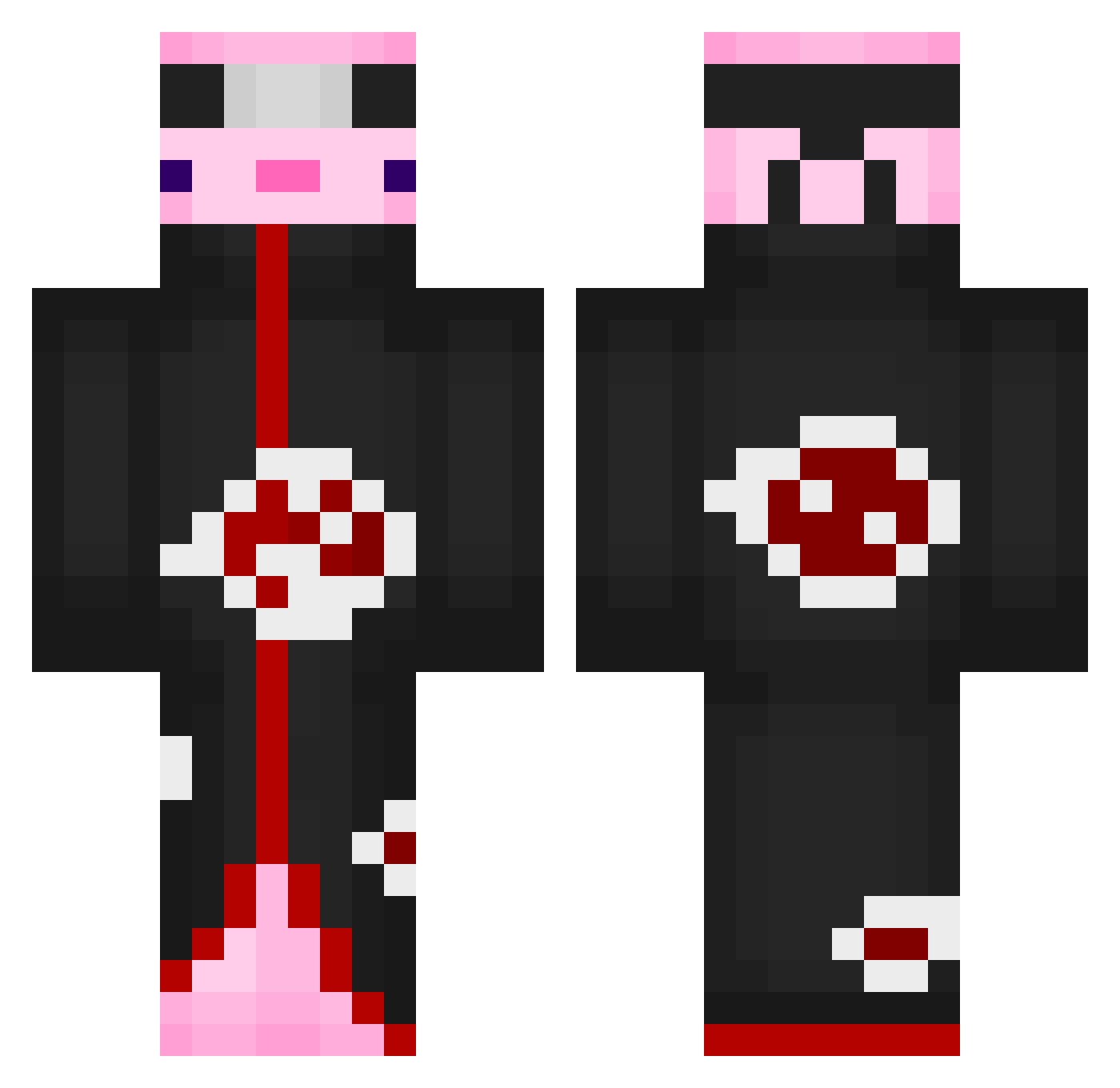
Current Minecraft skin of the player hsu_john, loaded from the official Mojang API. Rotate the 3D model with your mouse or finger, then download the skin as a PNG file and use it in Minecraft: Bedrock Edition or Java Edition for free. When hsu_john changes their skin, this page updates automatically and the old skin stays in the history below.
Other players with this skin (552)
hsu_john was the 471st player we have seen with this skin, first spotted on 10.10.2026. The same skin was seen on these players. Open a nickname to see their current skin and skin history.
 0pposite08 Cyrus_X beelphegor1 amanin MICLOVIN23 ArtemTopGG Fadeaway_54 yvdxx Nagumo98 lspa110 RoboCop08 EnderlliZ__ CraftyW_ nawax_ PinkGanji Foca777 ReerBigRan MickyBeth TheNextSoul StrqfexeV2 quankke ___CICI___ Duri_SENPAI BigCheesy6969 Sojuboiee PanMlokator OperationPig08 MatheusXD_ alb0906 WinterWolf_101 Mactolix Dino_GOO CedrikSoto Martinus5972 natalia770 randomcatperso dobbsd6502 tukky2021 GPOvGX Carrotstick123 Real__DeniZ ssmurfan FluffyDrama11 Vizhous KillerAlpha360 bigman8155 Bad_Color Freefox206 kevin47063 axolot9 slayer38891 Abu_bandit228 Gibbis61 BlakeGuyy Msthoulg waterwork1209 georgianie Nerdportal Urwisz TostaditaBB
More Akatsuki Minecraft skins
How to install the hsu_john skin
- Press the Download button above to save the skin as a PNG file.
- Minecraft: Bedrock Edition (PE): open the Dressing Room from the main menu (or tap your character → Edit Character), go to Classic Skins → Owned, press the + (new skin) button, choose the downloaded PNG and pick the Classic (Steve) model. Works on PC and mobile; consoles cannot import custom skins.
- Minecraft: Java Edition: open the Minecraft Launcher, go to the Skins tab, click New Skin, load the PNG, pick the Classic (Steve) model and press Save & Use. You can also upload it at minecraft.net → Profile → Change Skin.
The skin does not show up after import - what should I do?
Restart Minecraft and open the Dressing Room again - imported skins sometimes appear only after a restart. Also make sure you selected the imported skin and picked the Classic (Steve) model.
Which model should I choose, Classic or Slim?
This skin is designed for the Classic (Steve) model. If you pick the wrong model, the arms of the skin will look stretched or squeezed.
Is the skin of hsu_john free to download?
Yes. Press Download, save the PNG file and use it in Minecraft: Bedrock Edition or Java Edition - no payment or registration needed. The skin also works on multiplayer servers and Realms.
More skins
Looking for more? Go back to all Minecraft skins and check the top skins of the week, month and all time, or find any player's skin by nickname.