
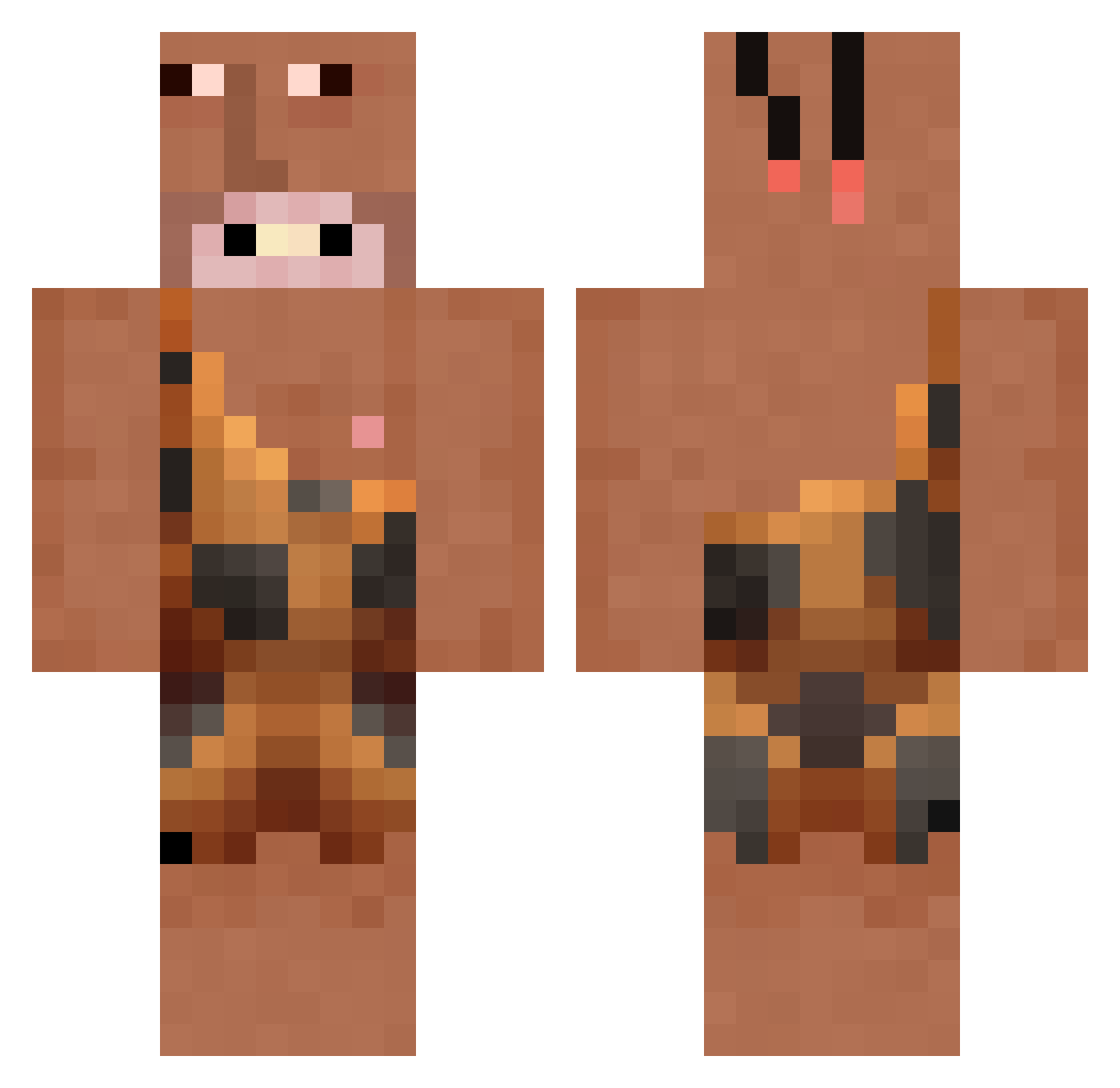
Current Minecraft skin of the player hsinjuleee, loaded from the official Mojang API. Rotate the 3D model with your mouse or finger, then download the skin as a PNG file and use it in Minecraft: Bedrock Edition or Java Edition for free. When hsinjuleee changes their skin, this page updates automatically and the old skin stays in the history below.
Other players with this skin (177)
hsinjuleee was the 52nd player we have seen with this skin, first spotted on 19.08.2026. The same skin was seen on these players. Open a nickname to see their current skin and skin history.
 lero59 Smellyexpert PathlessPadra Uince Angexedu CaVaMa ItsTridentX AntiNager yvgnahh STATE_GEN Gojo37 Newgauntlet cecethor motex_7004 McLarenW1 CCard Cesar_shululu Sarding afrobeats_ pinolo03 netouw liKFlomJs Effaji derewwa Rxie23 MrBomeezz Wiewioraaa BigFeetManic vincegill SEON_U501 KNEIPENKRIEGER69 Jasmine98 girinokk irinastram123
 ElementoDeCostas onvettifan MaxwellCumbernut KimHongNam chipou07 Homohammed
 SpawnCrafter3 ElenaV coiotebilolamole gregerbeger
 EliasPilot japeries Bhitebadboy04 CryUrt POGGA_XDD BloodyHunter274 muduriku Henlop HaggisGutten Maltini687 Gucas moosepeek JoHanL_21 420Blazeitx kinderchoklad _jaimx7
More Caveman Minecraft skins
How to install the hsinjuleee skin
- Press the Download button above to save the skin as a PNG file.
- Minecraft: Bedrock Edition (PE): open the Dressing Room from the main menu (or tap your character → Edit Character), go to Classic Skins → Owned, press the + (new skin) button, choose the downloaded PNG and pick the Classic (Steve) model. Works on PC and mobile; consoles cannot import custom skins.
- Minecraft: Java Edition: open the Minecraft Launcher, go to the Skins tab, click New Skin, load the PNG, pick the Classic (Steve) model and press Save & Use. You can also upload it at minecraft.net → Profile → Change Skin.
The skin does not show up after import - what should I do?
Restart Minecraft and open the Dressing Room again - imported skins sometimes appear only after a restart. Also make sure you selected the imported skin and picked the Classic (Steve) model.
Which model should I choose, Classic or Slim?
This skin is designed for the Classic (Steve) model. If you pick the wrong model, the arms of the skin will look stretched or squeezed.
Is the skin of hsinjuleee free to download?
Yes. Press Download, save the PNG file and use it in Minecraft: Bedrock Edition or Java Edition - no payment or registration needed. The skin also works on multiplayer servers and Realms.
More skins
Looking for more? Go back to all Minecraft skins and check the top skins of the week, month and all time, or find any player's skin by nickname.