
hqru3 - Minecraft Skins & Skin History
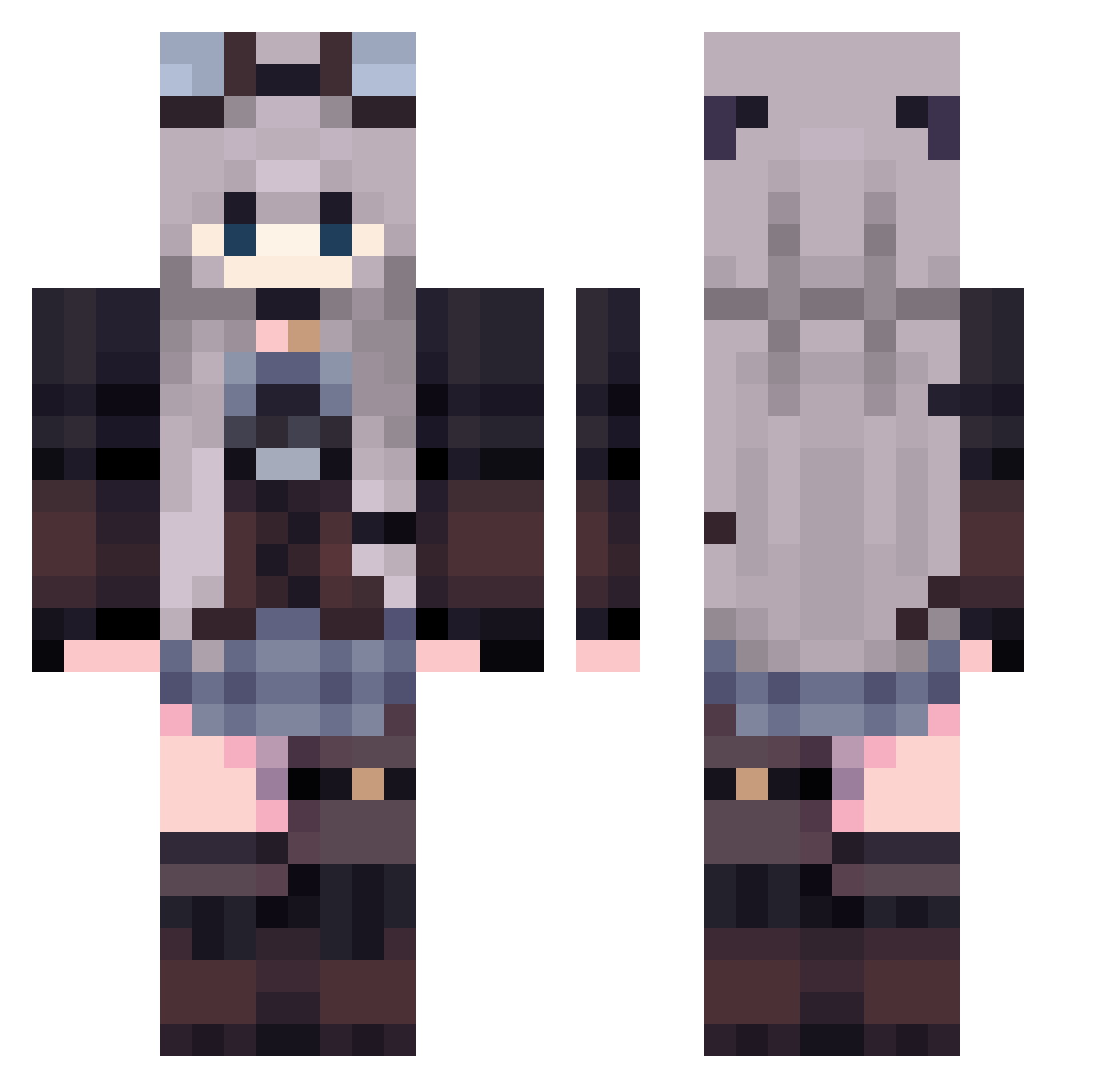
Current Minecraft skin of the player hqru3, loaded from the official Mojang API. Rotate the 3D model with your mouse or finger, then download the skin as a PNG file and use it in Minecraft: Bedrock Edition or Java Edition for free. When hqru3 changes their skin, this page updates automatically and the old skin stays in the history below.
Other players with this skin (435)
hqru3 was the 19th player we have seen with this skin, first spotted on 27.07.2026. The same skin was seen on these players. Open a nickname to see their current skin and skin history.
 komasaan renzo_gc Bet_Your_Life evilsmurf83 Axotea stopyn gunwoopark2012 Eliard_h Rosbriel Mia_739 Manyma ren2907 Anylex Solace_Flame Lilypad213 bloxi_ YoMi_V2 _Nieria_ sssvegasss bmgqc BIBI_777 T2IX1 Missing_NPC d__weeb
 _Ryusa Wrllst Lezeya aquas_lola xXCablecita01Xx FlashCa7 Infersnow MinoSanta Argonix07 RuinedBobby lorralrra RyukoTV0 Mesosek A33y_21 remikaru Mizukii007 Valen3011 mcc1608 Kastria_ 87d4 Say0orii Morita112 pamoer mingjia7 Saamori master_cc chrrrra fbcgffb 0verdos1003 TinkerGhast Marlis_303 yvesal Crystal0179 sazanami003 Vixitys puxinqiexiatou
More Steampunk Minecraft skins
How to install the hqru3 skin
- Press the Download button above to save the skin as a PNG file.
- Minecraft: Bedrock Edition (PE): open the Dressing Room from the main menu (or tap your character → Edit Character), go to Classic Skins → Owned, press the + (new skin) button, choose the downloaded PNG and pick the Classic (Steve) model. Works on PC and mobile; consoles cannot import custom skins.
- Minecraft: Java Edition: open the Minecraft Launcher, go to the Skins tab, click New Skin, load the PNG, pick the Classic (Steve) model and press Save & Use. You can also upload it at minecraft.net → Profile → Change Skin.
The skin does not show up after import - what should I do?
Restart Minecraft and open the Dressing Room again - imported skins sometimes appear only after a restart. Also make sure you selected the imported skin and picked the Classic (Steve) model.
Which model should I choose, Classic or Slim?
This skin is designed for the Classic (Steve) model. If you pick the wrong model, the arms of the skin will look stretched or squeezed.
Is the skin of hqru3 free to download?
Yes. Press Download, save the PNG file and use it in Minecraft: Bedrock Edition or Java Edition - no payment or registration needed. The skin also works on multiplayer servers and Realms.
More skins
Looking for more? Go back to all Minecraft skins and check the top skins of the week, month and all time, or find any player's skin by nickname.