
hotate0130 - Minecraft Skins & Skin History
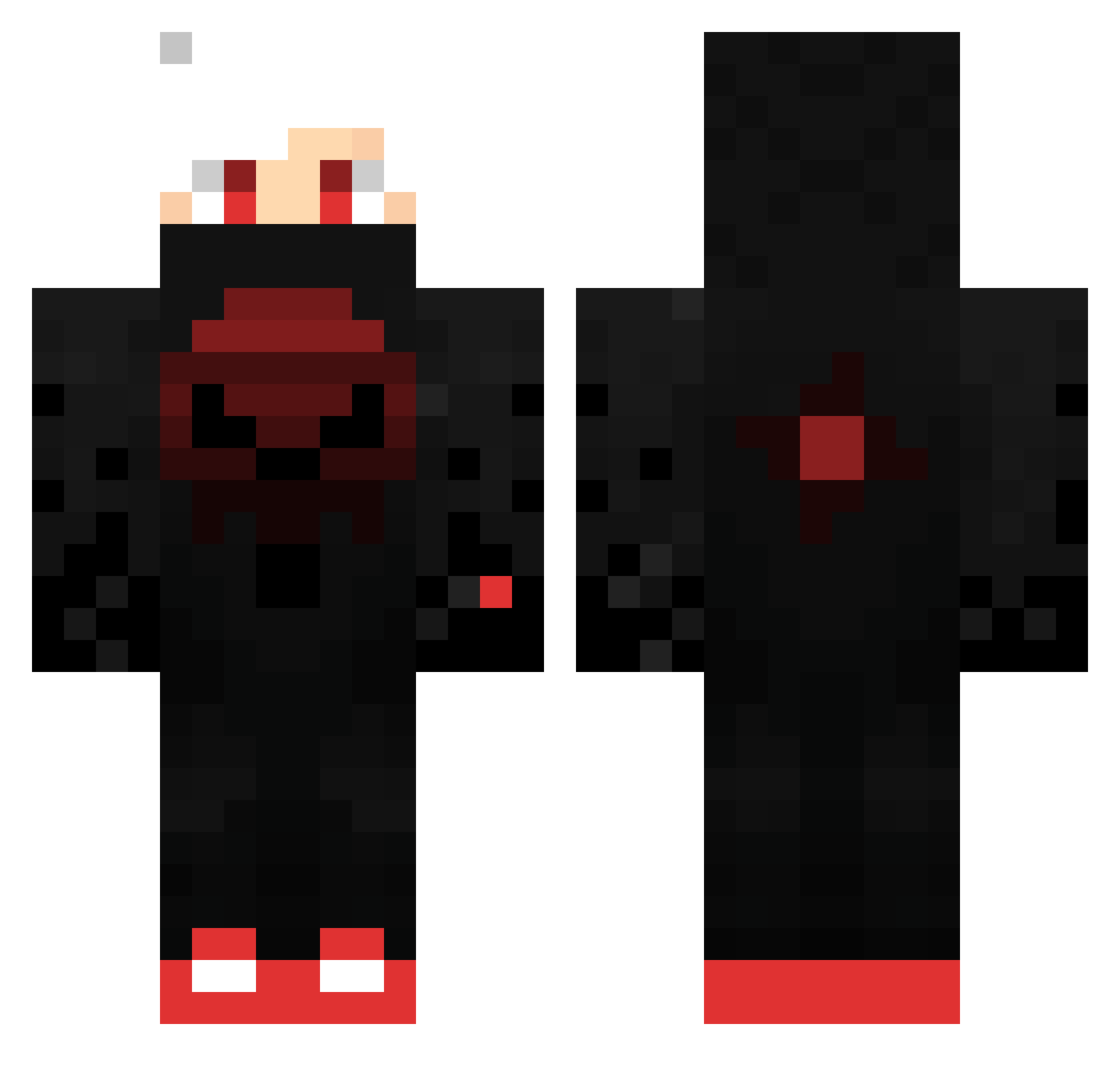
Current Minecraft skin of the player hotate0130, loaded from the official Mojang API. Rotate the 3D model with your mouse or finger, then download the skin as a PNG file and use it in Minecraft: Bedrock Edition or Java Edition for free. When hotate0130 changes their skin, this page updates automatically and the old skin stays in the history below.
Other players with this skin (425)
hotate0130 was the 374th player we have seen with this skin, first spotted on 19.10.2026. The same skin was seen on these players. Open a nickname to see their current skin and skin history.
 EdvinGubben Cuz1mNick Dylte AVGianny Dab054 Damienlike Miastroo DauntingEmperor XxMUFINEATERxX M1stK ChenEugene SinfulWolf81 desertdinuguan MrZexMan jackiepapers MiralayGP Firehead15 BUYJAMALLAWARE proviper571 watalily ibo1905 Call6969 Alizalanic FaMa01 siamakboy GayNathanatar Blade021207 unusedboot _Xandao_ TomatoF MarinaBay6666 moulbit Fat_Creature kei_Lin QLSZyos MasterScout007 GGRasta1027 xmichallox KRONO_TU_PAPI Drew7788 darkninga2011 EnterDesepter LBC_Asouma Positive_EL DEATH_David3 Tomy_gamer332 naim1994 Pascazouk Bertram531 Fan7233 Fvmaa ManU__22 BladeLeague MrTPoops Abdulrohmann Hithesh_444 NarkoZ78 aiviori XziledGaming DarkTV994
More Skull Minecraft skins
How to install the hotate0130 skin
- Press the Download button above to save the skin as a PNG file.
- Minecraft: Bedrock Edition (PE): open the Dressing Room from the main menu (or tap your character → Edit Character), go to Classic Skins → Owned, press the + (new skin) button, choose the downloaded PNG and pick the Classic (Steve) model. Works on PC and mobile; consoles cannot import custom skins.
- Minecraft: Java Edition: open the Minecraft Launcher, go to the Skins tab, click New Skin, load the PNG, pick the Classic (Steve) model and press Save & Use. You can also upload it at minecraft.net → Profile → Change Skin.
The skin does not show up after import - what should I do?
Restart Minecraft and open the Dressing Room again - imported skins sometimes appear only after a restart. Also make sure you selected the imported skin and picked the Classic (Steve) model.
Which model should I choose, Classic or Slim?
This skin is designed for the Classic (Steve) model. If you pick the wrong model, the arms of the skin will look stretched or squeezed.
Is the skin of hotate0130 free to download?
Yes. Press Download, save the PNG file and use it in Minecraft: Bedrock Edition or Java Edition - no payment or registration needed. The skin also works on multiplayer servers and Realms.
More skins
Looking for more? Go back to all Minecraft skins and check the top skins of the week, month and all time, or find any player's skin by nickname.