
hmh_ofc - Minecraft Skins & Skin History
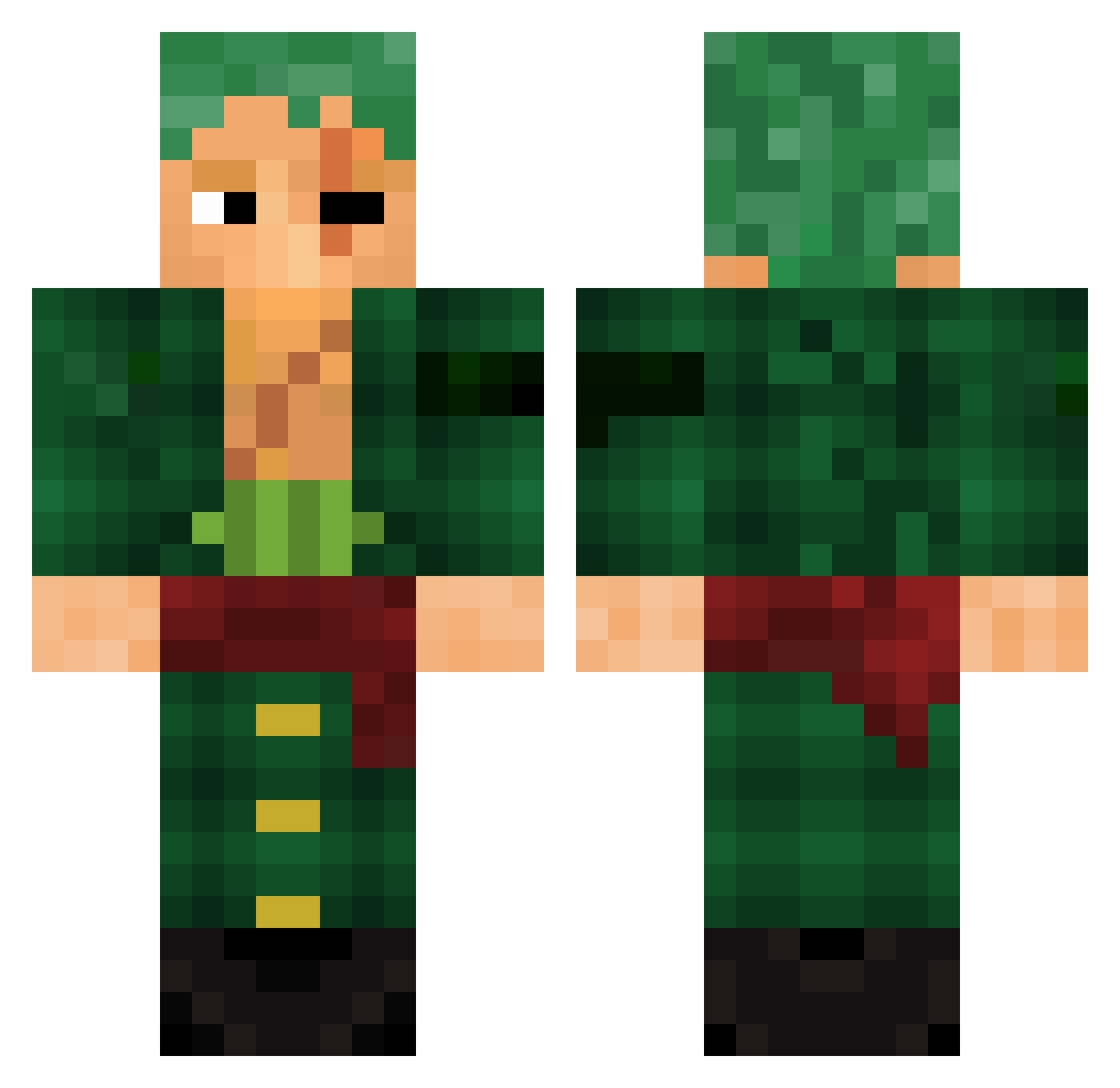
Current Minecraft skin of the player hmh_ofc, loaded from the official Mojang API. Rotate the 3D model with your mouse or finger, then download the skin as a PNG file and use it in Minecraft: Bedrock Edition or Java Edition for free. When hmh_ofc changes their skin, this page updates automatically and the old skin stays in the history below.
Other players with this skin (784)
hmh_ofc was the 397th player we have seen with this skin, first spotted on 12.09.2026. The same skin was seen on these players. Open a nickname to see their current skin and skin history.
 Heelis keezguy57 Sylintez EAmaster123 cl4ssi Agent_K_667 mohmmadalsalman OG_PeperoniBoy Silver_Chariot22 eduardoberr AnesTK _JustJohn_ Shiryuzen22370 Ciciurelli Ismm69 LilRichard21 Kenopsia14 distico zutter_ Hitsukey Anyerluis2 my_eyes2 MightyGem Dakar115 xDezzzz Nik_127 SrNandez qwrthbt Jadezzns Chinnoo98 Redhawk0O8 reposits sugardaddy200t yZero9087 Imjustnight Ast0rea TheDy94 MonadoGod PwiNNN TAYS____ Bonjous RevertTheUpdate ZonZon6k ShadowDerEchte WellanMBT Ker0zen Silvercraft42 OLDarda_brrr HamiltonPlayYT TiTihid Genghis_Wangus buton23 TinyDragon325698 akaPRINCEE jpdeotoy Starkalarm01 NerdyApeCo R9Muse Koala_333 Joneed
More Roronoa Zoro Minecraft skins
See all 291 Roronoa Zoro skins
How to install the hmh_ofc skin
- Press the Download button above to save the skin as a PNG file.
- Minecraft: Bedrock Edition (PE): open the Dressing Room from the main menu (or tap your character → Edit Character), go to Classic Skins → Owned, press the + (new skin) button, choose the downloaded PNG and pick the Classic (Steve) model. Works on PC and mobile; consoles cannot import custom skins.
- Minecraft: Java Edition: open the Minecraft Launcher, go to the Skins tab, click New Skin, load the PNG, pick the Classic (Steve) model and press Save & Use. You can also upload it at minecraft.net → Profile → Change Skin.
The skin does not show up after import - what should I do?
Restart Minecraft and open the Dressing Room again - imported skins sometimes appear only after a restart. Also make sure you selected the imported skin and picked the Classic (Steve) model.
Which model should I choose, Classic or Slim?
This skin is designed for the Classic (Steve) model. If you pick the wrong model, the arms of the skin will look stretched or squeezed.
Is the skin of hmh_ofc free to download?
Yes. Press Download, save the PNG file and use it in Minecraft: Bedrock Edition or Java Edition - no payment or registration needed. The skin also works on multiplayer servers and Realms.
More skins
Looking for more? Go back to all Minecraft skins and check the top skins of the week, month and all time, or find any player's skin by nickname.