
hitwombat - Minecraft Skins & Skin History
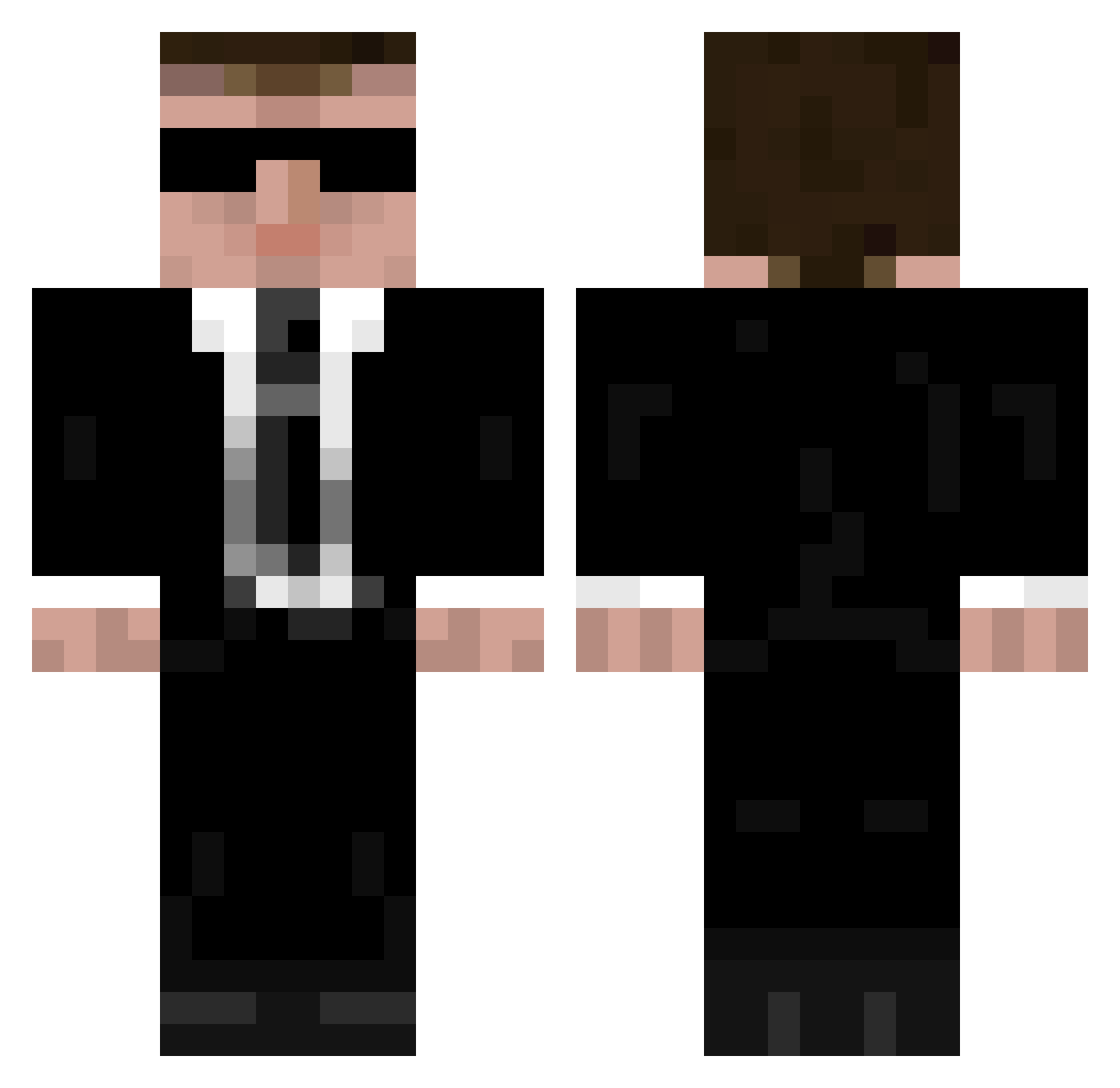
Current Minecraft skin of the player hitwombat, loaded from the official Mojang API. Rotate the 3D model with your mouse or finger, then download the skin as a PNG file and use it in Minecraft: Bedrock Edition or Java Edition for free. When hitwombat changes their skin, this page updates automatically and the old skin stays in the history below.
Other players with this skin (335)
hitwombat was the 131st player we have seen with this skin, first spotted on 03.09.2026. The same skin was seen on these players. Open a nickname to see their current skin and skin history.
 IamCarrots Gunnar100 popnik666_ Guts420 TheHotVaperX Xartuo JoukoTeba KongLaoshI NoArmsTheHotdog 592 BarDude joao_filho StasiCrafter UCreeper thebeas578___ttv YangDongEr Ackersoft2021 Lord_Gaster AnzixinYU TheOperaGirl croowka 811ali ElucidatoryBeard cArbonArAAh Macias88 Prophet_of_Notch Alfagar Maillefer Dillionfr The_Papa_Uniform
 scpdep 766 pxlwrld s05s055 luludapom mhrx07 Flemming_Jensen CentCtrl Mitab Guigmartini Aap_zxc Valprian JohnKiriakou D3lz ErciyesArgaeus drk_man L3mon_ TheLaserer 6_mr sirplayboy LiquidMC_ 4irB butcherry medicinous pascalo_bistro hpda001 MiNiManInLand Bond198 ViserionX1 donggeon98
More Agent Minecraft skins
How to install the hitwombat skin
- Press the Download button above to save the skin as a PNG file.
- Minecraft: Bedrock Edition (PE): open the Dressing Room from the main menu (or tap your character → Edit Character), go to Classic Skins → Owned, press the + (new skin) button, choose the downloaded PNG and pick the Classic (Steve) model. Works on PC and mobile; consoles cannot import custom skins.
- Minecraft: Java Edition: open the Minecraft Launcher, go to the Skins tab, click New Skin, load the PNG, pick the Classic (Steve) model and press Save & Use. You can also upload it at minecraft.net → Profile → Change Skin.
The skin does not show up after import - what should I do?
Restart Minecraft and open the Dressing Room again - imported skins sometimes appear only after a restart. Also make sure you selected the imported skin and picked the Classic (Steve) model.
Which model should I choose, Classic or Slim?
This skin is designed for the Classic (Steve) model. If you pick the wrong model, the arms of the skin will look stretched or squeezed.
Is the skin of hitwombat free to download?
Yes. Press Download, save the PNG file and use it in Minecraft: Bedrock Edition or Java Edition - no payment or registration needed. The skin also works on multiplayer servers and Realms.
More skins
Looking for more? Go back to all Minecraft skins and check the top skins of the week, month and all time, or find any player's skin by nickname.