
Guigmartini - Minecraft Skins & Skin History
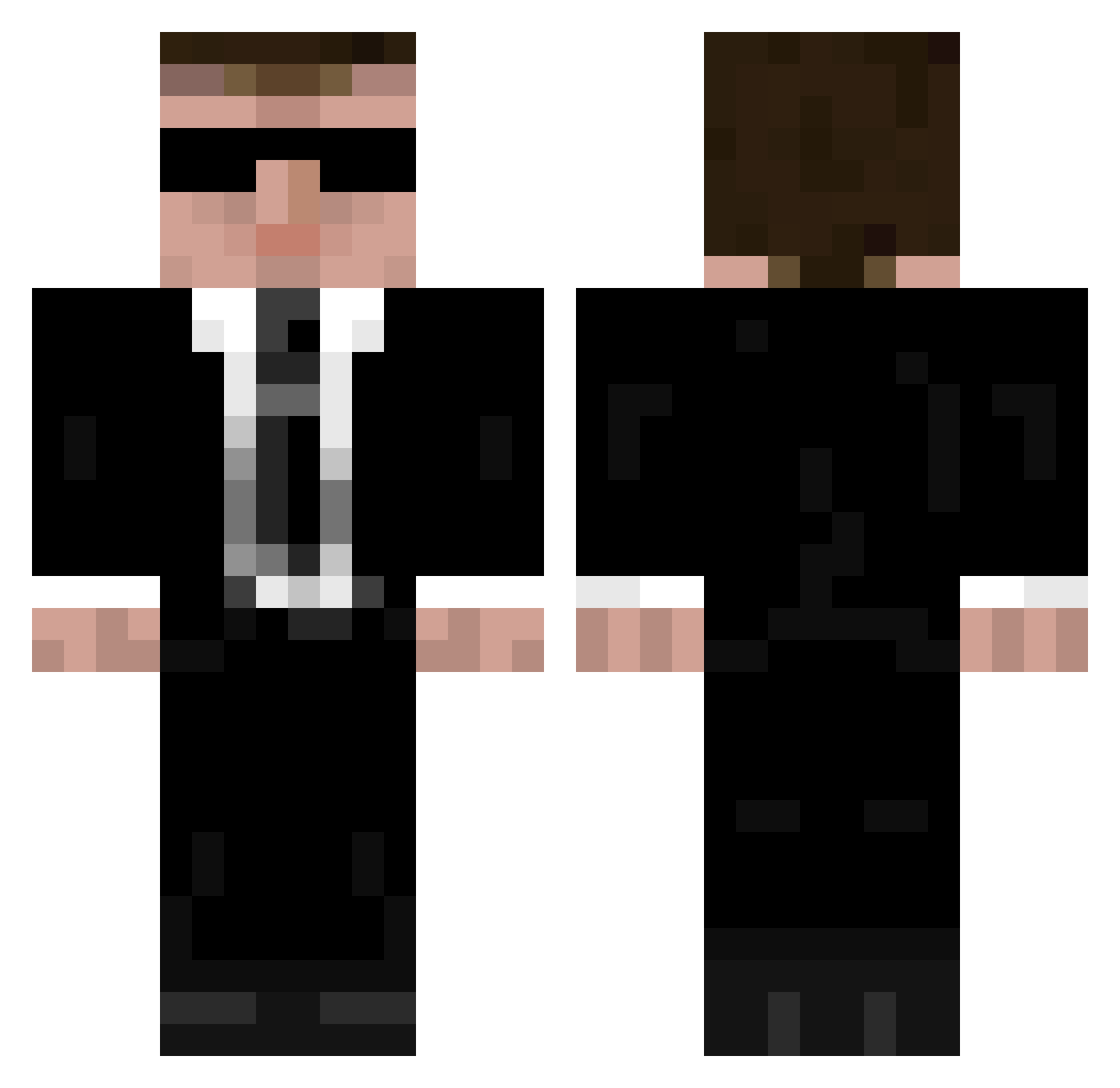
Current Minecraft skin of the player Guigmartini, loaded from the official Mojang API. Rotate the 3D model with your mouse or finger, then download the skin as a PNG file and use it in Minecraft: Bedrock Edition or Java Edition for free. When Guigmartini changes their skin, this page updates automatically and the old skin stays in the history below.
Other players with this skin (335)
Guigmartini was the 146th player we have seen with this skin, first spotted on 09.09.2026. The same skin was seen on these players. Open a nickname to see their current skin and skin history.
 Aap_zxc Valprian D3lz Flemming_Jensen mhrx07 s05s055 ErciyesArgaeus drk_man L3mon_ TheLaserer Maillefer 4irB Macias88 cArbonArAAh medicinous hpda001 AnzixinYU Lord_Gaster Bond198 ViserionX1 thebeas578___ttv joao_filho Ashlyn814 KongLaoshI GniewoszDzik jaccksson Tomaths TheHotVaperX guamja Guts420 Gunnar100 hitwombat IamCarrots Kisuttelija BaconSlayer5555 mJam24 ned4 popnik666_ beebs333 Xartuo JoukoTeba CCB0522 distant_zai cybergrisu flawless128 NoArmsTheHotdog 592 BarDude CallMeGery sxnm StasiCrafter HazretiScream blubberboye Mickael1986 Adaneti UCreeper EthanP227 YangDongEr Ackersoft2021 TheOperaGirl
More Agent Minecraft skins
How to install the Guigmartini skin
- Press the Download button above to save the skin as a PNG file.
- Minecraft: Bedrock Edition (PE): open the Dressing Room from the main menu (or tap your character → Edit Character), go to Classic Skins → Owned, press the + (new skin) button, choose the downloaded PNG and pick the Classic (Steve) model. Works on PC and mobile; consoles cannot import custom skins.
- Minecraft: Java Edition: open the Minecraft Launcher, go to the Skins tab, click New Skin, load the PNG, pick the Classic (Steve) model and press Save & Use. You can also upload it at minecraft.net → Profile → Change Skin.
The skin does not show up after import - what should I do?
Restart Minecraft and open the Dressing Room again - imported skins sometimes appear only after a restart. Also make sure you selected the imported skin and picked the Classic (Steve) model.
Which model should I choose, Classic or Slim?
This skin is designed for the Classic (Steve) model. If you pick the wrong model, the arms of the skin will look stretched or squeezed.
Is the skin of Guigmartini free to download?
Yes. Press Download, save the PNG file and use it in Minecraft: Bedrock Edition or Java Edition - no payment or registration needed. The skin also works on multiplayer servers and Realms.
More skins
Looking for more? Go back to all Minecraft skins and check the top skins of the week, month and all time, or find any player's skin by nickname.