
hiroto1119 - Minecraft Skins & Skin History
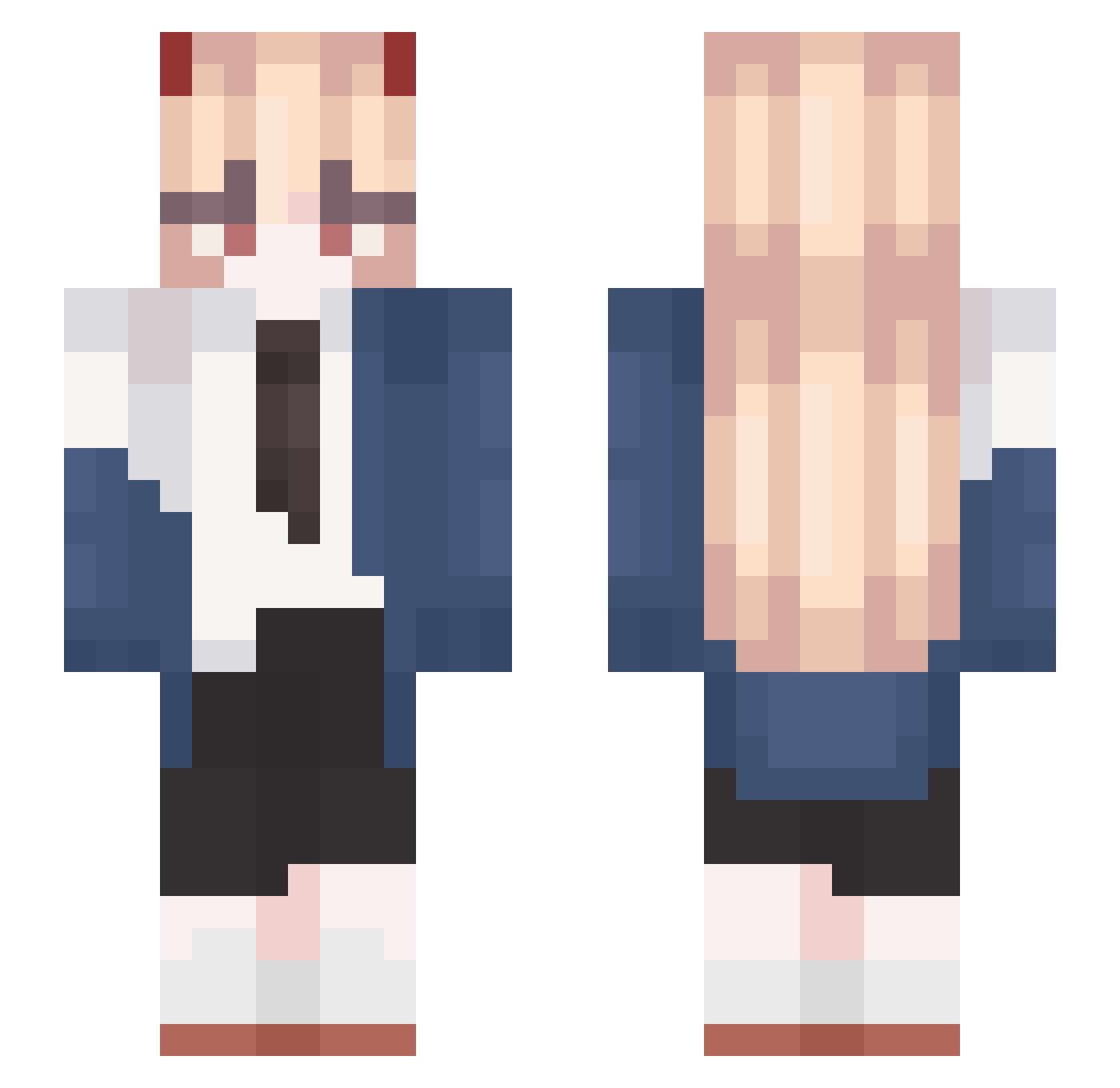
Current Minecraft skin of the player hiroto1119, loaded from the official Mojang API. Rotate the 3D model with your mouse or finger, then download the skin as a PNG file and use it in Minecraft: Bedrock Edition or Java Edition for free. When hiroto1119 changes their skin, this page updates automatically and the old skin stays in the history below.
Other players with this skin (512)
hiroto1119 was the 349th player we have seen with this skin, first spotted on 26.09.2026. The same skin was seen on these players. Open a nickname to see their current skin and skin history.
 apollomol ayaka_1 lmw5838 fliflixx AokDesu Blazewizard2 Meh_069 manuawl Luuncia Deadcorp Beemi13 _Mikasa_666 Anmyoo bin4242 TaneBaum celerie Uriel_LordofVows LinkIsHere22 Tsuki_Yolo Tmx_06 flakey43 aadvm Duanyiba ColdBadger64150 aminakoyum69 xMistwerra GlannzZ GooeyEnemy13 chiyo1127 ImZerarBan Gugalibi Cord27 papargo budongqing Zzzz1219 GGallyang 020488995 Shirooya wylew_enjoyer fsdfs85811 yuzuki7401 IDelphox oni_oni3 Skyeaaa FelterClan Suki11516 shidasen Paketik27 Sky_Betea Sarah2408 Lantern0123 14223356 PeachyIchi OCHACAH Ko0ziii shiguanga crazyhotdog777 kaczor_yt wolon123 Steamy_Panda
More Power Minecraft skins
How to install the hiroto1119 skin
- Press the Download button above to save the skin as a PNG file.
- Minecraft: Bedrock Edition (PE): open the Dressing Room from the main menu (or tap your character → Edit Character), go to Classic Skins → Owned, press the + (new skin) button, choose the downloaded PNG and pick the Slim (Alex) model. Works on PC and mobile; consoles cannot import custom skins.
- Minecraft: Java Edition: open the Minecraft Launcher, go to the Skins tab, click New Skin, load the PNG, pick the Slim (Alex) model and press Save & Use. You can also upload it at minecraft.net → Profile → Change Skin.
The skin does not show up after import - what should I do?
Restart Minecraft and open the Dressing Room again - imported skins sometimes appear only after a restart. Also make sure you selected the imported skin and picked the Slim (Alex) model.
Which model should I choose, Classic or Slim?
This skin is designed for the Slim (Alex) model. If you pick the wrong model, the arms of the skin will look stretched or squeezed.
Is the skin of hiroto1119 free to download?
Yes. Press Download, save the PNG file and use it in Minecraft: Bedrock Edition or Java Edition - no payment or registration needed. The skin also works on multiplayer servers and Realms.
More skins
Looking for more? Go back to all Minecraft skins and check the top skins of the week, month and all time, or find any player's skin by nickname.