
himpu - Minecraft Skins & Skin History
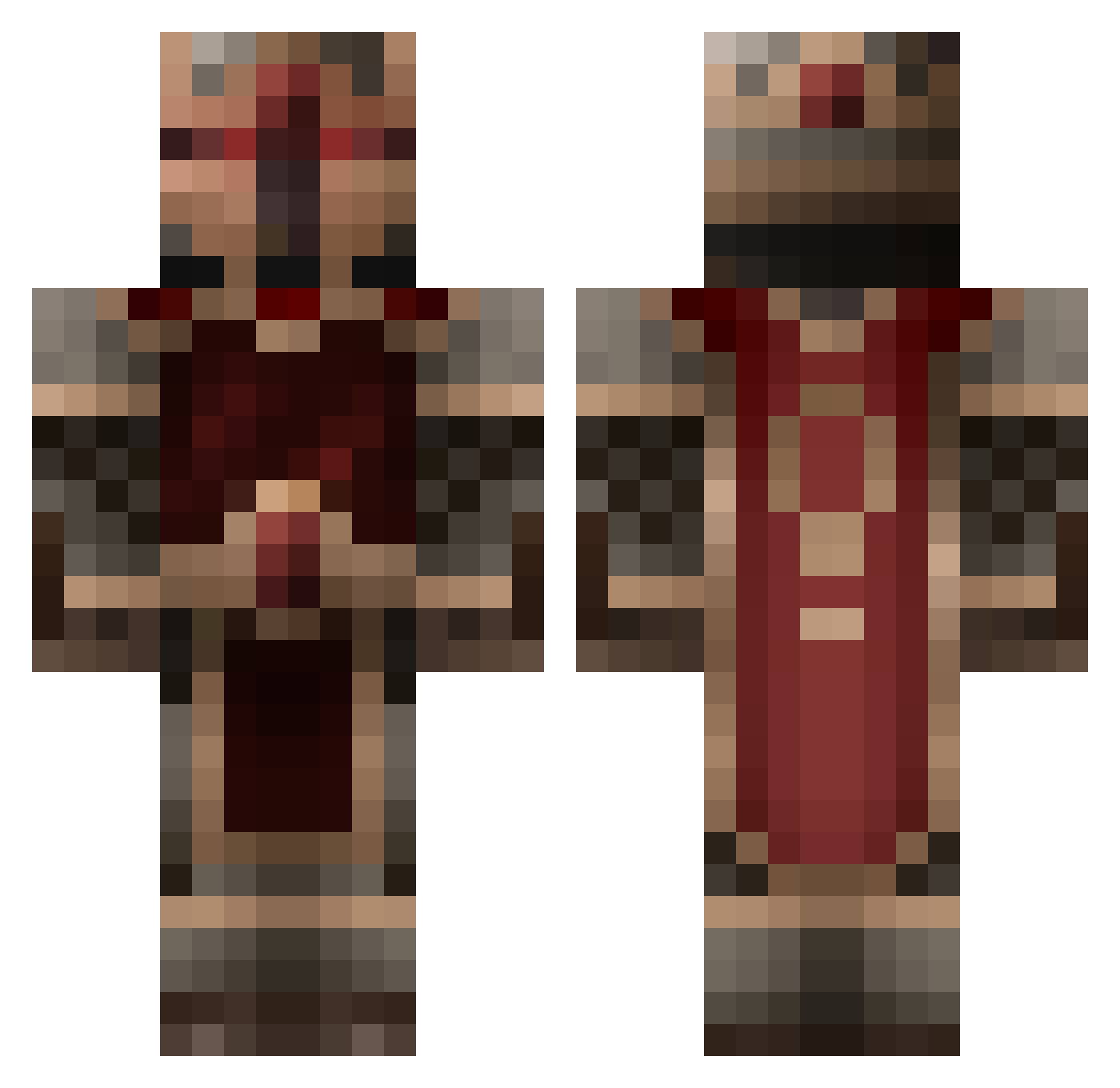
Current Minecraft skin of the player himpu, loaded from the official Mojang API. Rotate the 3D model with your mouse or finger, then download the skin as a PNG file and use it in Minecraft: Bedrock Edition or Java Edition for free. When himpu changes their skin, this page updates automatically and the old skin stays in the history below.
Other players with this skin (855)
himpu was the 726th player we have seen with this skin, first spotted on 27.10.2026. The same skin was seen on these players. Open a nickname to see their current skin and skin history.
 Darchangelo ToxicFlameZ daedrage themilkypirate NMJK02 destroyer857 Areneae RobJF mico1092 Feindflug666 LBTD Zoggel_tv OC_Wolf Volvo_740 Svanehoej geoffreytourette exapid GermanB ThisThatOurs kazushikun portaljumperjen pieface123 DirtyFruitLoops coryandjoc smilefaceit slang44 andynoofan1999 martin01089 pipzyboy lordfattimus Rahkshasa Dinonomster Tony_Abbott wyrdawarrior Gargakan 1packersfan Demetrious twri natries Temunic TheHerald DustBunnies734 connman20100 DarkAssassin_49 8th1337 RoG_Maxus EagleHD__ aloeseth SammyDaClammy Takeadirtnap xXLouisPVP JoeBaer EXLUEN45 HBman69 Lollers2010 frEEzEtEc megir Quadnex rcaz35 kisou
More Knight Minecraft skins
How to install the himpu skin
- Press the Download button above to save the skin as a PNG file.
- Minecraft: Bedrock Edition (PE): open the Dressing Room from the main menu (or tap your character → Edit Character), go to Classic Skins → Owned, press the + (new skin) button, choose the downloaded PNG and pick the Classic (Steve) model. Works on PC and mobile; consoles cannot import custom skins.
- Minecraft: Java Edition: open the Minecraft Launcher, go to the Skins tab, click New Skin, load the PNG, pick the Classic (Steve) model and press Save & Use. You can also upload it at minecraft.net → Profile → Change Skin.
The skin does not show up after import - what should I do?
Restart Minecraft and open the Dressing Room again - imported skins sometimes appear only after a restart. Also make sure you selected the imported skin and picked the Classic (Steve) model.
Which model should I choose, Classic or Slim?
This skin is designed for the Classic (Steve) model. If you pick the wrong model, the arms of the skin will look stretched or squeezed.
Is the skin of himpu free to download?
Yes. Press Download, save the PNG file and use it in Minecraft: Bedrock Edition or Java Edition - no payment or registration needed. The skin also works on multiplayer servers and Realms.
More skins
Looking for more? Go back to all Minecraft skins and check the top skins of the week, month and all time, or find any player's skin by nickname.