
hikky12 - Minecraft Skins & Skin History
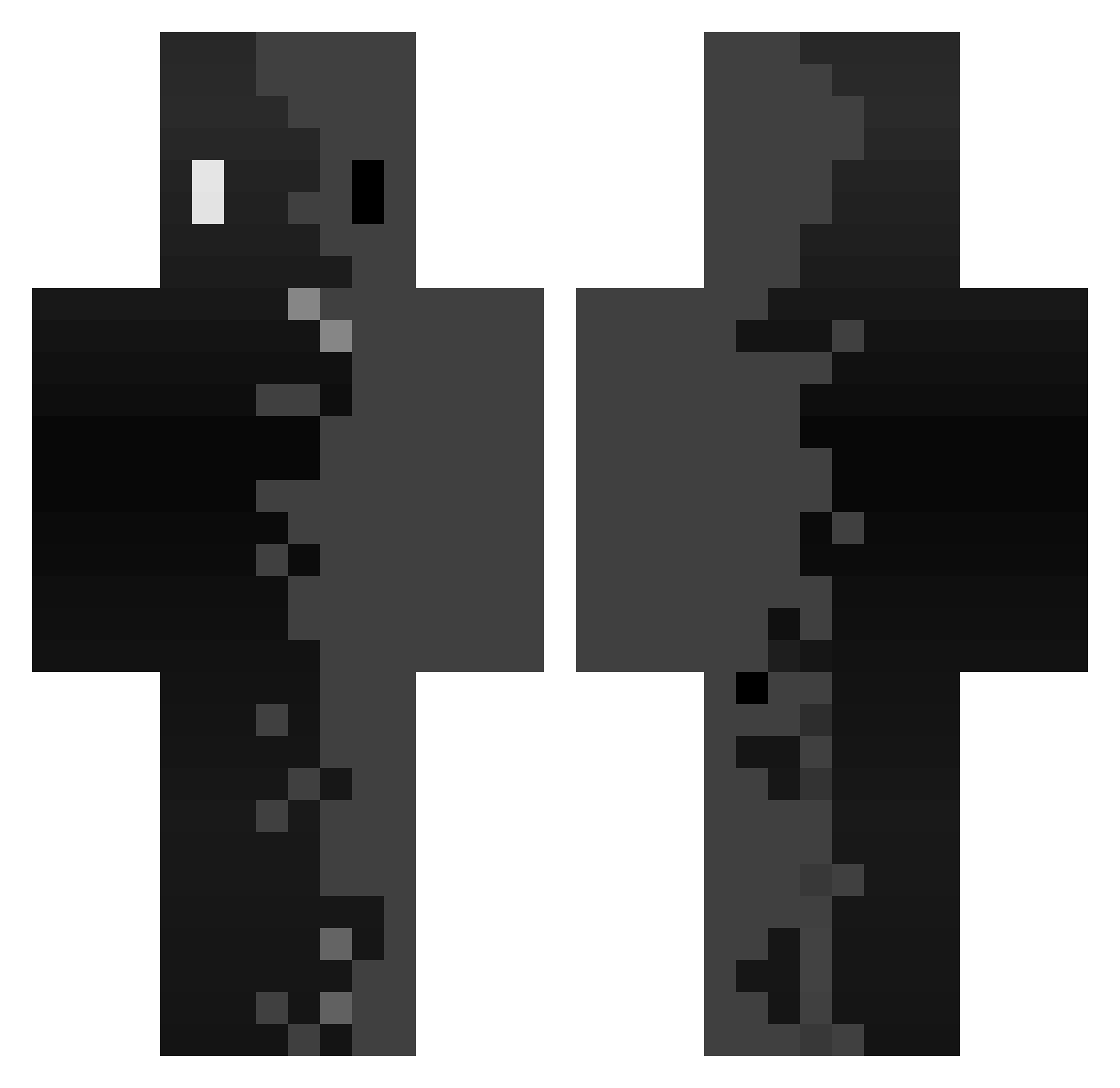
Current Minecraft skin of the player hikky12, loaded from the official Mojang API. Rotate the 3D model with your mouse or finger, then download the skin as a PNG file and use it in Minecraft: Bedrock Edition or Java Edition for free. When hikky12 changes their skin, this page updates automatically and the old skin stays in the history below.
Other players with this skin (342)
hikky12 was the 206th player we have seen with this skin, first spotted on 27.09.2026. The same skin was seen on these players. Open a nickname to see their current skin and skin history.
 ItzIsaaz_ Vventure younggun74 Fefou2024 Sebi_xs xxy778 Gum_Boyy toxic691x Mathew_H Durancec KotsuKirk MXND_X olafek5 Eltrex_ SwampyTea110157 FakeTh1ngs_ Purplebeast101 smolsasa chch96 Vinicinn019 Teacher_Alex Alexis1213 Manu160217 howakk Ypulse jarre01 constantin2018 WheniKillYou XfrancisXx comiqtted _CZ0RNY_99 Cr0w_4 Droloyolo pigeonval TheComet02 Apelpen zoomrs Johnnxy Minidull DARTHICAL junho0930 clone1235 cdcn JSmokeyBear710 Ambrosier dongli_ovo Davidpro_ Mimaka_BG codexus0 Goulou32 Liamf44 TwitchSynical _DARK_55 Luutchy ISAHx18 kraljeznjak BioShade Tymoteusz201 ZLMB_ milanecita3
How to install the hikky12 skin
- Press the Download button above to save the skin as a PNG file.
- Minecraft: Bedrock Edition (PE): open the Dressing Room from the main menu (or tap your character → Edit Character), go to Classic Skins → Owned, press the + (new skin) button, choose the downloaded PNG and pick the Classic (Steve) model. Works on PC and mobile; consoles cannot import custom skins.
- Minecraft: Java Edition: open the Minecraft Launcher, go to the Skins tab, click New Skin, load the PNG, pick the Classic (Steve) model and press Save & Use. You can also upload it at minecraft.net → Profile → Change Skin.
The skin does not show up after import - what should I do?
Restart Minecraft and open the Dressing Room again - imported skins sometimes appear only after a restart. Also make sure you selected the imported skin and picked the Classic (Steve) model.
Which model should I choose, Classic or Slim?
This skin is designed for the Classic (Steve) model. If you pick the wrong model, the arms of the skin will look stretched or squeezed.
Is the skin of hikky12 free to download?
Yes. Press Download, save the PNG file and use it in Minecraft: Bedrock Edition or Java Edition - no payment or registration needed. The skin also works on multiplayer servers and Realms.
More skins
Looking for more? Go back to all Minecraft skins and check the top skins of the week, month and all time, or find any player's skin by nickname.