
hfjkds - Minecraft Skins & Skin History
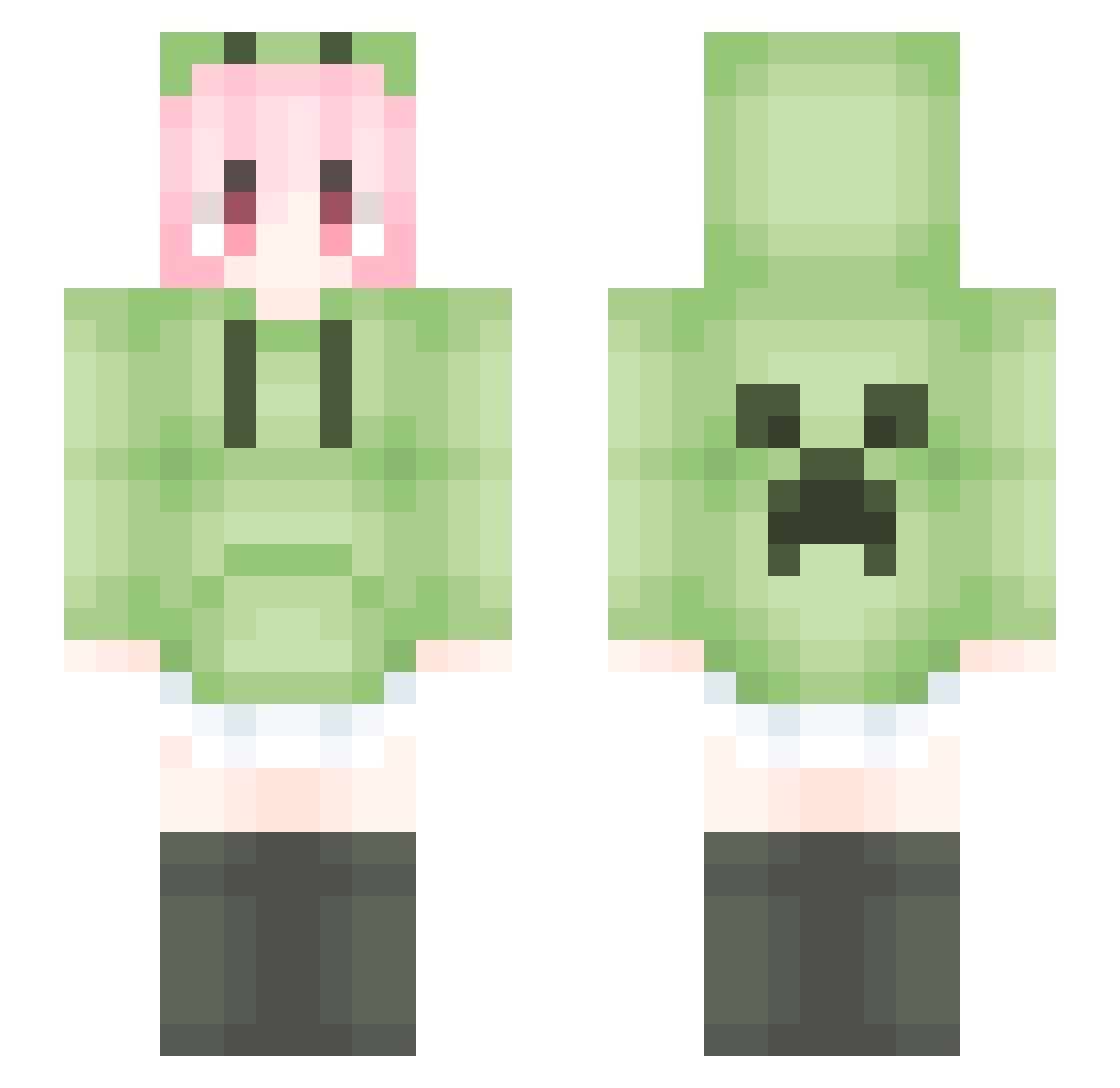
Current Minecraft skin of the player hfjkds, loaded from the official Mojang API. Rotate the 3D model with your mouse or finger, then download the skin as a PNG file and use it in Minecraft: Bedrock Edition or Java Edition for free. When hfjkds changes their skin, this page updates automatically and the old skin stays in the history below.
Other players with this skin (1523)
hfjkds was the 967th player we have seen with this skin, first spotted on 26.09.2026. The same skin was seen on these players. Open a nickname to see their current skin and skin history.
 wuqude Yukino76OvO DarkLoveSaMa jixiujia130727 nono1818 AD_niwa pmcnb GraGong bailfr Cocker1 _ii8tl zero_liao123 YTATY banycj yzh132 xiao_xiao_Q JianYu02 WenhaoMa LiangCha1 DouYar MoRo_Plum qingyun14 YB_babo Rush777777 nanjianleyan DiaoRen11451 marychunyi HH_zb Ambition_06 miotuz Eternity1681 SuperLxu fwlw5 tourist_note lanyou3151 Changxiang afee34 shuji888 mian_tiao_gei_de waiheisi syh173 Simliu Merveilleux123 SKY_No_Limit handsomepotato88 Alnair_ xfulse WuyueMay luoshang9 S13_Nya_haker_Pj sidns 7gundaorou lao6gg Canoe11 NijatTurkZat0812 dairka Drynzl jinansen1 Luka_Minato DarkMoVan
More Anime Girl Minecraft skins
See all 12004 Anime Girl skins
How to install the hfjkds skin
- Press the Download button above to save the skin as a PNG file.
- Minecraft: Bedrock Edition (PE): open the Dressing Room from the main menu (or tap your character → Edit Character), go to Classic Skins → Owned, press the + (new skin) button, choose the downloaded PNG and pick the Slim (Alex) model. Works on PC and mobile; consoles cannot import custom skins.
- Minecraft: Java Edition: open the Minecraft Launcher, go to the Skins tab, click New Skin, load the PNG, pick the Slim (Alex) model and press Save & Use. You can also upload it at minecraft.net → Profile → Change Skin.
The skin does not show up after import - what should I do?
Restart Minecraft and open the Dressing Room again - imported skins sometimes appear only after a restart. Also make sure you selected the imported skin and picked the Slim (Alex) model.
Which model should I choose, Classic or Slim?
This skin is designed for the Slim (Alex) model. If you pick the wrong model, the arms of the skin will look stretched or squeezed.
Is the skin of hfjkds free to download?
Yes. Press Download, save the PNG file and use it in Minecraft: Bedrock Edition or Java Edition - no payment or registration needed. The skin also works on multiplayer servers and Realms.
More skins
Looking for more? Go back to all Minecraft skins and check the top skins of the week, month and all time, or find any player's skin by nickname.