
hexyman69 - Minecraft Skins & Skin History
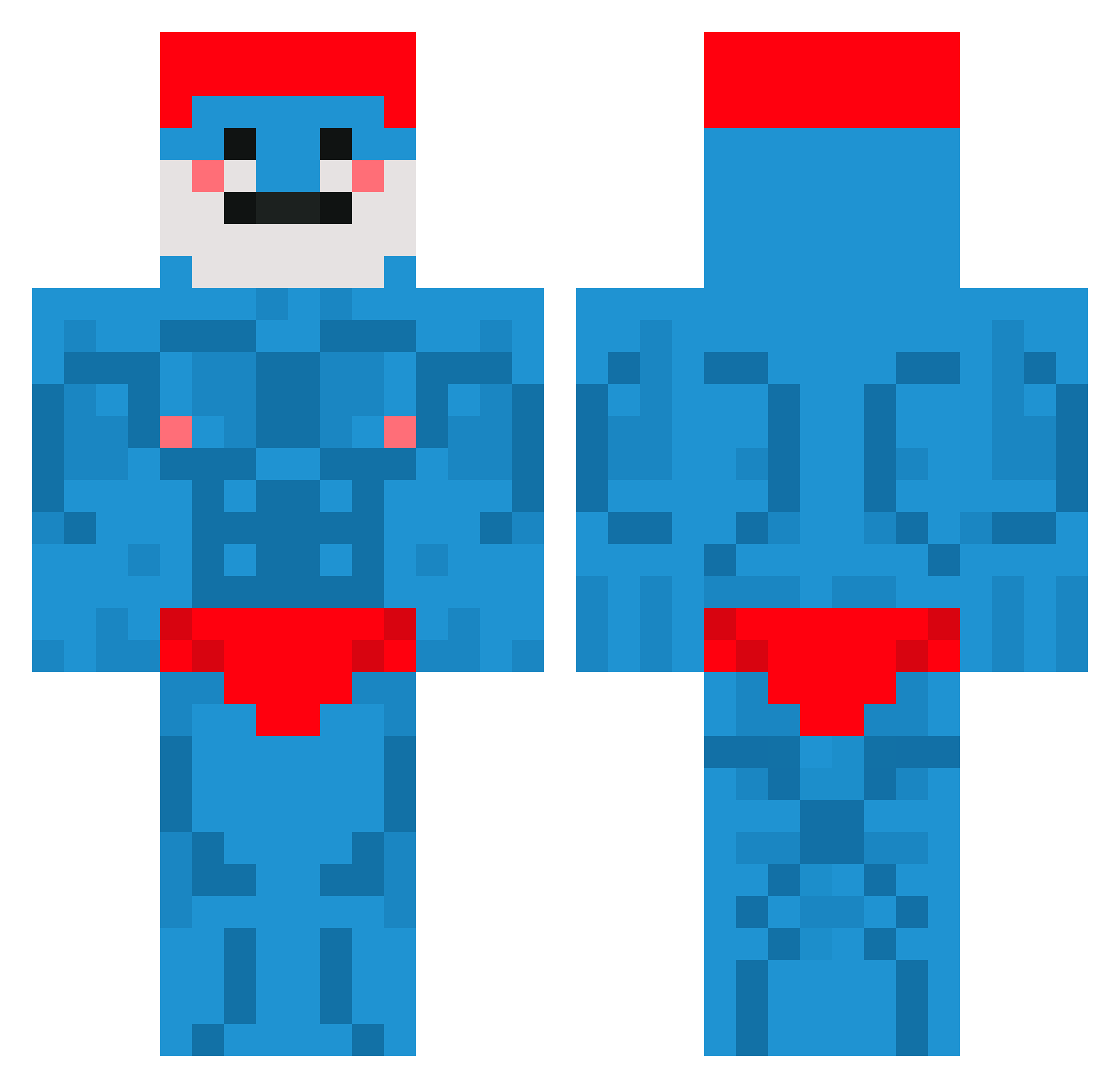
Current Minecraft skin of the player hexyman69, loaded from the official Mojang API. Rotate the 3D model with your mouse or finger, then download the skin as a PNG file and use it in Minecraft: Bedrock Edition or Java Edition for free. When hexyman69 changes their skin, this page updates automatically and the old skin stays in the history below.
Other players with this skin (661)
hexyman69 was the 292nd player we have seen with this skin, first spotted on 12.09.2026. The same skin was seen on these players. Open a nickname to see their current skin and skin history.
 banjo_angle IronicNN Jilimaus SonOfPeta Pixitic T48y Fat_MC mcBorgar_ TzJay Namestaj Infinity3820 JuicyPapaSmurf Rikinashi JeS1337 Yugbus victordagawd ToxicAcul JManny1911 harazhd VGL_YT ThatHandsome21 Bloch2001 e_wan21 LeveL150UP dylan_od 5143 Perunapotkomuusi Toudyxd9370 zergzwerg88 alissamorris200 DragXWr lothu peeunderpants Akim784 LaX_eater Slohan11 cicalone_simone rlaadgus Sam0806 willi_27_ m4xm0_1983 RudyJUH Chubbbsssssssss lucy01010101 zainabnotfound Tuckmama NesquickB TransformersWiki itzgobby noonebutnick _Slayke Waffernarf Thoemwa beanos_42069 ziemniakos121 Zenitsu0087 unc9 Fougassito SlenderCat12 J_Yupe
More Bodybuilder Minecraft skins
See all 1175 Bodybuilder skins
How to install the hexyman69 skin
- Press the Download button above to save the skin as a PNG file.
- Minecraft: Bedrock Edition (PE): open the Dressing Room from the main menu (or tap your character → Edit Character), go to Classic Skins → Owned, press the + (new skin) button, choose the downloaded PNG and pick the Classic (Steve) model. Works on PC and mobile; consoles cannot import custom skins.
- Minecraft: Java Edition: open the Minecraft Launcher, go to the Skins tab, click New Skin, load the PNG, pick the Classic (Steve) model and press Save & Use. You can also upload it at minecraft.net → Profile → Change Skin.
The skin does not show up after import - what should I do?
Restart Minecraft and open the Dressing Room again - imported skins sometimes appear only after a restart. Also make sure you selected the imported skin and picked the Classic (Steve) model.
Which model should I choose, Classic or Slim?
This skin is designed for the Classic (Steve) model. If you pick the wrong model, the arms of the skin will look stretched or squeezed.
Is the skin of hexyman69 free to download?
Yes. Press Download, save the PNG file and use it in Minecraft: Bedrock Edition or Java Edition - no payment or registration needed. The skin also works on multiplayer servers and Realms.
More skins
Looking for more? Go back to all Minecraft skins and check the top skins of the week, month and all time, or find any player's skin by nickname.